


 Zastosowany


Timeless Collection
Save $201 $ 59 .00

The Timeless Collection contains 50 presets that are fully compatible with both the desktop and mobile versions of Adobe Lightroom.
Zawartość zestawu
30 Landscape Presets, 12 Wildlife Presets, 4 Urban Presets, 2 Astro Presets, 2 Global Presets, User guide & installation tutorial in English

Korzystając z plików RAW z łatwością przećwiczysz wskazówki dotyczące retuszu i dowiesz się, jak stworzyć zdjęcia takie jak te.

 >
>

 >
>

 >
>

 >
>

 >
>
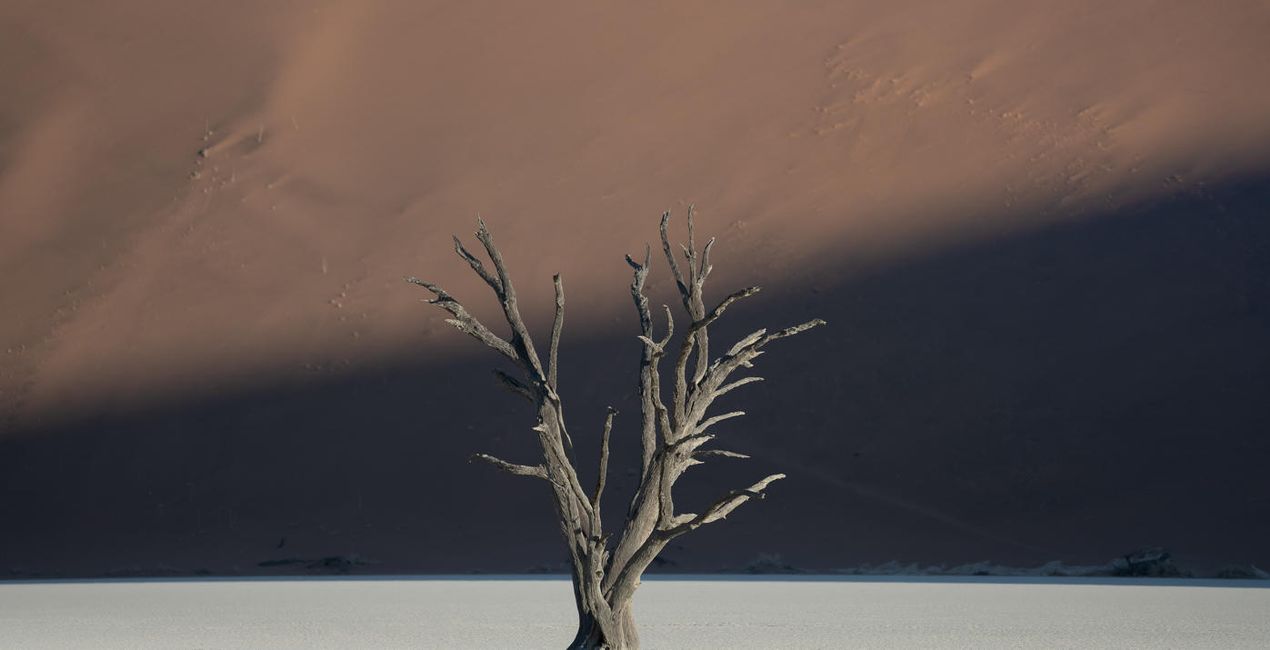
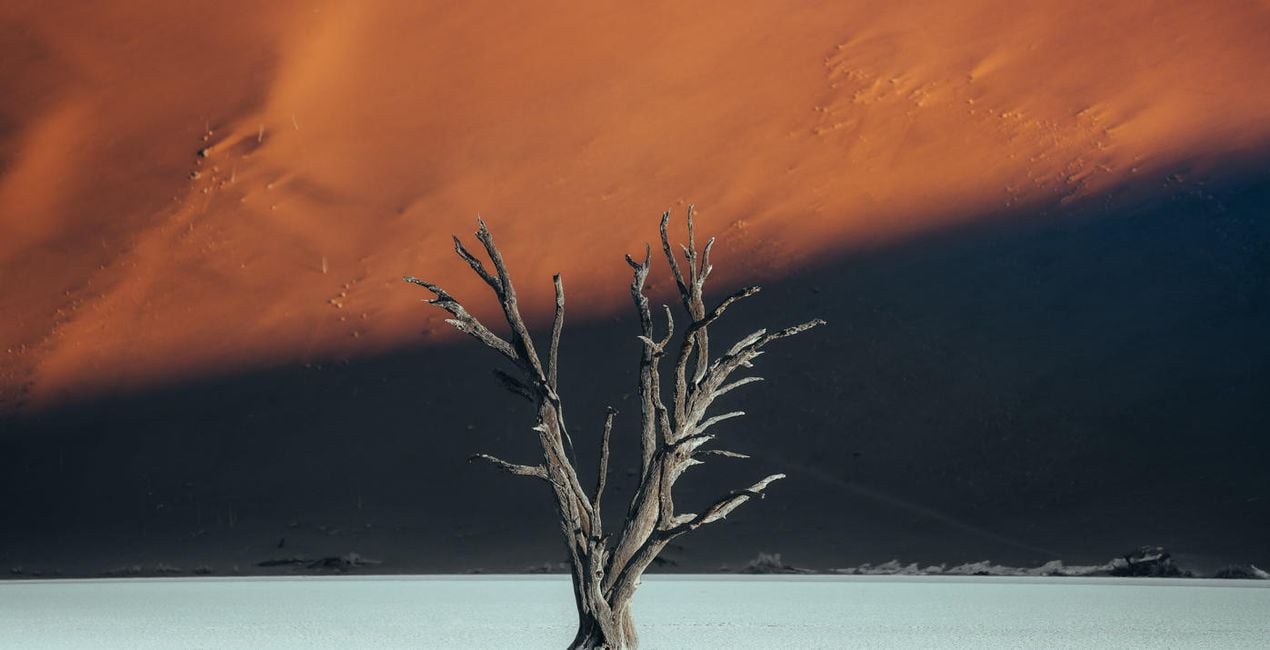 >
>
Luke Stackpoole shares his vision behind the pack:
This collection has been designed around my most recent editing techniques in 2022 and is suitable for a wide variety of photography styles including landscape, wildlife, urban, and night photography. By applying a unique tonal grade, these presets will help you achieve a perfect visual balance — all in the click of a button.
I have designed these presets to work on files from Canon, Sony, Nikon, Panasonic, and Fuji cameras and have tested them on raw files from multiple mobile cameras. The presets work in both Lightroom for desktop and the Lightroom mobile app, including in all legacy Lightroom versions.
All the presets are now fully ISO-adaptive, further enhancing image quality at high ISO.
Why Withluke?
These presets are a culmination of years of visualizing color and careful tweaking to help you achieve a unique and cinematic tonal balance in your images. I use these presets and techniques on a daily basis, and this consistency has helped me to build a client portfolio of leading brands around the world as well as grow my audience to 1 million followers on Instagram.
The Presets in this collection will dramatically speed up your workflow in Lightroom and will act as a base to transform your edits. They are also an effective way for you to learn how to edit by working backwards from the preset in order to visualize the techniques behind my editing style.
Lifestyle & Adventure Photographer
<p>Luke is a professional lifestyle and adventure photographer with a passion for emotive storytelling through his photography. He’s also an imaging ambassador for Tamron EU. Luke tends to focus his photography on the Nordic region because of the ever-changing weather, mountains, and drama that inspire him. Born in the UK, Luke used to work in finance in London but transitioned to photography in 2017 to pursue his passion. </p><p>Luke has spent the last couple of years traveling the world in search of some of the most unique environments to shoot, spending the majority of his time abroad creating photographic and video content for leading international brands such as Adobe, The North Face, and Visit Greenland.<br></p><p></p><p>In his spare time, when he isn’t at his computer deep in the editing zone, Luke enjoys Thai food, catching up on Netflix, and reading a good book in a cozy café!</p><div><br></div>
Jeśli masz jakiekolwiek pytania dotyczące produktu, możesz skontaktować się z zespołem pomocy technicznej dostępnym 24 godziny na dobę, 7 dni w tygodniu. Wystarczy kliknąć ten link.
Aby kupić Timeless Collection, wykonaj następujące kroki:
1. Otwórz Marketplace Skylum.
2. Przejdź do odpowiedniej zakładki, w której znajduje się Timeless Collection. Kliknij na nim i dodaj produkt do koszyka.
3. Przejdź do koszyka. Tutaj zakończ proces zakupu produktu Timeless Collection.
4. Po dokonaniu zakupu otrzymasz wiadomość e-mail z linkiem do pobrania Timeless Collection. Nowy produkt znajdziesz również na swoim koncie Skylum, w zakładce Moje dodatki.
Szczegółowe instrukcje dotyczące instalacji Timeless Collection zostaną przesłane w wiadomości e-mail wraz z linkiem do pobrania
Ponadto zakupiony produkt można zainstalować bezpośrednio w programie Luminar Neo: przejdź do menu Dodatki > Marketplace, wybierz kategorię produktu, znajdź zakupiony produkt i kliknij Zainstaluj.
To całkiem proste! Najpierw pobierz pakiet z sekcji Konto > Moje dodatki. Następnie postępuj zgodnie z instrukcjami instalacji zawartymi w pobranym folderze. Każdy typ zasobu może mieć własne kroki instalacji, więc koniecznie zapoznaj się z dołączonym przewodnikiem.
Nie martw się. Wszystkie zakupione produkty, w tym Timeless Collection, są przechowywane w zakładce „Moje dodatki” na koncie Skylum, co umożliwia ich łatwe ponowne pobranie i użycie.
Ogólnie rzecz biorąc, większość produktów jest kompatybilna z Luminar Neo. Aby jednak upewnić się, że Timeless Collection jest kompatybilne z Twoim oprogramowaniem, przed pobraniem lub zakupem sprawdź jego specyfikację. Poszukaj sekcji „Kompatybilność” po prawej stronie strony Timeless Collection, gdzie wymienione są wszystkie kompatybilne produkty.
Nie wychodź jeszcze. Mamy dla Ciebie ekskluzywny kod rabatowy. Wykorzystaj go w ciągu najbliższych 15 minut, aby uzyskać dodatkowe 10% zniżki przy finalizacji zamówienia. Skopiuj poniższy kod i sfinalizuj zakup.
15 m : 00 s





