


 Zastosowany




O nas
Discover these 10 incredible Presets for Luminar Neo that will transform your images captured on family vacations. Your vacation time with your family is precious and these Presets will help you create stunning images from those special moments you captured on camera. These Presets are designed for some of the most popular types of family vacations, often with subtle vignettes to isolate your portraits and relying on some of Luminar Neo’s AI technologies, such as Face AI, Skin AI and Accent AI to pick out the fine details of your subjects. Use these Presets as a single-click edit, or use them to jumpstart your custom edit. Turn your snaps into works of art with these Presets which are ideal for raw files. Time to try them out on your photos!
Kompatybilność

Twórz zdjęcia takie jak to
Korzystając z plików RAW z łatwością przećwiczysz wskazówki dotyczące retuszu i dowiesz się, jak stworzyć zdjęcia takie jak te.

 >
>

 >
>

 >
>
 >
>

 >
>
 >
>
Historia
You'll find 10 Presets in this pack
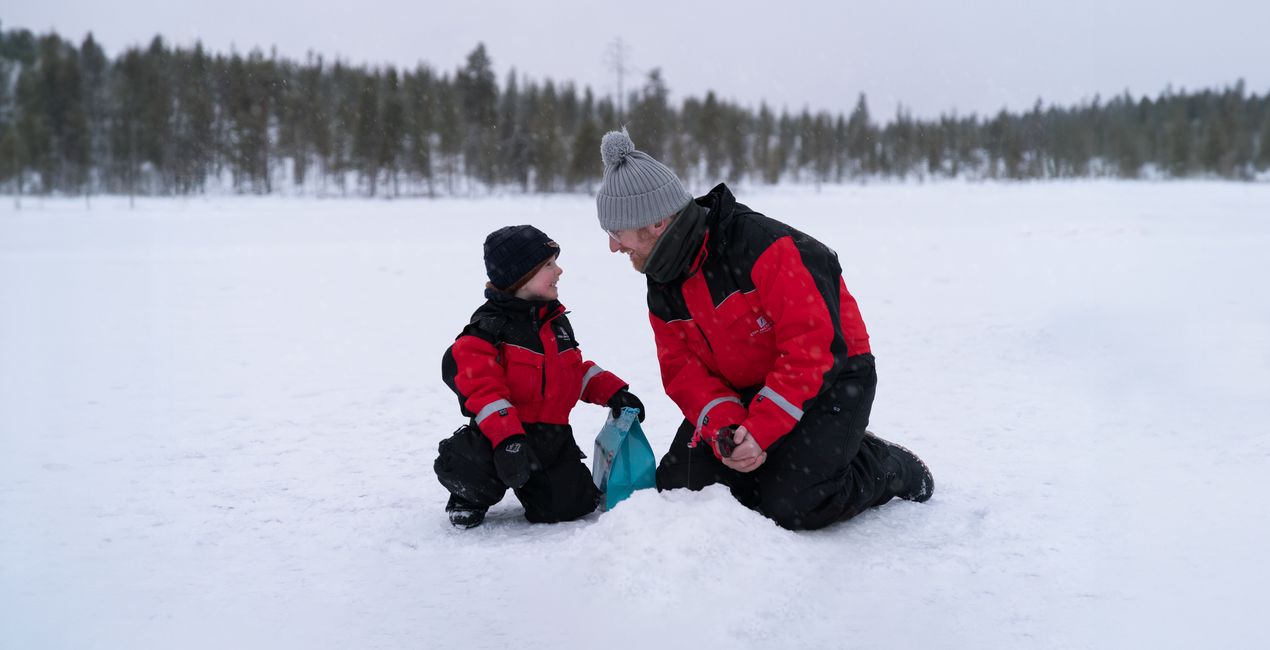
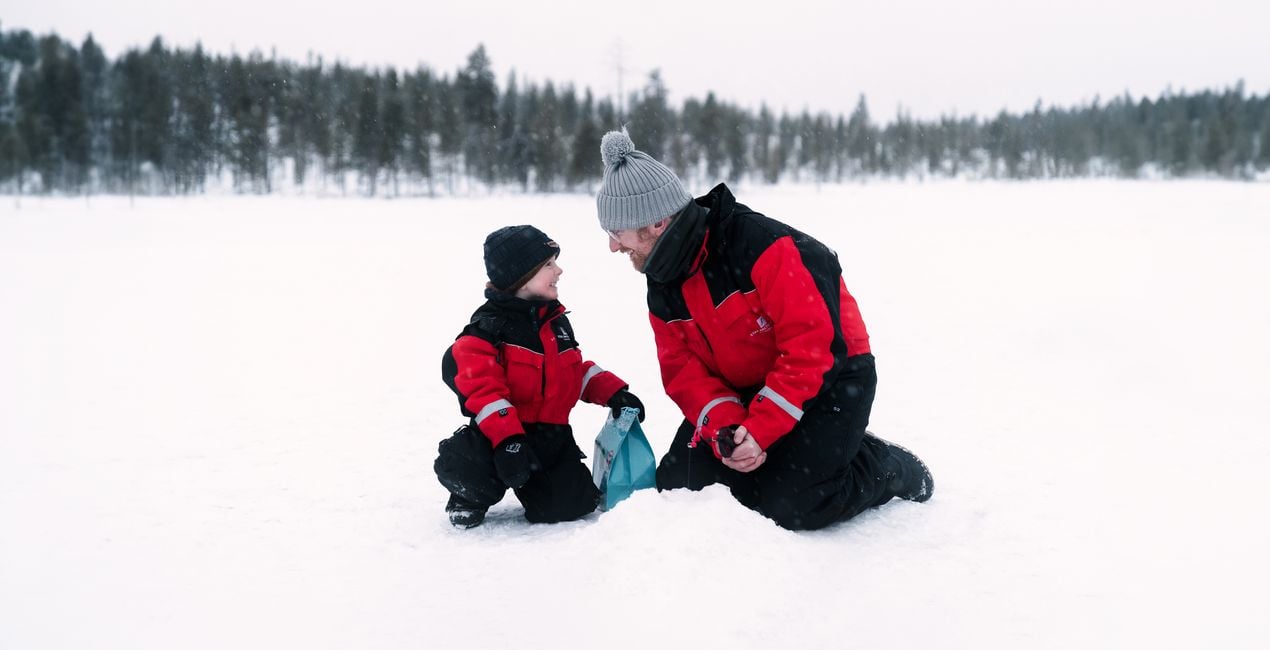
Snow Fun: A high-key desaturated look with a subtle glow to enhance the pristine beauty of snow.
Tropical Beach: Vibrant color, exposure, and contrast detail for well-lit, sunny beach portraits.
Poolside: A bright and dreamy look for underexposed images.
Forest Walk: Cinematic look with an emphasis on greens and earthy tones.
Fall Adventure: Boost of reds and oranges for punchy fall portraits.
Bright Shoot: Dreamy, warm look that calms down harsh shadow contrast for images captured in bright sunlight.
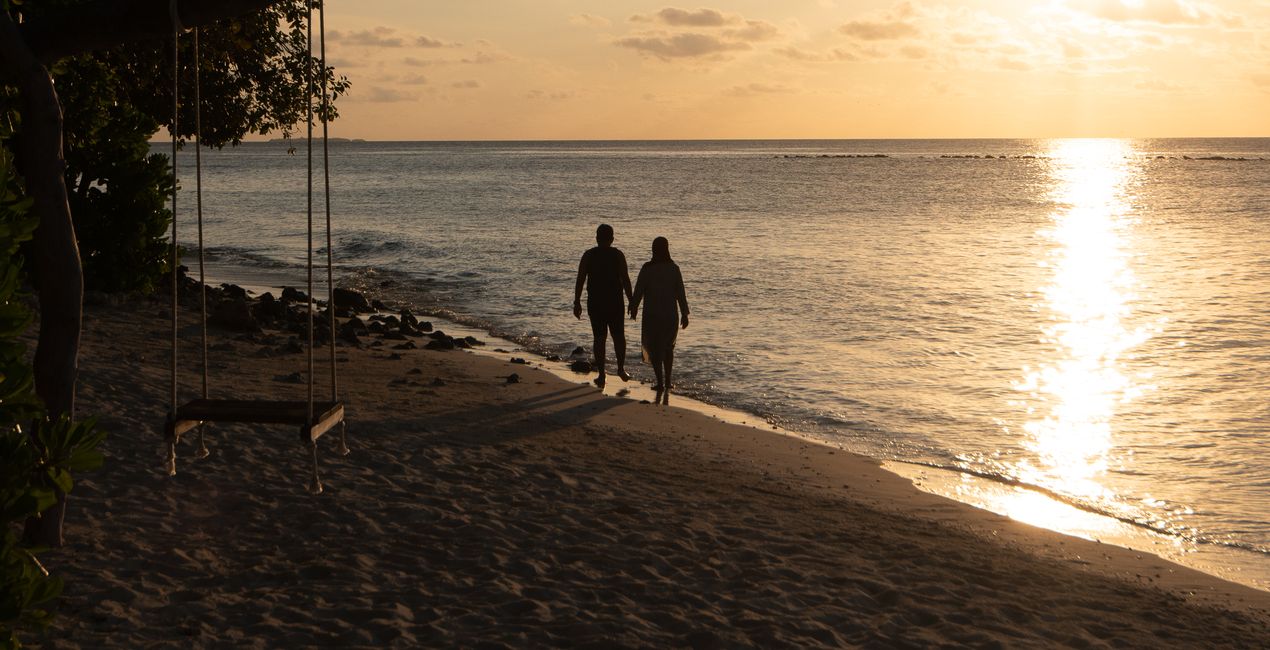
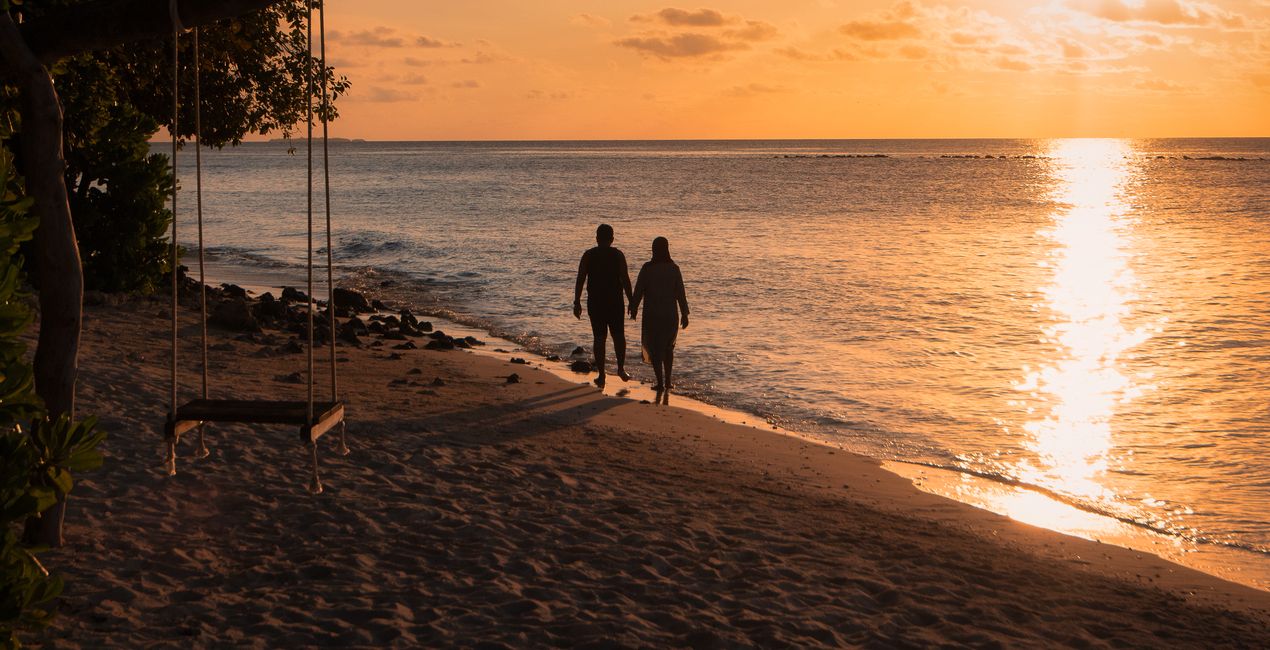
Sunset Stroll: A pop of warm color and strong contrast for perfect silhouette captures.
Villa: Desaturated greens and earth tones with a pop or contrast for standout portraits.
Nostalgic: Striking and desaturated high key look.
Vintage Shoot: Beautiful matte look with faded and muted colors.
Don’t forget to share your results! Use the hashtag #madewithluminar on social media so the Skylum Team can take a look at your work!
Podobne produkty


Twórca
Mathew Browne
Photographer. Skylum Ambassador.
Mathew Browne is a cross-genre photographer who has gained recognition for his vibrant images spanning the spectrum of travel photography. A prolific traveler, Mathew has visited nearly 70 countries and photographs extensively for the photo location sharing platform PhotoHound, which he co-founded in 2018.
These Looks serve as the foundation for much of his wildlife portfolio, often allowing him to achieve his desired result with just one click.
Jak skontaktować się z pomocą techniczną?
Jeśli masz jakiekolwiek pytania dotyczące produktu, możesz skontaktować się z zespołem pomocy technicznej dostępnym 24 godziny na dobę, 7 dni w tygodniu. Wystarczy kliknąć ten link.
Jak mogę kupić Family Vacation?
Aby kupić Family Vacation, wykonaj następujące kroki:
1. Otwórz Marketplace Skylum.
2. Przejdź do odpowiedniej zakładki, w której znajduje się Family Vacation. Kliknij na nim i dodaj produkt do koszyka.
3. Przejdź do koszyka. Tutaj zakończ proces zakupu produktu Family Vacation.
4. Po dokonaniu zakupu otrzymasz wiadomość e-mail z linkiem do pobrania Family Vacation. Nowy produkt znajdziesz również na swoim koncie Skylum, w zakładce Moje dodatki.
Jak zainstalować Family Vacation?
Szczegółowe instrukcje dotyczące instalacji Family Vacation zostaną przesłane w wiadomości e-mail wraz z linkiem do pobrania
Ponadto zakupiony produkt można zainstalować bezpośrednio w programie Luminar Neo: przejdź do menu Dodatki > Marketplace, wybierz kategorię produktu, znajdź zakupiony produkt i kliknij Zainstaluj.
Gdzie mogę znaleźć Family Vacation po instalacji?
To całkiem proste! Przejdź do zakładki Presety, a następnie wybierz opcję Zakupione. Zainstalowane presety będą się znajdować w tym miejscu.
Co jeśli zgubię Family Vacation?
Nie martw się. Wszystkie zakupione produkty, w tym Family Vacation, są przechowywane w zakładce „Moje dodatki” na koncie Skylum, co umożliwia ich łatwe ponowne pobranie i użycie.
Jak sprawdzić, czy Family Vacation jest kompatybilne z moim oprogramowaniem?
Ogólnie rzecz biorąc, większość produktów jest kompatybilna z Luminar Neo. Aby jednak upewnić się, że Family Vacation jest kompatybilne z Twoim oprogramowaniem, przed pobraniem lub zakupem sprawdź jego specyfikację. Poszukaj sekcji „Kompatybilność” po prawej stronie strony Family Vacation, gdzie wymienione są wszystkie kompatybilne produkty.


