


 Appliqué


CINEMATIC BESPOKE
Save $201 $ 12 .00 $ 15 .00

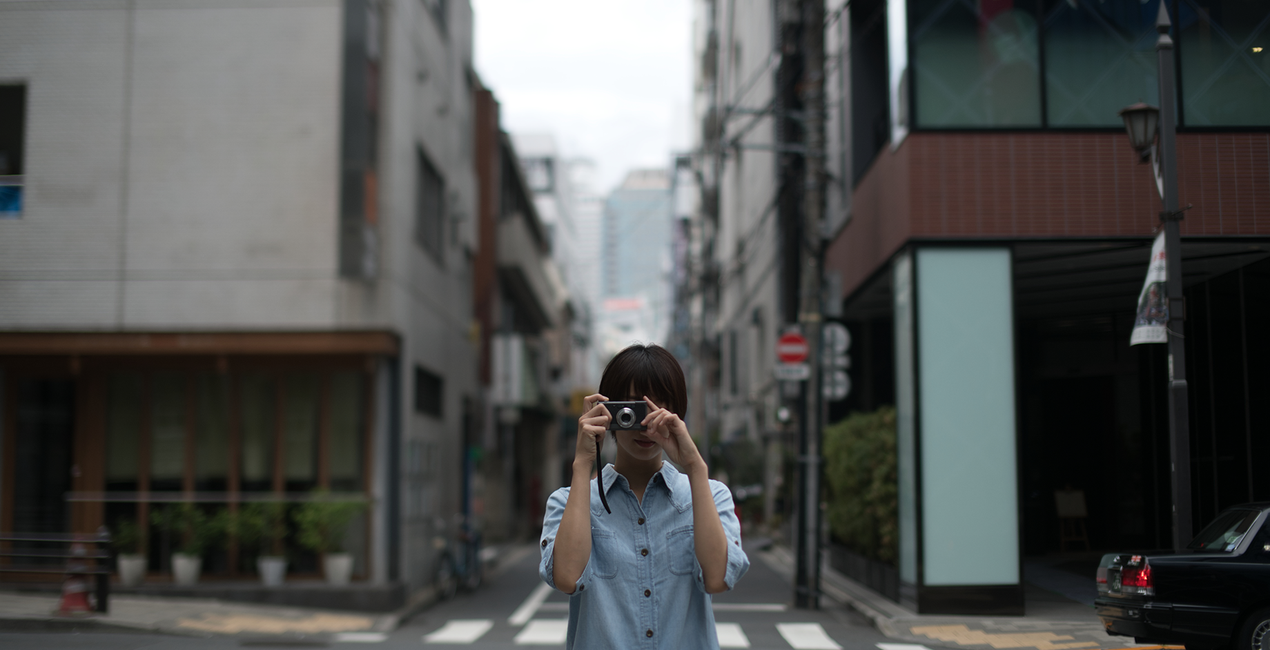
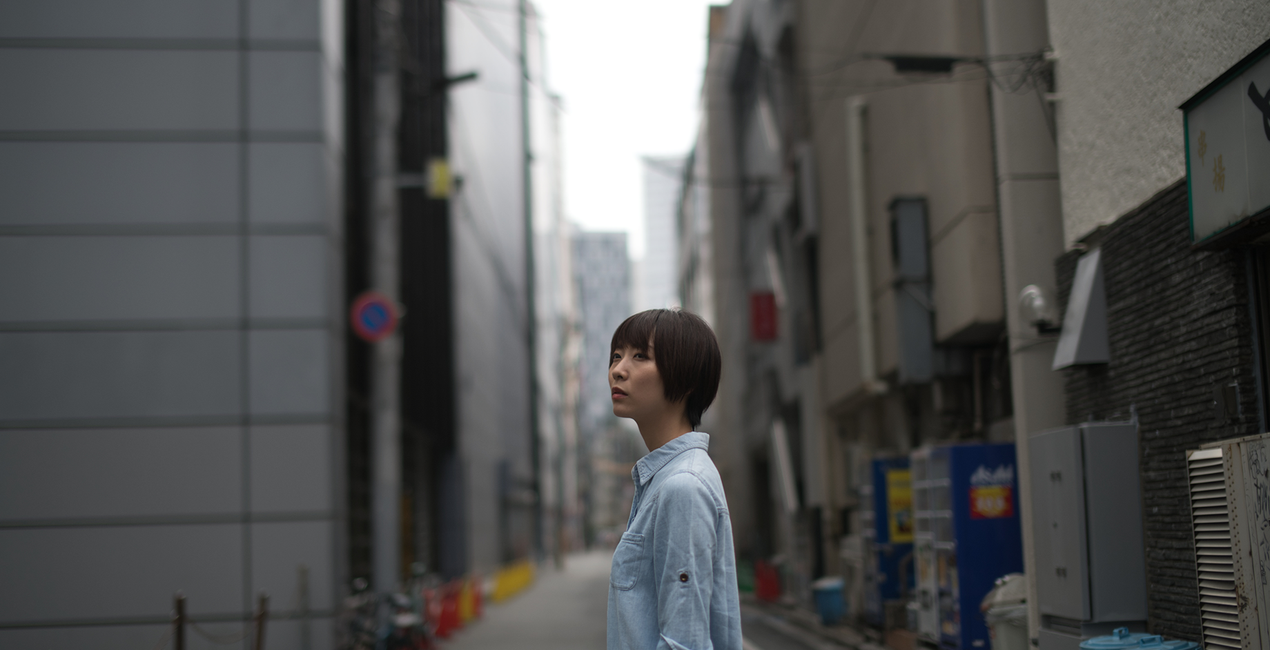
Rich, busy urban scenes meet faded indie looks in these Signature Templates Collection by Justin Lim. The Hong Kong-based portraits photographer wanted to create something subtle from the dramatic, soft from the unyielding, hazy from the vibrant, almost a paradox. To add complexity to your portraits and your lifestyle shots, here are the Cinematic Bespoke presets.

À l'aide des fichiers RAW fournis, vous pourrez facilement appliquer les conseils en matière de retouche et découvrir comment obtenir des photos comme celles-ci.

 >
>

 >
>
 >
>

 >
>

 >
>

 >
>

 >
>
 >
>

 >
>
In his first Signature Templates/Looks for Luminar, portrait photographer Justin Lim hones the beauty of strong contrasts, mixing beautifully the vibrant, busy, and sometimes hard vibes and scenes of the urban jungle with the subtle fadedness of indie looks.“I think I tend to look for strong contrasting elements — something soft and tender set against the harsh backdrop of the city; or a relaxed coffee spot buried somewhere secret in the urban jungle,” explains Justin. With his Signature Luminar Templates, he “wanted to make something that was dramatic yet also subtle and soft, to frame urban subjects delicately against the rich backgrounds of the big city.”That amalgamation is just the sweet spot you want for portraitures in a city setting. But as he designed them to encompass a broad range of photography, they’re also incredible for other types of photographs as well.“I feel the looks have also been very well applied in terms of portraits in nature. Lifestyle shots such as coffee, table settings, and hotel design also get immaculate moods with these Teamplates.”These are the Cinematic Bespoke Templates. The Templates Collection includes 12 templates that you can download and use in Luminar.
Photographer. Skylum Ambassador.
<p>Justin Lim is a professional photographer based in Asia with wide experience in portraiture and travel photography. Founded in 2013 in Hong Kong, his studio, The Kandid, is a curated space for creators with props and textures.</p><p></p><p>One of Hong Kong’s most accomplished lifestyle photographers, Justin Lim began his photographic journey when he was a teenager in England in 1999. After a stint in the legal industry, Justin returned to Hong Kong, the country of his birth, where he founded The Kandid, his bespoke studio along with a social media consultancy business. Justin has been featured on social media since the Flickr era, going on to become a Suggested User on Instagram as well as a guest editor on 500px. </p><p>His passion for photography has seen him canvas the world seeking lifestyle moments and beautiful portraiture. He has worked for some of the world’s most famous brands as both a photographer and influencer and has dedicated his life to learning more about cultures and people through his travels.</p>
FAQ
Vous avez d'autres questions ou souhaitez simplement des conseils ?
contacter le support techniqueSi vous avez des questions concernant le produit, contactez notre équipe d'assistance disponible 24 h/24, 7 j/7. Suivez simplement ce lien.
Pour acheter Cinematic Bespoke, suivez les étapes suivantes :
1. Ouvrez le Marketplace de Skylum.
2. Allez dans l'onglet correspondant où Cinematic Bespoke est répertorié. Cliquez dessus et ajoutez le produit à votre panier.
3. Accédez à votre panier. Là, terminez le processus d'achat pour Cinematic Bespoke.
4. Après l'achat, vous recevrez un e-mail de confirmation contenant le lien de téléchargement pour Cinematic Bespoke. Vous trouverez également le nouvel élément dans votre compte Skylum, sous l'onglet Mes modules complémentaires.
Des instructions détaillées sur l'installation du Cinematic Bespoke vous seront envoyées dans l'e-mail de confirmation, ainsi que le lien de téléchargement.
De plus, vous pouvez installer l'article acheté directement dans Luminar Neo : allez dans Extras > Marketplace, sélectionnez la catégorie Produit, trouvez l'article acheté et cliquez sur Installer.
C'est très simple ! Allez dans l'onglet Préréglages, puis sélectionnez Achetés. Votre préréglage installé s'y trouvera.
Ne vous inquiétez pas. Tous les articles achetés, y compris Cinematic Bespoke, sont stockés dans l'onglet « Mes modules complémentaires » de votre compte Skylum. Vous pouvez ainsi facilement les utiliser et les télécharger à nouveau.
Normalement, la plupart des articles proposés sont compatibles avec Luminar Neo. Toutefois, pour vous assurer que Cinematic Bespoke est bien compatible avec votre logiciel, veuillez vérifier ses spécifications avant de le télécharger ou de l'acheter. Consultez la section « Compatibilité » à droite de la page Cinematic Bespoke, où tous les produits compatibles sont répertoriés.
Ne partez pas tout de suite. Voici un code de réduction exclusif pour vous. Utilisez-le dans les 15 prochaines minutes pour bénéficier d'une réduction supplémentaire de 10 % lors du paiement. Copiez le code ci-dessous et finalisez votre achat.
15 m : 00 s





