

 適用する
適用する 



ウエディング・ポートレート
Save $201 $ 16 .15 $ 19 .00
Skylumチームによる10種類のロマンチックでソウルフルなテンプレートで、幸せなカップルと彼らの 大切なすべての人達の愛を祝おう。優しくて感動的な色、輝く光、そしてその日の思い出をさらに特別なものにする素敵なエフェクトを見つけよう。
含まれているもの
10種類のテンプレートとプリセット。 JPEG、RAW画像に対応。

提供されたRAWファイルを使ってレタッチのコツを簡単に練習、こんな写真に仕上げる方法を学ぶことができます。

 >
>

 >
>

 >
>
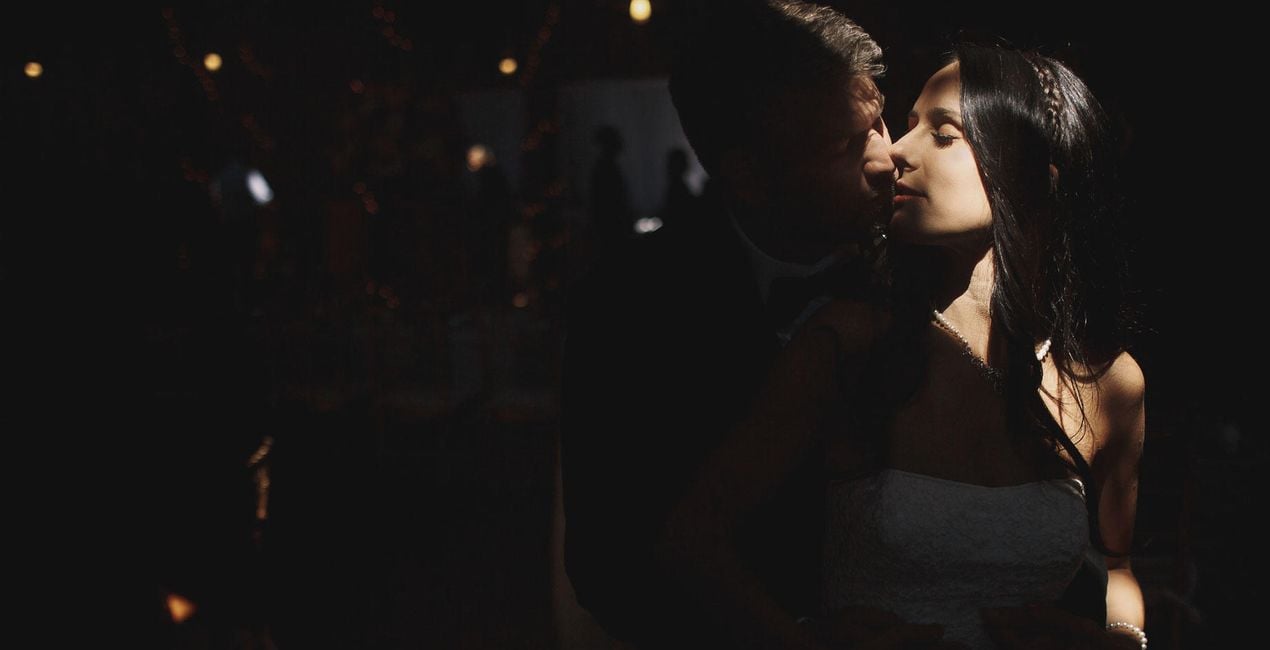
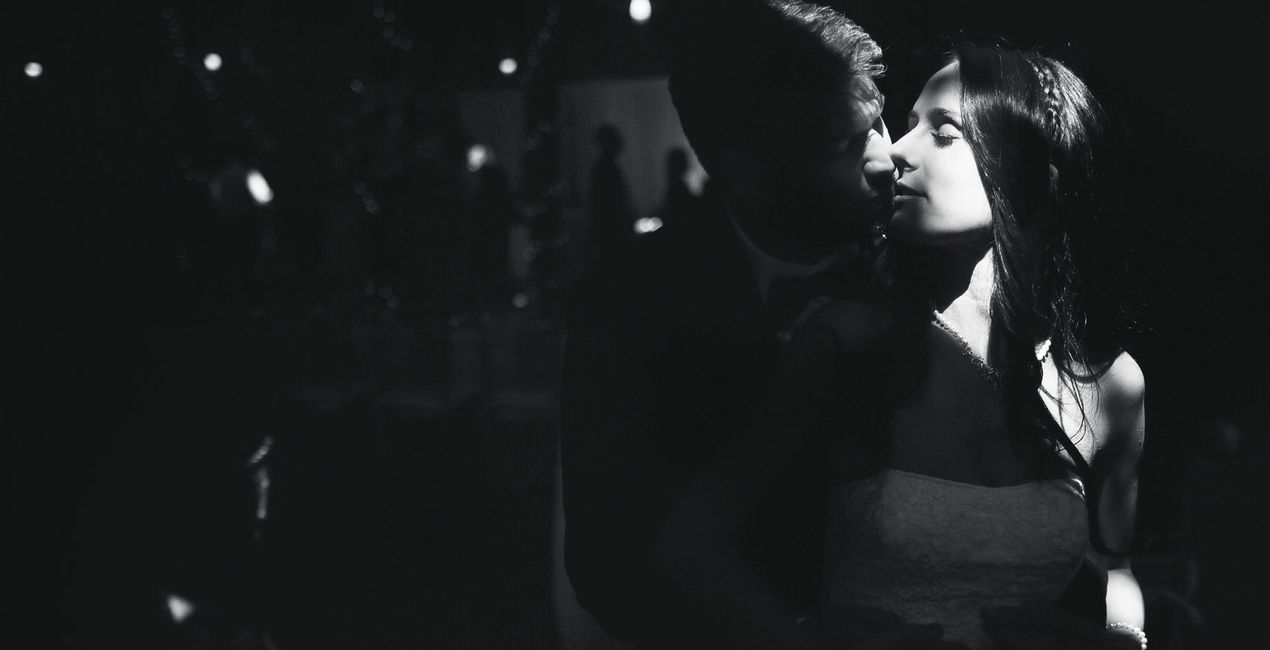 >
>

 >
>

 >
>

 >
>

 >
>

 >
>
A couple’s wedding is one of the most memorable days of their lives, and the wedding photos should reflect that.
To make the couple even more stunning and to enhance those who are dearest to them, use this collection of 10 delicate Templates. It will help you shine the spotlight on the merry celebration.
Delicate, glowing, soulful, black & white, high key, or light — find the Template that best elevates the mood in each photo and "make sure the wedding day memories never fade.
What you’ll find in this pack (10 Templates):
Honeymoon: A bright and vibrant Template with enhanced portrait tools under the hood that will make the bride and groom look spectacular.
Special Moment: A Template with a gradient texture and analog film colors. The built-in portrait feature enhancements add to the effect, making the wedding party look stunning.
Cut the Cake: Discover this warm Template with lowered highlights. Luminar’s FaceAI and other portrait tools work under the hood to bring you the best results of the lovely couple.
First Dance: A black and white Template with light toning and portrait-enhancing tools helps the viewer concentrate on who truly matters on that special day.
Shiny Bride: A vivid Template with portrait-enhancing tools and halos that are bound to make the happy couple glow.
Only You: A soft Template in low contrast with portrait-enhancing tools that delivers a delicate feeling of vulnerability and softness.
Morning: Explore this warm contrasting Template with portrait features that delivers unforgettable results.
Pure: Go down an exposure level, maintain natural colors, and apply portrait enhancement features for true-to-life yet eye-catching results.
Sunset: Add the beautiful glow of the sunset by applying this warm Template with portrait enhancements.
Timeless: A black and white Template with portrait features and a raised black point that is bound to immortalize precious moments.
Keep in mind that a Template’s default effect might be too strong for your photo.
If it is, simply bring it back a bit with the Amount slider.
Don’t forget to share your results! Use the hashtag #madewithluminar on social media so the Skylum Team can take a look at your work!
製品についてご質問がございましたら、24時間対応のサポートチームまでお問い合わせください。こちらのリンクをご利用ください。
Wedding Portraitを購入するには、次の手順に従ってください:
1. Skylumのマーケットプレイスを開きます。
2. Wedding Portraitがリストされているタブに移動し、クリックしてカートに追加します。
3. カートに進み、Wedding Portraitの購入手続きを完了してください。
4. ご購入後、Wedding Portraitのダウンロードリンクが記載された購入完了メールが届きます。また、Skylumアカウントの「マイアドオン」タブからも新しいアイテムをご確認いただけます。
Wedding Portraitのインストール手順の詳細は、ダウンロードリンクと一緒にお送りする「購入完了メール」に記載されています。
また、Luminar Neoから購入されたアイテムを直接インストールすることもできます。エクストラ > マーケットプレイスに進み、商品カテゴリを選択して、購入済みアイテムを見つけてインストールをクリックしてください。
とても簡単です!プリセット タブに移動して、購入済みを選択してください。インストールしたプリセットがここに表示されます。
ご安心ください。Wedding Portraitを含むすべての購入済みアイテムは、Skylumアカウントの「マイアドオン」タブ に保存されるため、簡単に再ダウンロードしてご利用いただけます。
ほとんどのアイテムはLuminar Neoに対応しています。ただし、確実にWedding Portraitがお使いのソフトと互換性があるかを確認するには、ダウンロードや購入前に製品仕様をご確認ください。Wedding Portraitページ右側の「互換性」セクションに対応しているすべての製品が表示されています。
まだお帰りにならないでください。あなただけの特別割引コードをご用意しました。今後15分以内にご利用いただくと、お会計時にさらに10%オフになります。以下のコードをコピーして、お買い物を完了してください。
15 m : 00 s





