Applicato


Puffy Dutch Clouds
Save $201 $ 16 .75 $ 25 .00

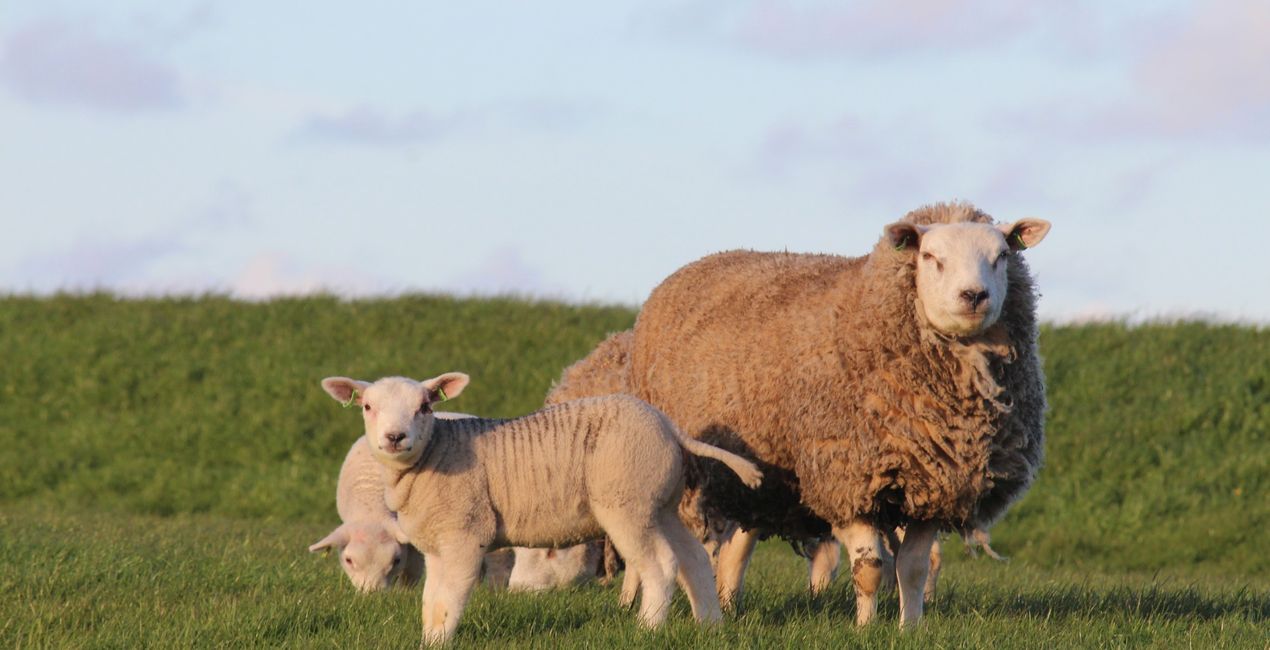
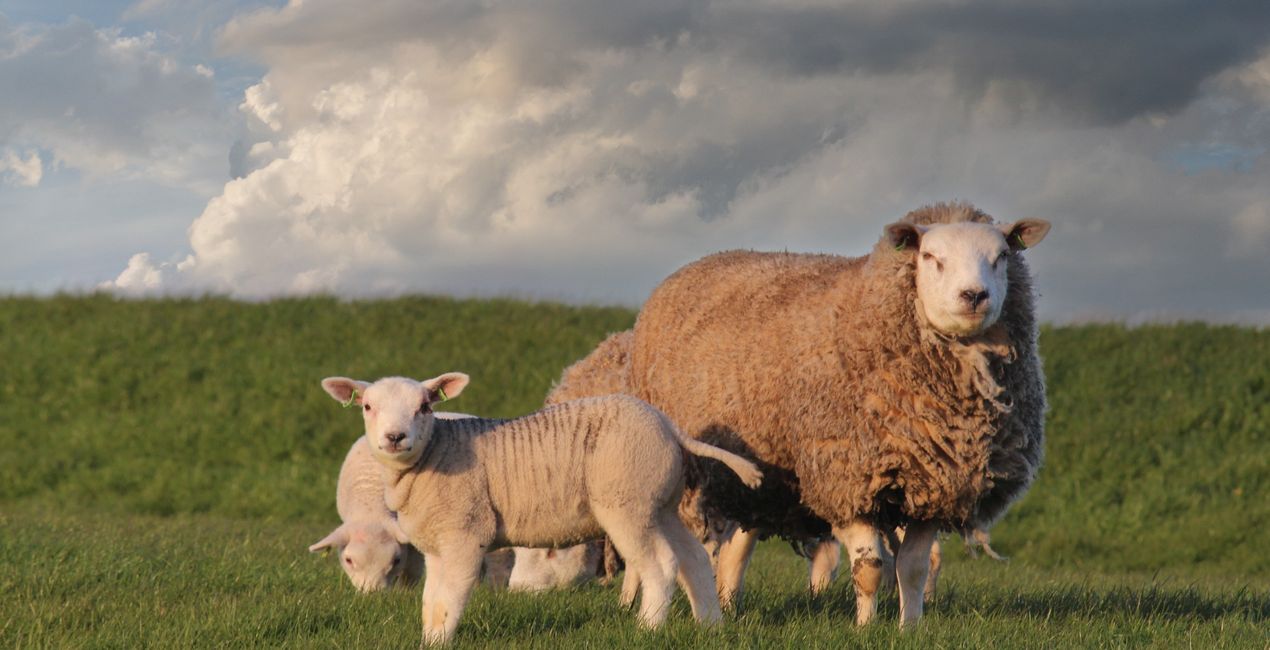
‘Hollandse Luchten’ is a well-known term in the Netherlands, which means ‘Dutch Skies’. Did you know you can always see such dynamic skies in the Netherlands? And that the old Dutch masters, like Van Gogh, Rembrandt, and Van Ruisdael were inspired by the ‘Hollandse Luchten’? Now you can create fantastic photos with Dutch Skies thanks to this collection of 20 high-resolution Skies. Albert Dros captured these Skies from his rooftop terrace in Amersfoort, and is delighted to share his joy from seeing them with you!
Cosa è incluso
20 Skies in JPEG format


Utilizzando i file RAW forniti, potrai mettere facilmente in pratica i consigli di ritocco e imparare a ottenere foto come queste.
 >
>

 >
>

 >
>

 >
>

 >
>

 >
>


Fotografo, scrittore e docente
Albert Dros is a Dutch landscape photographer who has an extraordinary passion to plan and create unique shots. Volcanoes, solar eclipses and unique aspects of nature draw his attention. He doesn’t just go for the simple shot.
"Go big or go home" is his motto, always trying to add some unique element to his shots.
His work has been recognized on a worldwide scale and he has been published worldwide in the biggest media outlets.
Albert travels a lot as a photo educator but also for personal projects. But even in The Netherlands, he can’t stop photographing. His inspiration never stops.
Se hai domande sui prodotti, puoi contattare il team dell'assistenza tutti i giorni, 24 ore al giorno. Utilizza questo link.
Per acquistare Puffy Dutch Clouds , segui questi passaggi:
1. Apri il Marketplace di Skylum.
2. Vai sulla scheda dove è elencato Puffy Dutch Clouds . Clicca sul nome del prodotto per aggiungerlo al carrello.
3. Vai al carrello, dove potrai completare l'acquisto di Puffy Dutch Clouds .
4. Dopo l'acquisto, riceverai un'e-mail con il link per scaricare Puffy Dutch Clouds . Potrai trovare il nuovo acquisto anche nel tuo account Skylum, nella scheda I miei add-on.
Nell'e-mail con il link per il download riceverai anche istruzioni dettagliate su come installare Puffy Dutch Clouds .
Inoltre, puoi installare l'articolo acquistato direttamente in Luminar Neo: vai su Extra > Marketplace, seleziona la categoria di prodotto, trova l'articolo acquistato e clicca su Installa.
È facilissimo! Nella barra dei menu superiori, passa alla scheda Modifica. Vai nel pannello Tool e seleziona Cieloᴬᴵ > Selezione cielo > Acquistati. Puffy Dutch Clouds che hai acquistato si troverà lì.
Non preoccuparti. Tutti gli articoli acquistati, incluso Puffy Dutch Clouds , vengono conservati nella scheda "I miei add-on" del tuo account Skylum, così potrai riscaricarli e utilizzarli in tutta facilità.
In generale, la maggior parte degli articoli è compatibile con Luminar Neo. Ma per assicurarti che Puffy Dutch Clouds sia compatibile con i tuoi software, verificane le specifiche prima di scaricarlo o acquistarlo. Cerca la sezione "Compatibilità" sulla destra della pagina di Puffy Dutch Clouds , dove sono elencati tutti i prodotti compatibili.
Non andartene ancora. Ecco un codice sconto esclusivo per te. Usalo entro i prossimi 15 minuti per ottenere un ulteriore sconto del 10% al momento del pagamento. Copia il codice qui sotto e completa l'acquisto.
15 m : 00 s