


 Applicato


Cyprus Vacation
Save $201 $ 39 .00

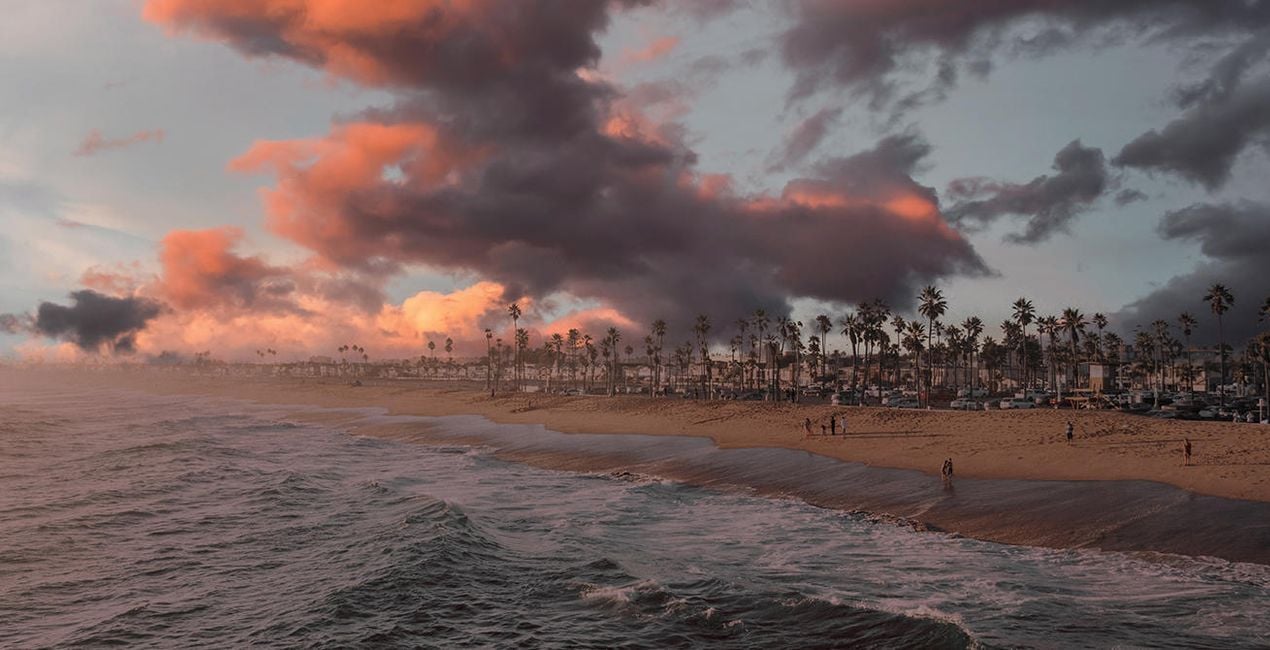
In Cyprus, you can see some of the most beautiful sunrises and sunsets in the world. The island is also renowned for its clear blue skies, which make for some truly spectacular views. The 25 JPEG and TIFF Skies in this pack were all captured by George Paraskevaides in Cyprus during some of the most majestic sunrises and sunsets and after storms. It will be so easy to give your photos that extra gorgeous look thanks to these Skies.
Cosa è incluso
25 Skies in JPEG and TIFF formats.


Utilizzando i file RAW forniti, potrai mettere facilmente in pratica i consigli di ritocco e imparare a ottenere foto come queste.

 >
>

 >
>

 >
>

 >
>

 >
>

 >
>


Storm Chaser, Landscape Photographer, Wedding Photographer
Since Georges was a child, he was excited to experience the beauty of nature. He was fascinated by the glorious sunsets and the storms he witnessed growing up. Slowly, Georges started taking photos and videos with his mobile phone.
In 2017, he made the decision to venture into photography as a more serious occupation and bought his first digital camera. And that’s how Georges started the journey in the world of landscape photography, making storms his main photography theme.
In 2021, Georges took part in a global competition with the theme of storms for the first time and managed to become one of the top ten contestants!
Now based in Cyprus, he continues chasing storms, capturing breathtaking landscapes, and occasionally providing wedding photography services.
Se hai domande sui prodotti, puoi contattare il team dell'assistenza tutti i giorni, 24 ore al giorno. Utilizza questo link.
Per acquistare Cyprus Vacation, segui questi passaggi:
1. Apri il Marketplace di Skylum.
2. Vai sulla scheda dove è elencato Cyprus Vacation. Clicca sul nome del prodotto per aggiungerlo al carrello.
3. Vai al carrello, dove potrai completare l'acquisto di Cyprus Vacation.
4. Dopo l'acquisto, riceverai un'e-mail con il link per scaricare Cyprus Vacation. Potrai trovare il nuovo acquisto anche nel tuo account Skylum, nella scheda I miei add-on.
Nell'e-mail con il link per il download riceverai anche istruzioni dettagliate su come installare Cyprus Vacation.
Inoltre, puoi installare l'articolo acquistato direttamente in Luminar Neo: vai su Extra > Marketplace, seleziona la categoria di prodotto, trova l'articolo acquistato e clicca su Installa.
È facilissimo! Nella barra dei menu superiori, passa alla scheda Modifica. Vai nel pannello Tool e seleziona Cieloᴬᴵ > Selezione cielo > Acquistati. Cyprus Vacation che hai acquistato si troverà lì.
Non preoccuparti. Tutti gli articoli acquistati, incluso Cyprus Vacation, vengono conservati nella scheda "I miei add-on" del tuo account Skylum, così potrai riscaricarli e utilizzarli in tutta facilità.
In generale, la maggior parte degli articoli è compatibile con Luminar Neo. Ma per assicurarti che Cyprus Vacation sia compatibile con i tuoi software, verificane le specifiche prima di scaricarlo o acquistarlo. Cerca la sezione "Compatibilità" sulla destra della pagina di Cyprus Vacation, dove sono elencati tutti i prodotti compatibili.
Non andartene ancora. Ecco un codice sconto esclusivo per te. Usalo entro i prossimi 15 minuti per ottenere un ulteriore sconto del 10% al momento del pagamento. Copia il codice qui sotto e completa l'acquisto.
15 m : 00 s





