


 Applicato


Storm Catcher Bundle
Save $201 $ 47 .40 $ 79 .00

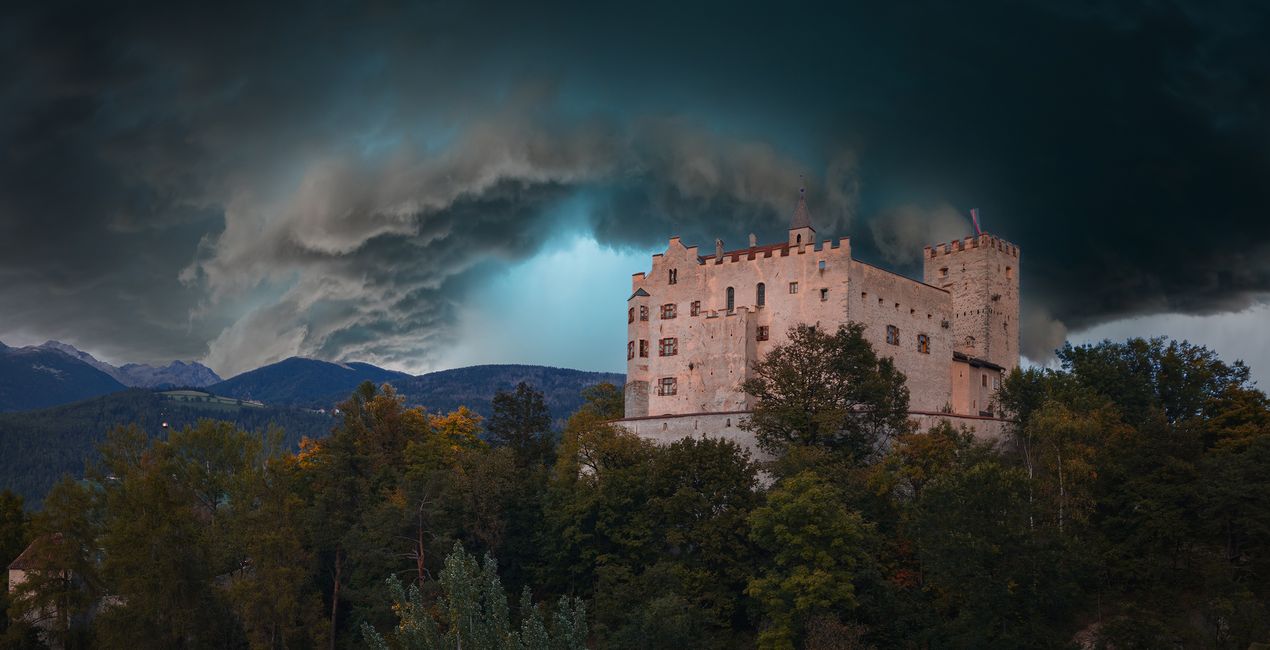
Want to recreate the raw power and dramatic allure of tumultuous skies during epic storms? You’re in luck, because we’ve collected 60 stormy Skies by Bastian Werner into one bundle for you to experiment with. With an incredible 60 Skies, you’ll have a huge variety of breathtaking effects to choose from. Each Sky will help convey the sheer magnitude and relentless energy of a storm's approach, evoking a sense of both reverence and exhilaration. With the help of Luminar Neo’s legendary Sky AI tool, you can transform a photo with an average sky into a dramatic, moody and impressive scene with a backdrop that amazes. Try it out now with the help of Bastian Werner’s spectacular Skies!
Cosa è incluso
60 Skies in JPEG format: Lightning Hunt, Epic Storm, and Call of the Storm Skies Packs by Bastian Werner


Utilizzando i file RAW forniti, potrai mettere facilmente in pratica i consigli di ritocco e imparare a ottenere foto come queste.

 >
>

 >
>

 >
>

 >
>

 >
>

 >
>


Fotografo: Ambasciatore di Skylum.
Bastian Werner is a German photographer who captures images of extreme weather conditions. He’s also an avid adventurer and expedition leader. Bastian’s whole life is dedicated to weather photography. Since 2011, he has traveled Europe taking pictures of thunderstorms and other meteorological phenomena. In 2017, Bastian published a book titled "Fotografieren mit Wind und Wetter" (Photography with Wind and Weather) about weather and weather forecasting for landscape photographers, and it includes a big section on storm chasing. Be sure to check out his work!
Se hai domande sui prodotti, puoi contattare il team dell'assistenza tutti i giorni, 24 ore al giorno. Utilizza questo link.
Per acquistare Storm Catcher Bundle, segui questi passaggi:
1. Apri il Marketplace di Skylum.
2. Vai sulla scheda dove è elencato Storm Catcher Bundle. Clicca sul nome del prodotto per aggiungerlo al carrello.
3. Vai al carrello, dove potrai completare l'acquisto di Storm Catcher Bundle.
4. Dopo l'acquisto, riceverai un'e-mail con il link per scaricare Storm Catcher Bundle. Potrai trovare il nuovo acquisto anche nel tuo account Skylum, nella scheda I miei add-on.
Nell'e-mail con il link per il download riceverai anche istruzioni dettagliate su come installare Storm Catcher Bundle.
Inoltre, puoi installare l'articolo acquistato direttamente in Luminar Neo: vai su Extra > Marketplace, seleziona la categoria di prodotto, trova l'articolo acquistato e clicca su Installa.
È facilissimo! Vai nella scheda Extra, quindi seleziona Bundle. Qui troverai tutti i preset nei bundle.
Non preoccuparti. Tutti gli articoli acquistati, incluso Storm Catcher Bundle, vengono conservati nella scheda "I miei add-on" del tuo account Skylum, così potrai riscaricarli e utilizzarli in tutta facilità.
In generale, la maggior parte degli articoli è compatibile con Luminar Neo. Ma per assicurarti che Storm Catcher Bundle sia compatibile con i tuoi software, verificane le specifiche prima di scaricarlo o acquistarlo. Cerca la sezione "Compatibilità" sulla destra della pagina di Storm Catcher Bundle, dove sono elencati tutti i prodotti compatibili.
Non andartene ancora. Ecco un codice sconto esclusivo per te. Usalo entro i prossimi 15 minuti per ottenere un ulteriore sconto del 10% al momento del pagamento. Copia il codice qui sotto e completa l'acquisto.
15 m : 00 s





