


 Aplicado


Colección artística de la costa
Save $201 $ 19 .00

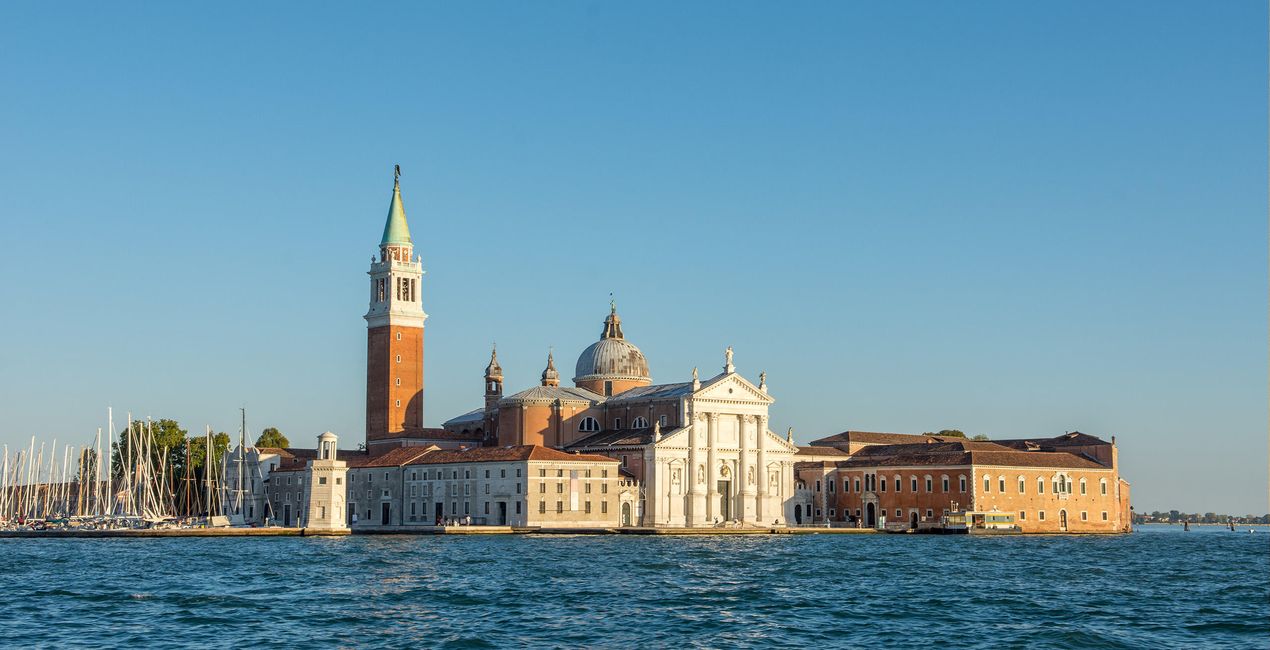
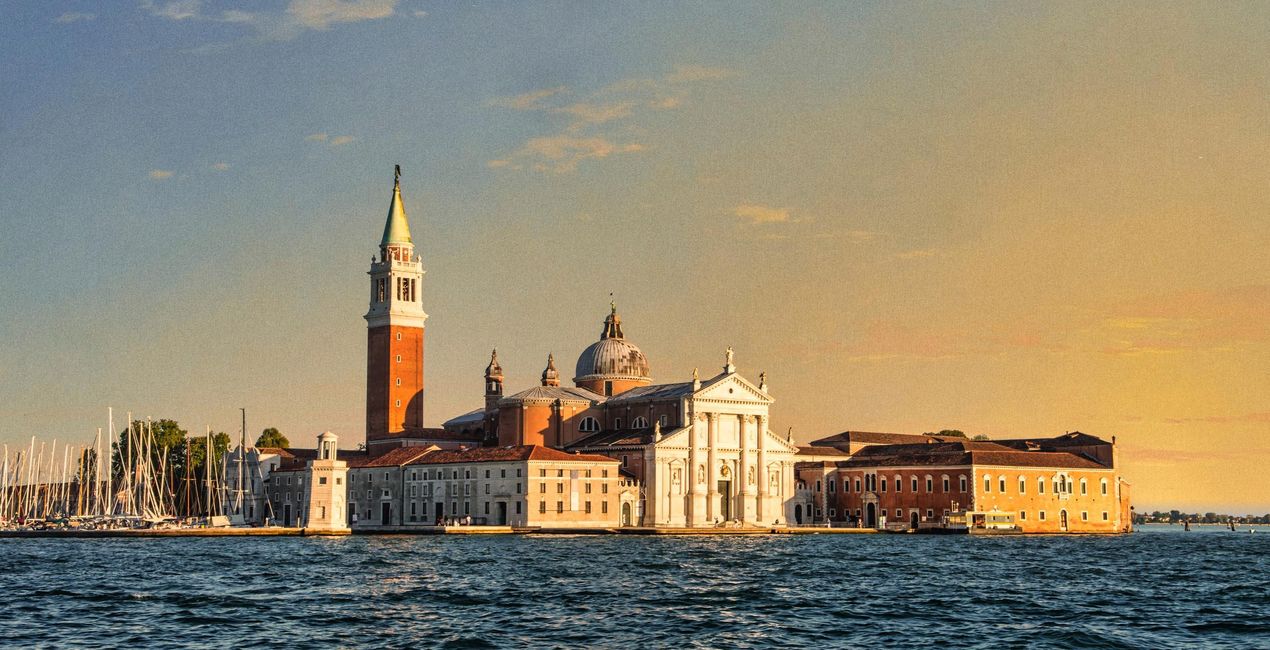
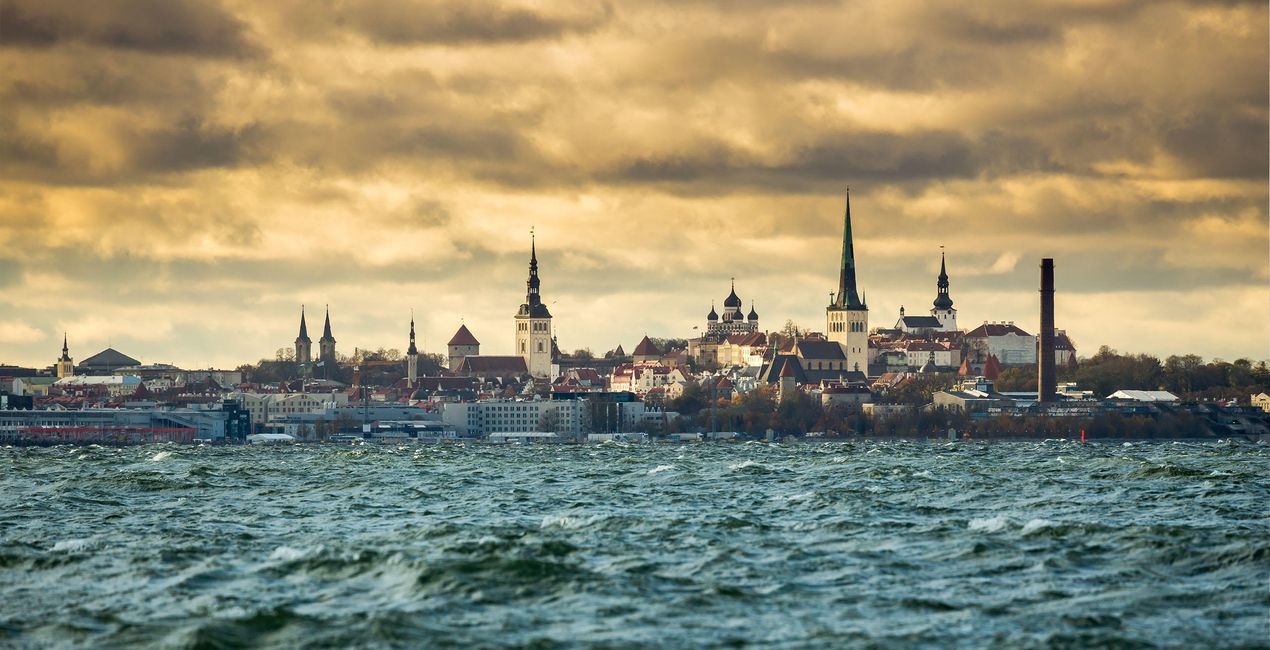
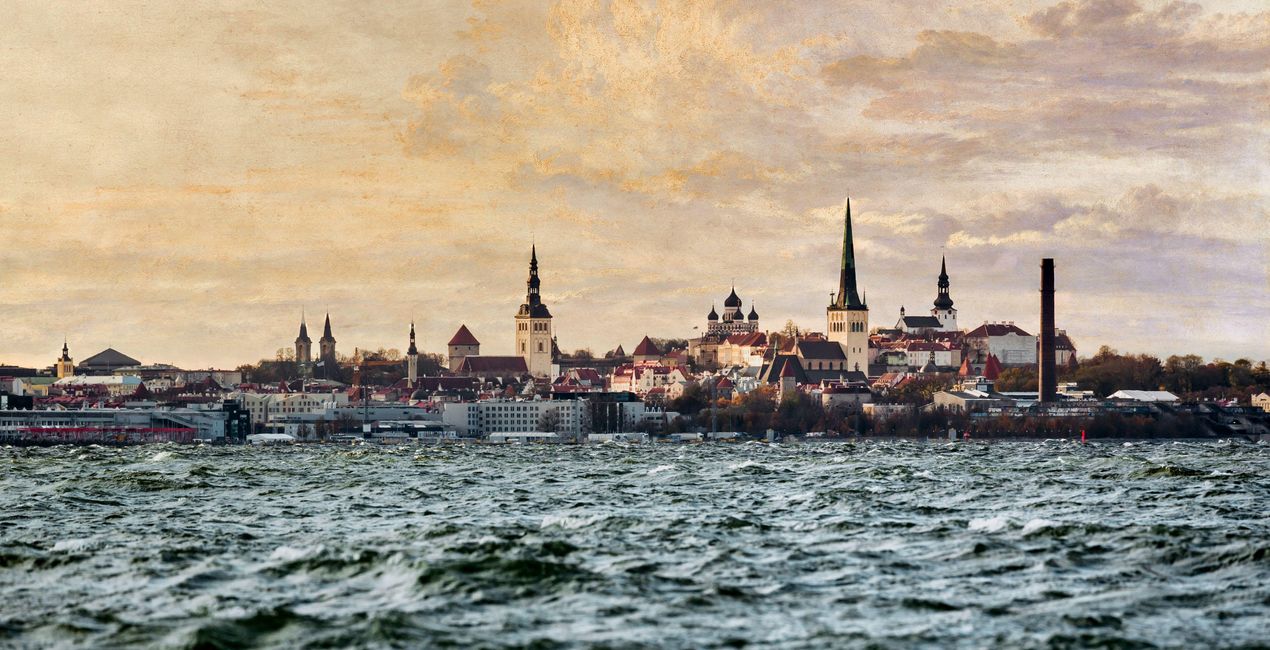
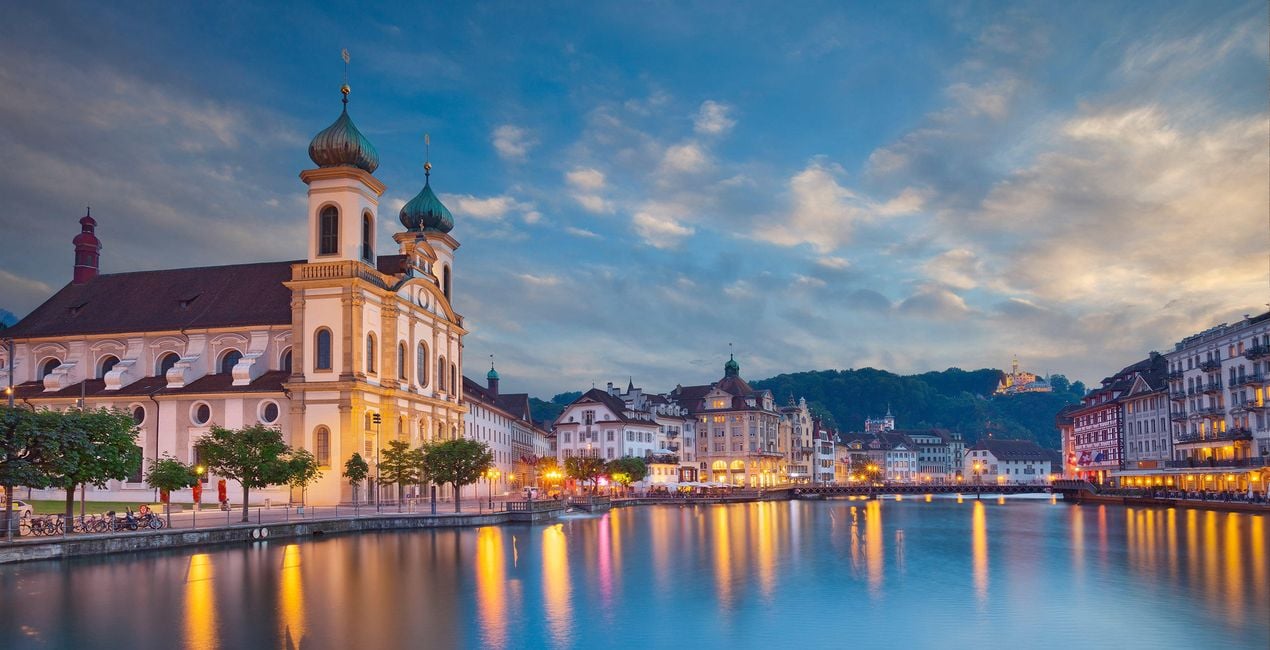
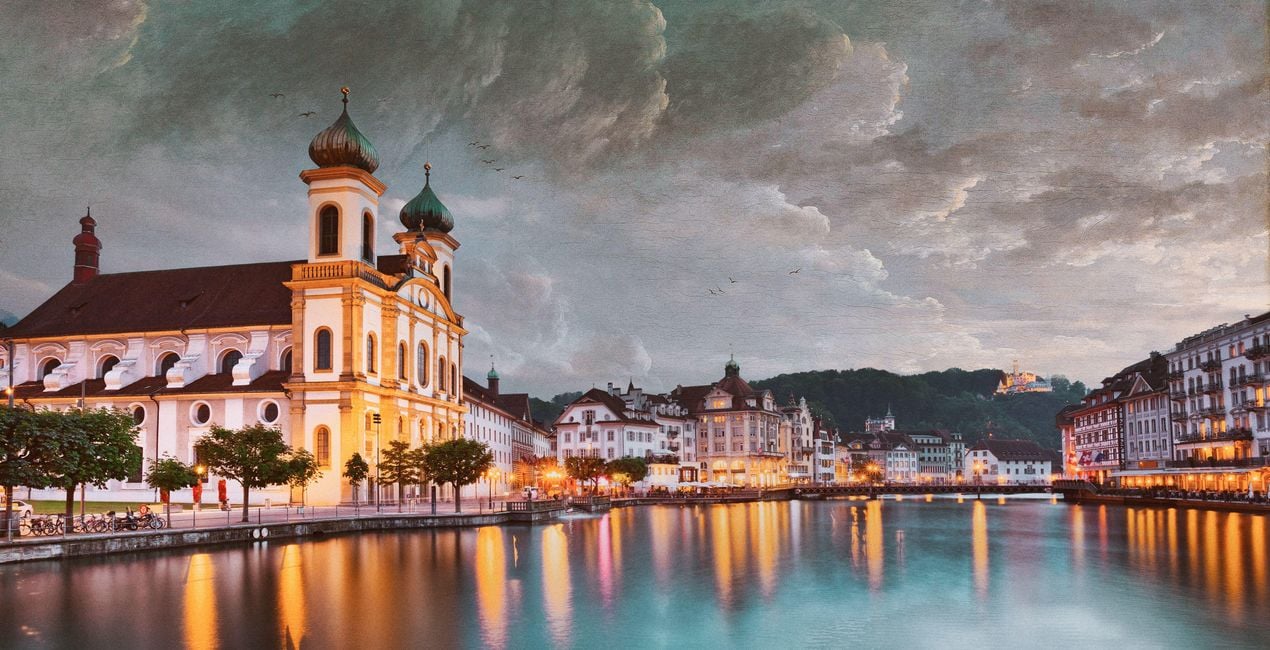
Imita los estilos de Courbet, Aivazovsky, Vernet y otros pintores que han dado vida a impresionantes paisajes marinos. Con un solo clic, puedes transformar el cielo y la atmósfera de tu foto para que se ajusten a las obras maestras pintadas con pincel gracias a estas 10 Plantillas artísticas.
Qué incluye
10 Plantillas y Ajustes preestablecidos. Compatibles con imágenes JPEG y RAW.

Con los archivos RAW proporcionados, practicarás fácilmente los consejos de retoque y aprenderás a conseguir fotos como estas.
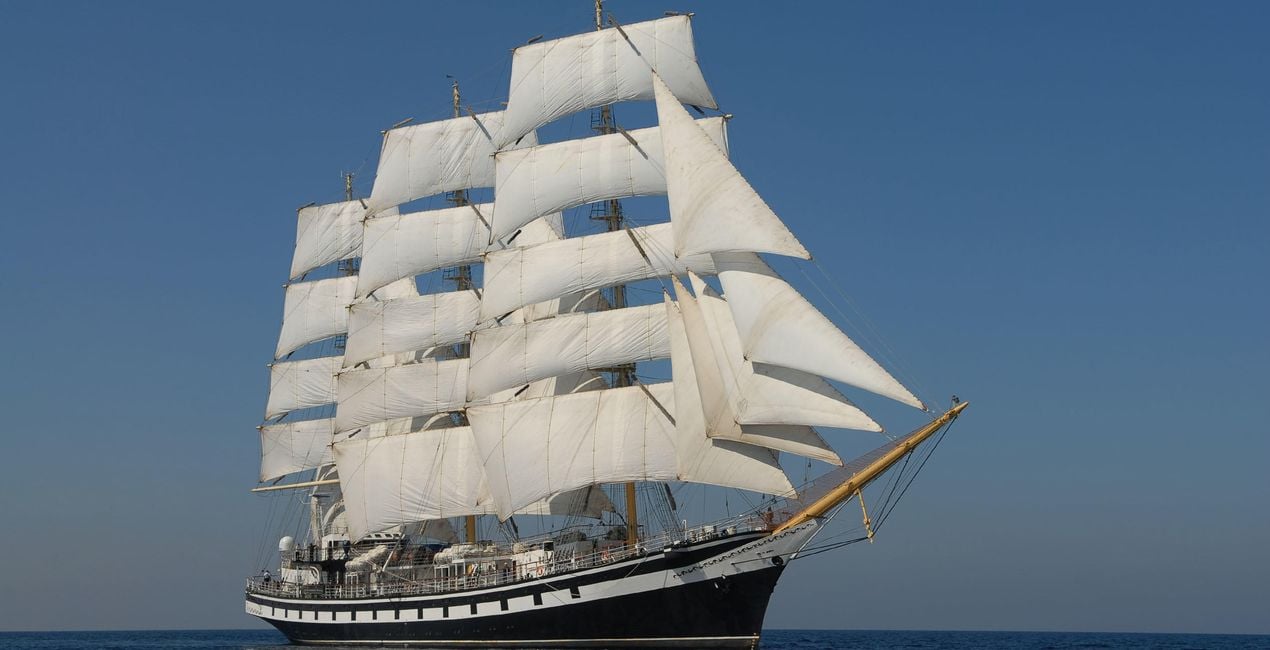
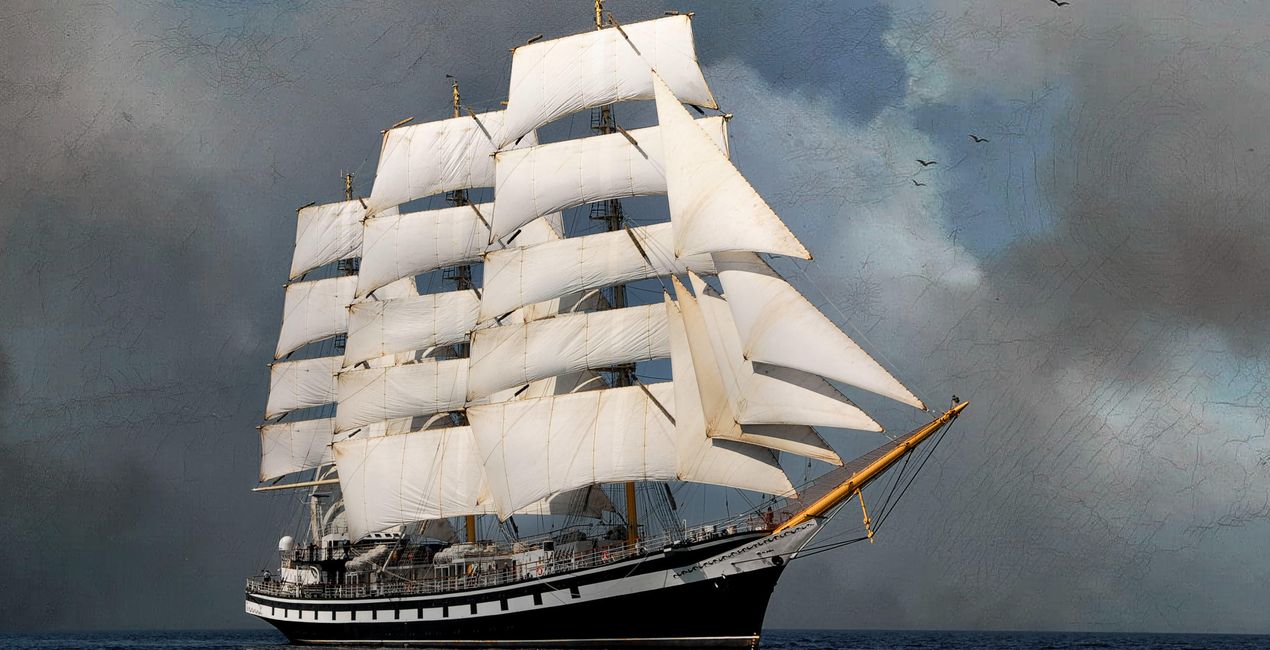 >
>
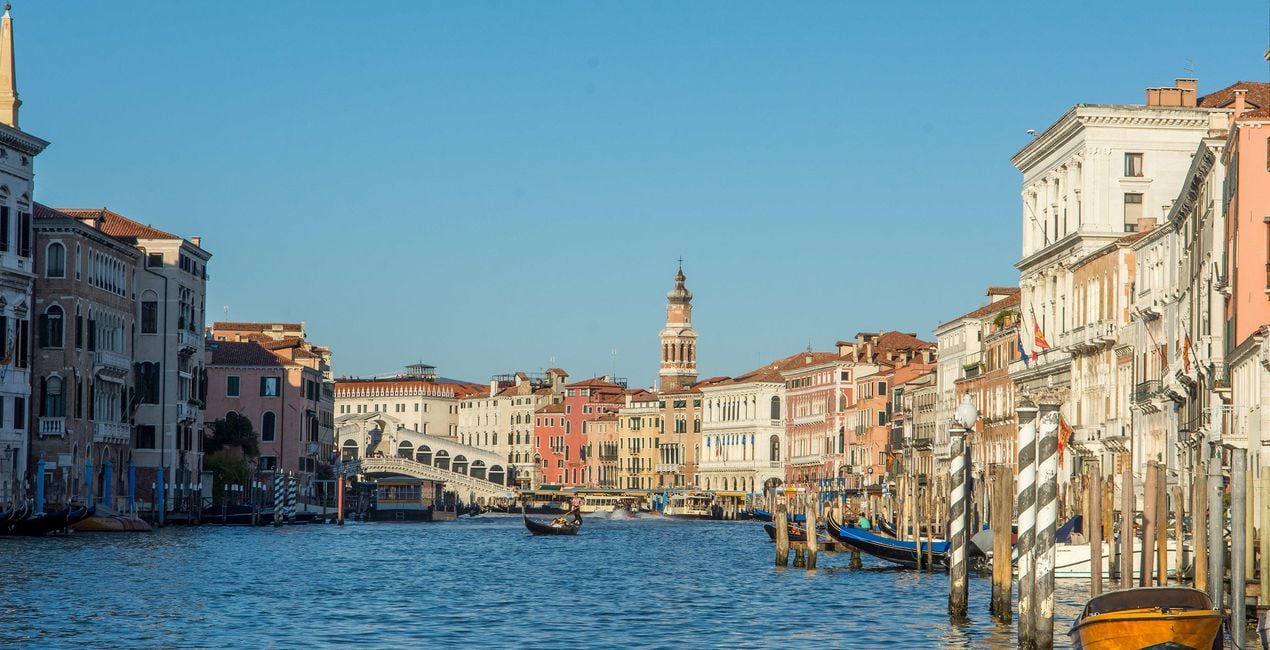
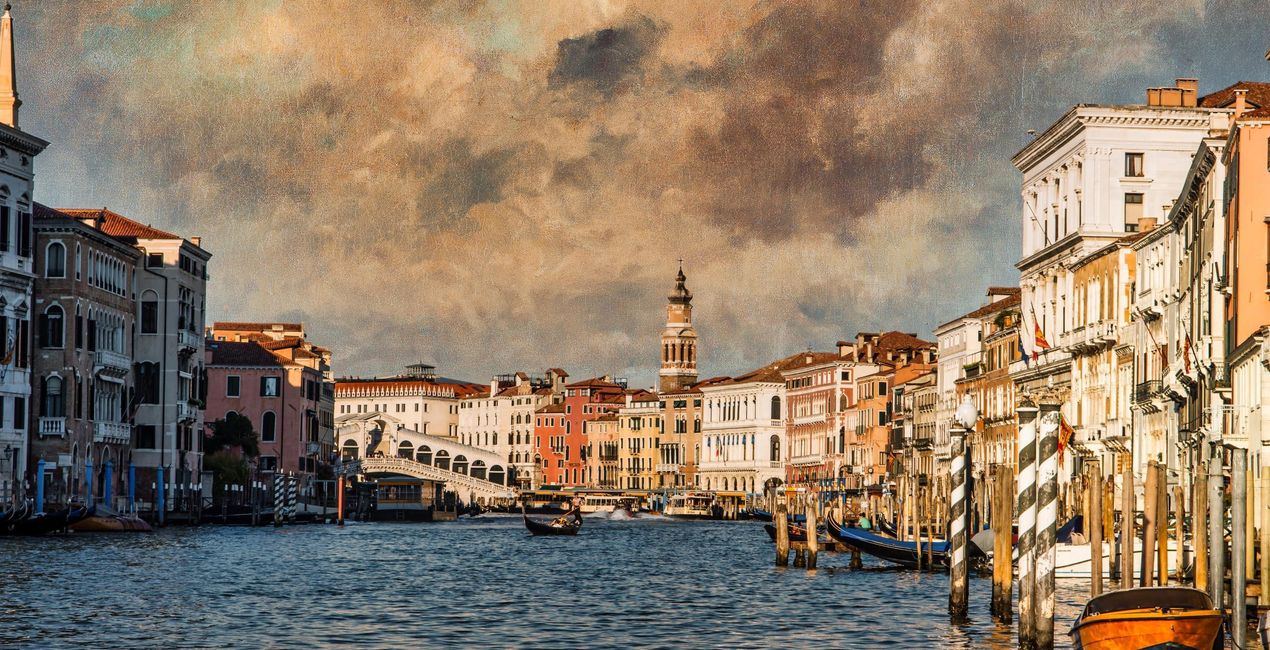 >
>
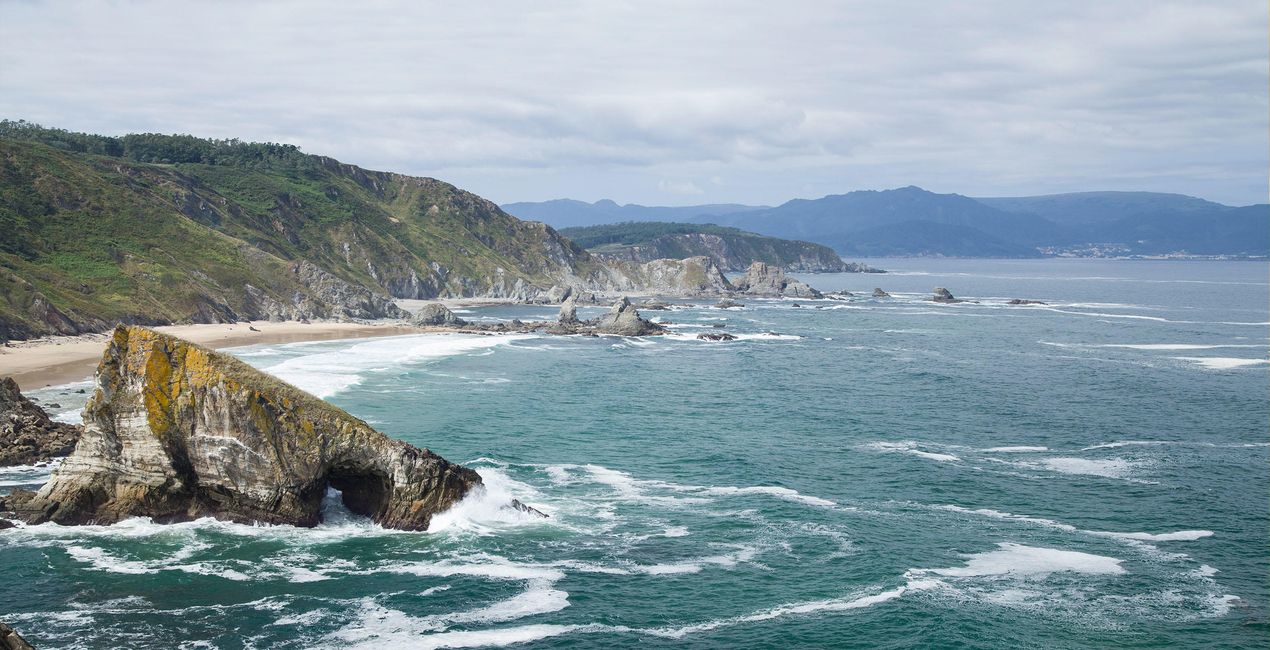
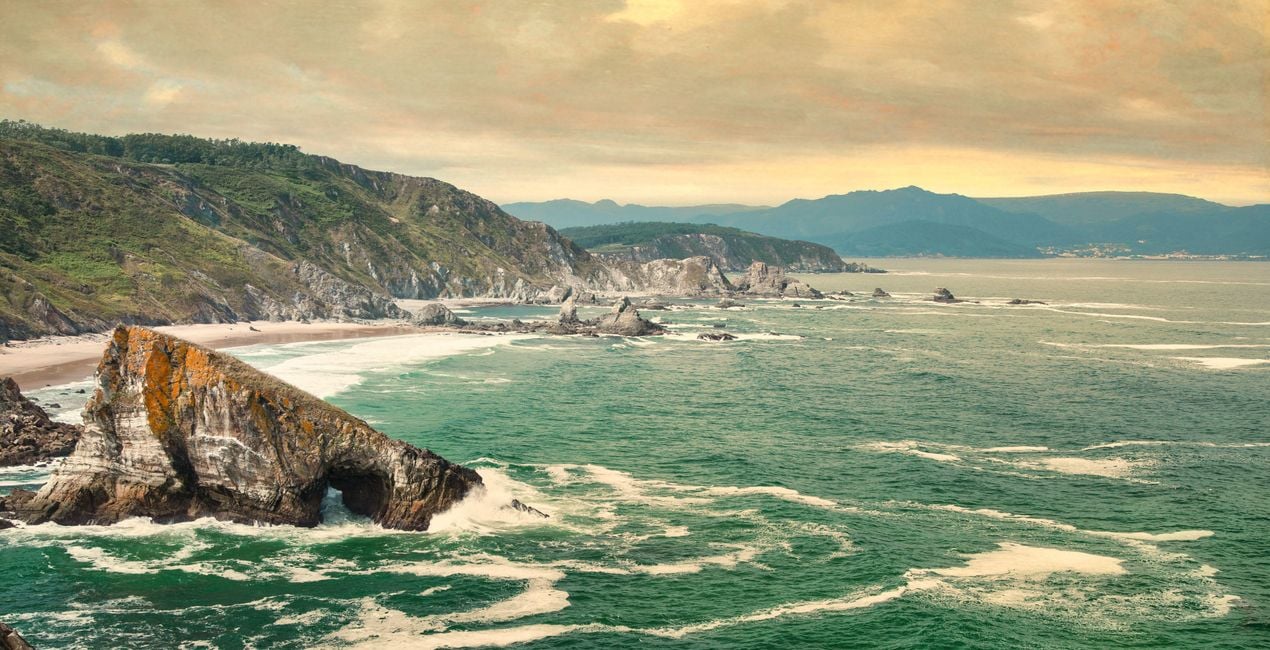 >
>
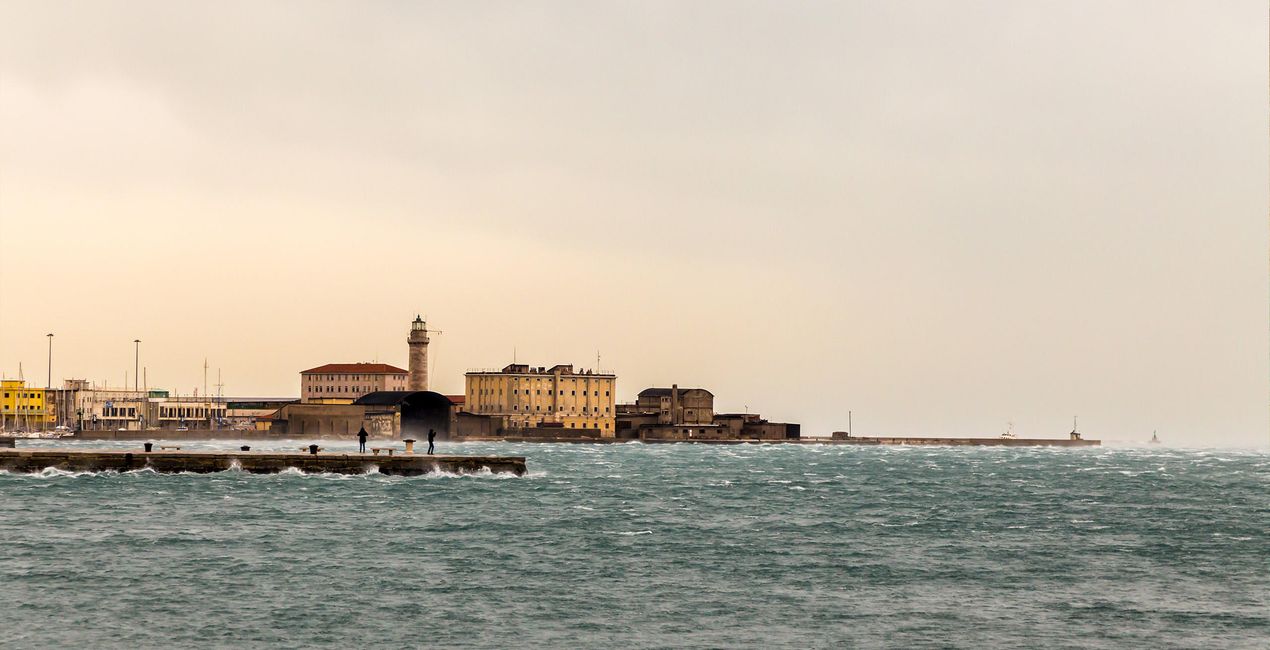
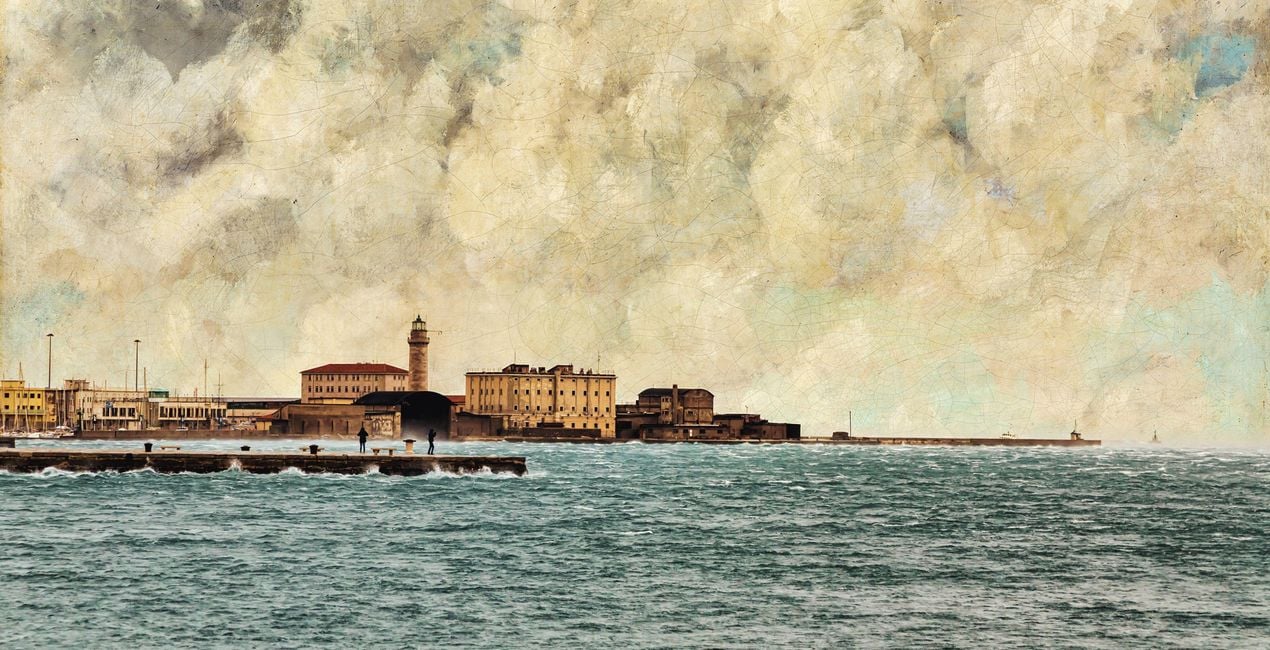 >
>
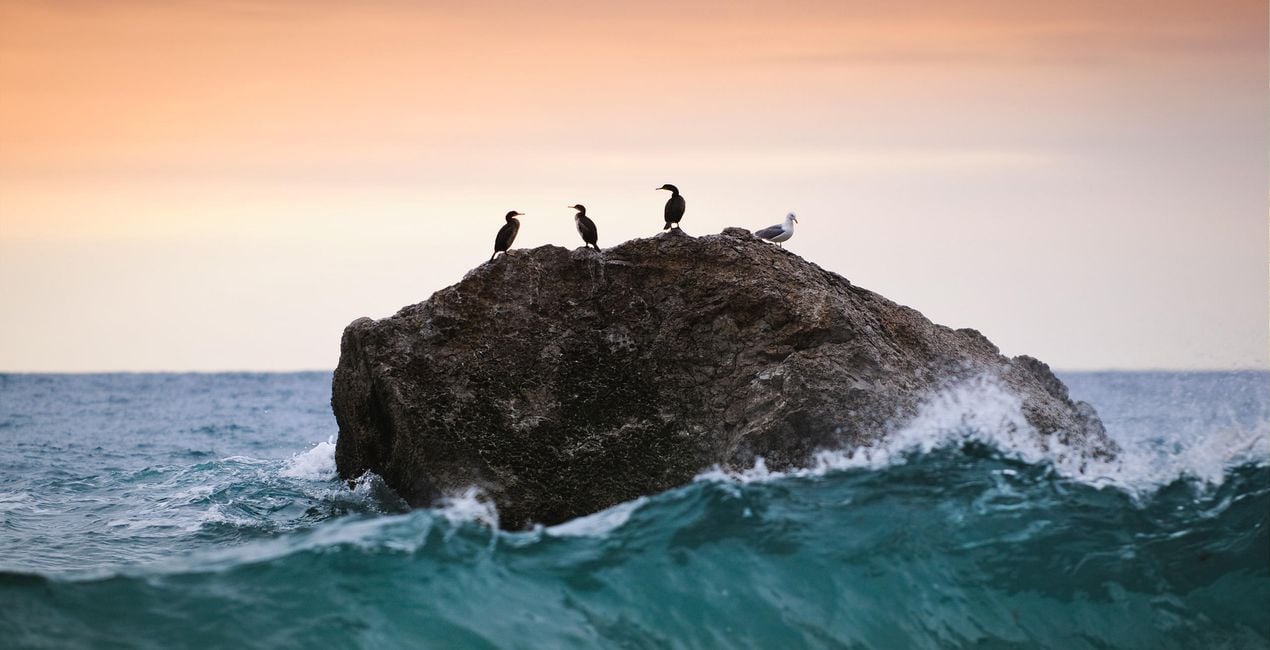
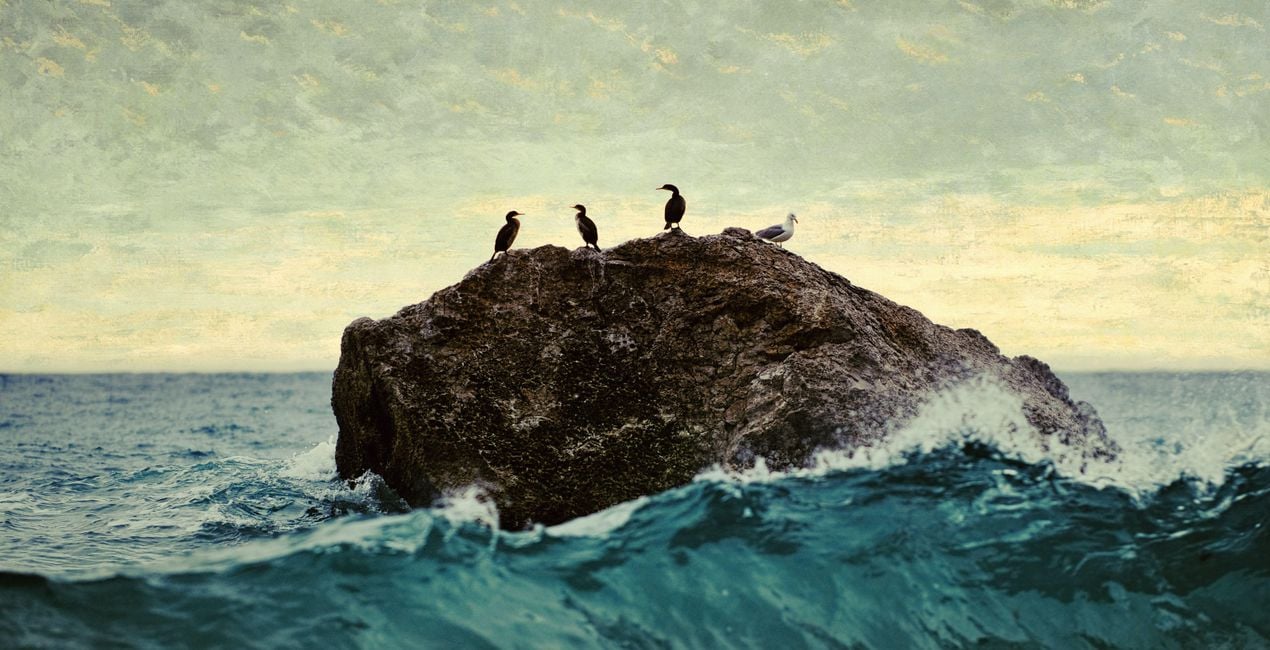 >
>
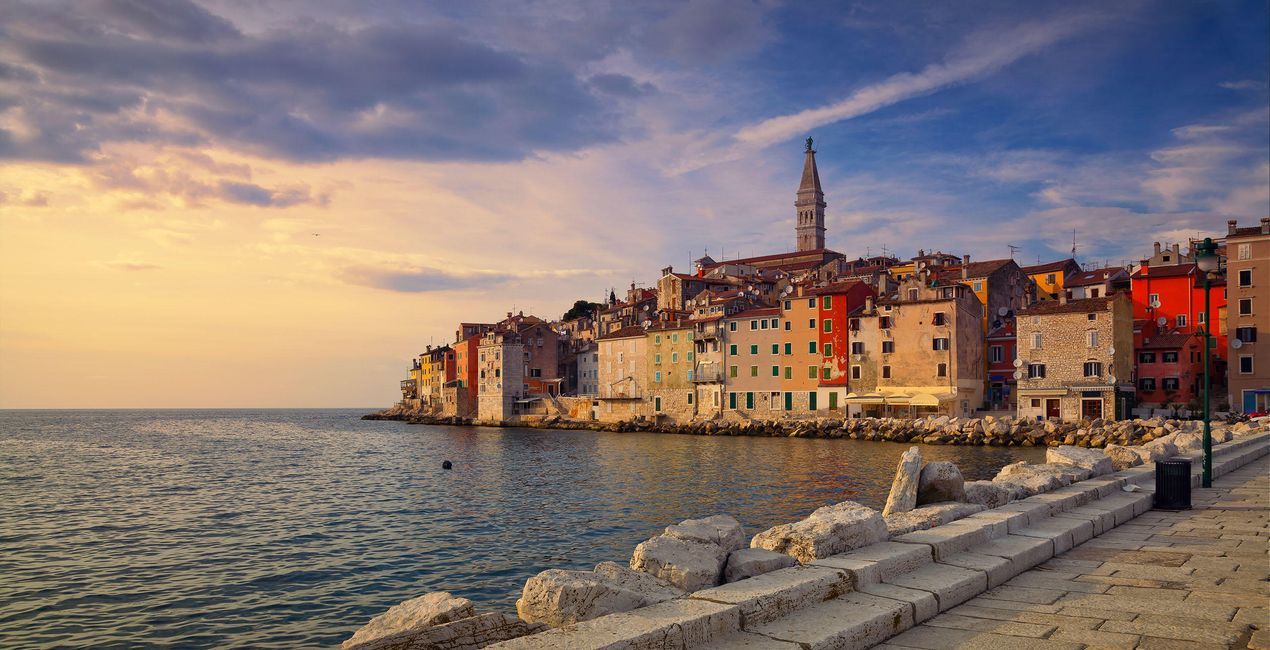
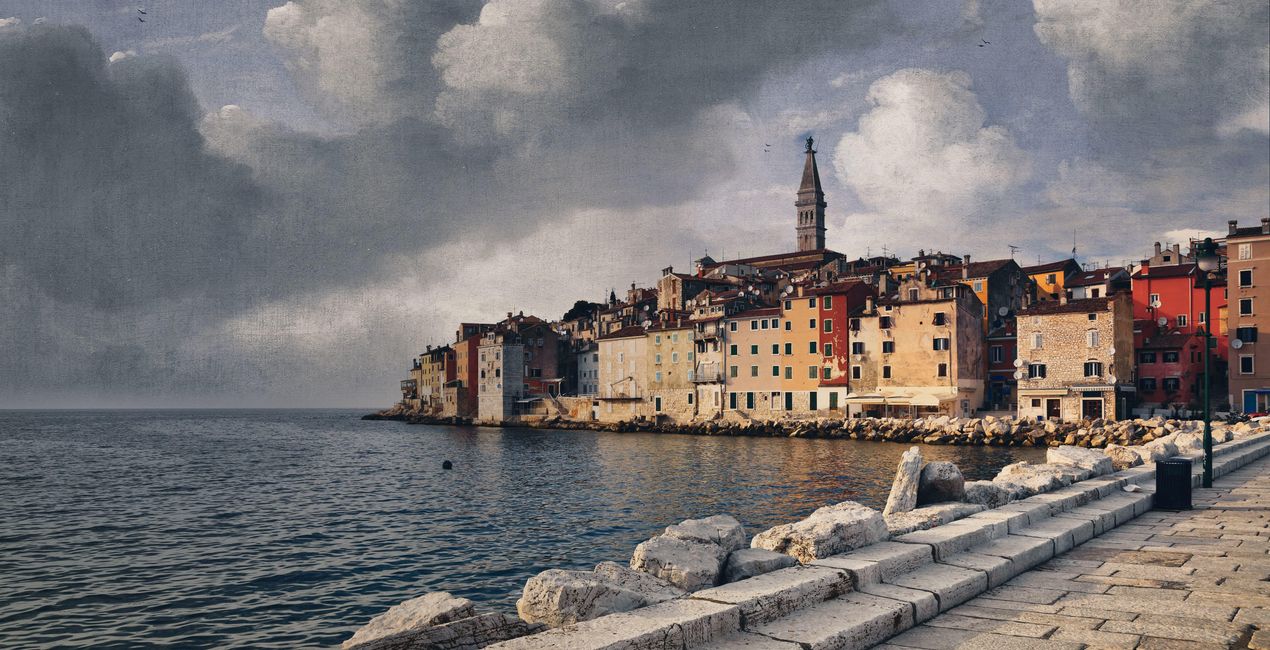 >
>
 >
>
 >
>
 >
>
Channel the unique atmosphere of the sea in your photos.
This Artistic Collection is inspired by famous paintings of the sea by classical artists including Gustave Courbet, Ivan Aivazovsky, Salomon van Ruysdael, Ludolf Bakhuizen, Claude-Joseph Vernet, and J. M. W. Turner.
Romantic, stormy, calm, and entrancing — the paintings by these masters speak to us not only through the sea but through majestic and beautiful clouds, unique aquamarine colors, and other details. Recreate the same atmosphere in your images and make them stand out from the crowd.
What you’ll find in this pack (10 Templates):
Normandy Sea: Make your sky look just like the one in Sea Coast in Normandy by Gustave Courbet. Add the seaside feeling and a touch of drama with this stunning Template.
Calm Sea: Transform your sky to match The Calm Sea by Gustave Courbet. A light, warm, calm Template that brings tranquility to the viewer.
San Lazzaro: Match the atmosphere of Bayron’s visit to San Lazzaro by Ivan Aivazovsky with its emerald hues, vibrant colors, and calm sunny feeling.
Bosphorus: This Template, based on View of Constantinople and the Bosphorus by Ivan Aivazovsky, lets you recreate stunning sunsets and sunrises with warm colors.
Autumn Sea: Autumn Sea by Gustave Courbet is captured in this seaside Template with warm autumnal hues and a bit of dramatic atmosphere.
Deventer: View of Deventer Seen from the North-West by Salomon van Ruysdael brings a pleasing classic light blue sky with a slight dramatic accent in the shadows.
Fishing Boats: Based on Seascape and Fishing Boats by Ludolf Bakhuizen, this Template is filled with the drama of the sea and almost makes you feel the wind gently blowing through your hair.
Tiber: This Template is inspired by A Sporting Contest on the Tiber by Claude-Joseph Vernet that has warm toning with orange hues in the shadows and a stunning emerald sea.
Seashore: Another classic by the masterful seascape painter, Seashore by Aivazovsky is the best for a calm, light blue seaside sky and trembling waves.
Rotterdam: Inspired by Dort or Dordrecht: The Dort packet-boat from Rotterdam becalmed by J. M. W. Turner, this sunny Template brings you a calm sky with orange and yellow hues.
Keep in mind that a Template’s default effect might be too strong for your photo.
If it is, simply bring it back a bit with the Amount slider.
Don’t forget to share your results! Use the hashtag #madewithluminar on social media so the Skylum Team can take a look at your work!
Fotógrafos, coloristas y retocadores
El equipo de Skylum trabaja con cientos de fotógrafos y retocadores profesionales para traerles las plantillas que los mejores fotógrafos usan para crear sus obras maestras. El Laboratorio de Inteligencia Artificial de Skylum analiza las fotos y los flujos de trabajo de los fotógrafos y crea Plantillas que son accesibles para todos y que aprovechan la tecnología avanzada bajo el capó de LuminarAI. Nuestra misión es reducir el tiempo y el esfuerzo que se necesita para hacer una foto impactante y permitir que todos disfruten de la edición de fotos y la fotografía
Si tienes alguna duda o pregunta sobre el producto, puedes contactar al servicio de soporte 24/7. Visita este enlace.
Para comprar Seaside Artistic Collection, sigue estos pasos:
1. Abre el Marketplace de Skylum.
2. Ve a la pestaña correspondiente donde aparece Seaside Artistic Collection. Haz clic sobre él y añádelo a tu carrito.
3. Ve al carrito. Aquí, completa el proceso de compra de Seaside Artistic Collection.
4. Después de completar la compra, recibirás un correo de confirmación con el enlace de descarga de Seaside Artistic Collection. También encontrarás el nuevo producto en tu cuenta de Skylum, dentro de la pestaña “Mis complementos”.
Recibirás un email con instrucciones detalladas sobre cómo instalar Seaside Artistic Collection junto con un enlace de descarga.
También puedes instalar el producto comprado directamente desde Luminar Neo: ve a Extras > Marketplace, selecciona la categoría del producto, busca el elemento adquirido y haz clic en Instalar.
¡Es muy fácil! Ve a la pestaña de Ajustes Preestablecidos y selecciona "Comprados". Tu ajuste preestablecido instalado estará ahí.
No te preocupes. Todos los productos que hayas adquirido, como Seaside Artistic Collection, se almacenarán en la pestaña 'Mis complementos' de tu cuenta de Skylum para que puedas volver a descargarlos fácilmente.
Generalmente, la mayoría de productos son compatibles con Luminar Neo. Pero si quieres asegurarte de que Seaside Artistic Collection funciona(n) correctamente con tu software, consulta sus especificaciones antes de hacer ninguna compra o descarga. Busca la sección "Compatibilidad" en la parte derecha de la página de Seaside Artistic Collection, donde aparecen todos los programas compatibles.
No te vayas todavía. Aquí tienes un código de descuento exclusivo. Úsalo en los próximos 15 minutos para obtener un 10 % de descuento adicional al finalizar la compra. Copia el código que aparece a continuación y completa tu compra.
15 m : 00 s





