


 Angewendet


Blaue Unendlichkeit
Save $201 $ 25 .00

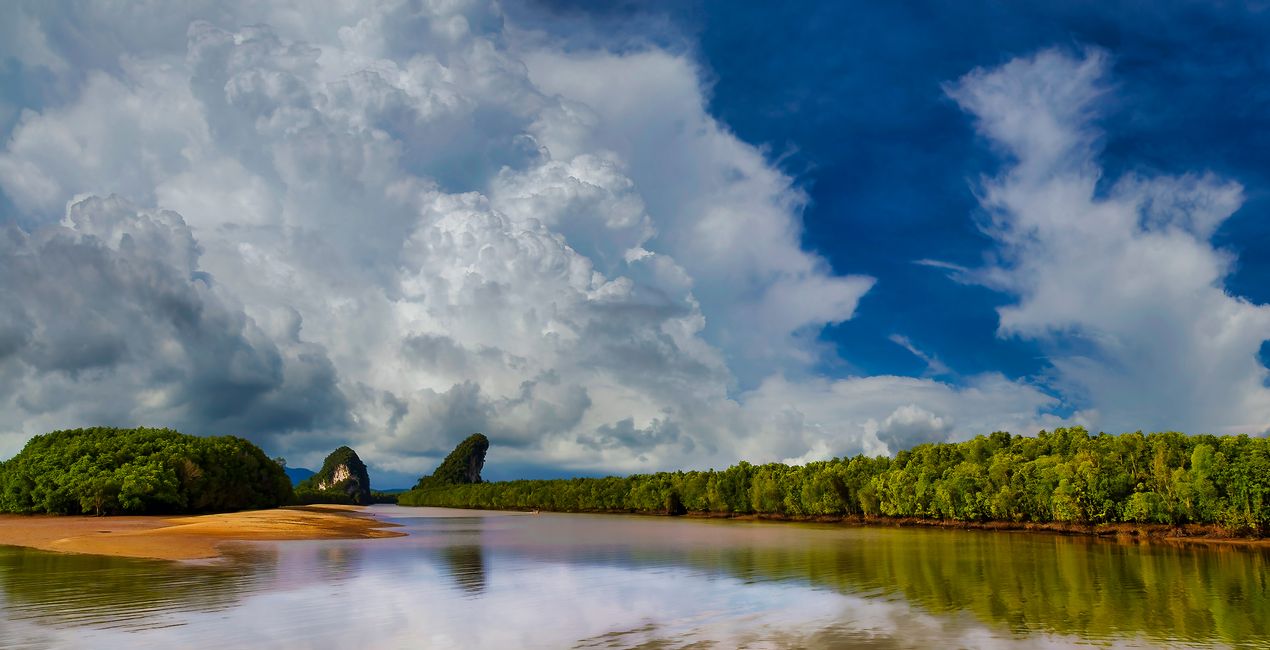
Verleihe deinen Fotos mit diesen 20 JPEG-Himmeln, die Leslie Ware in Thailand, auf der Insel Saipan und in Arizona aufgenommen hat, einen Hauch von Gelassenheit und Wunder. Jedes Bild hat eine einzigartige Wolkenform und ein wunderschönes, sattes Blau als Hintergrund, das du verwenden kannst, um jedes Foto zu verbessern und seine Essenz hervorzuheben. Egal, ob du einen idyllischen Horizont oder etwas Dramatisches sucht, mit diesen Fotos gelingen dir mit Sicherheit tolle Aufnahmen.
Was ist dabei
20 Himmel im JPEG-Format


Mit den mitgelieferten RAW-Dateien kannst du ganz einfach Retusche-Tipps ausprobieren und lernen, wie man solche Fotos macht.

 >
>

 >
>

 >
>

 >
>

 >
>


Nature photographer and adventurer
Leslie Ware was raised in the mountains of Eastern Idaho, which helped him develop a love of nature, wildlife, grand vistas, and a need for adventure and travel. His love of photography started with a Brownie Instamatic camera at the age of 12, and at 21 he got his first professional camera, a Canon FTBQL 35 mm SLR film camera. Leslie joined the Air Force at 17 and feels fortunate that he was able to train on and work with cutting-edge electronics and computers, which unknowingly prepared him for an incredible future. His world travels began at 18 when he was stationed in Thailand, where he spent the next 4 years, and then he was stationed in Germany for 4 years, with his trusty SLR always by his side. In 1999 Leslie purchased his first digital camera and desktop computer, and really kicked off his photography career. The next 10 years were spent in the Western Pacific on the Island of Saipan, in the Mariana Islands, famous for its sunsets. Photography became Leslie’s life, and having the ability to explore all the exotic location in Asia and the Western Pacific with his camera felt exactly right. Leslie has lived in Thailand for 13 years, with a 2 years gap back in Arizona, and now is back in Thailand. His body of work ranges from the landscapes and skies of the jungles of Asia, to great cities like Hong Kong, Bangkok, Siam Reap, Kuala Lumpur, and the Islands of Hawaii, as well as the deserts and mountains of the Southwest US. Tropical islands present great skies and sunsets. Tropical monsoon skies not only provide a daily change of atmosphere, but also storms followed by unbelievable sunsets. Leslie is fond of photographing wide vistas, clouds, as well as daily rain or shine. Plus, Leslie has a special bond with the flora and fauna, particularly birds, of Arizona where he spent the last few years photographing the wild horses of the Salt River, and amazing diversity of cacti and their flowers.
Wenn du Fragen zum Produkt hast, kannst du dich rund um die Uhr an den Support wenden. Folge einfach diesem Link.
Um Blue Infinity zu kaufen, gehe wie folgt vor:
1. Öffne den Skylum-Marktplatz.
2. Geh zum gewünschten Tab, auf dem Blue Infinity aufgeführt ist. Klicke darauf und lege es in deinen Warenkorb.
3. Geh zu deinem Warenkorb. Schließe hier den Kaufvorgang für Blue Infinity ab.
4. Nach dem Kauf erhältst du eine Bestätigungs-E-Mail mit dem Download-Link für Blue Infinity. Außerdem findest du den neuen Artikel in deinem Skylum-Konto auf dem Tab „Meine Add-ons”.
Detaillierte Anweisungen zur Installation von Blue Infinity erhältst du in der Bestätigungs-E-Mail zusammen mit dem Download-Link.
Außerdem kannst du den gekauften Artikel direkt in Luminar Neo installieren: Geh zu „Extras“ > „Marktplatz“, wähle die Produktkategorie aus, suche den gekauften Artikel und klicke auf „Installieren“.
Das ist ganz einfach! Wechsle im Menü der oberen Leiste zum Tab „Bearbeiten“. Geh zu Tools und wähle „Himmelᴬᴵ“ > „Himmelsauswahl“ > „Gekauft“. Dort findest du das installierte Blue Infinity.
Keine Sorge. Alle gekauften Artikel, einschließlich Blue Infinity, werden auf dem Tab „Meine Add-ons“ deines Skylum-Kontos gespeichert, sodass du sie einfach erneut herunterladen und verwenden kannst.
Im Allgemeinen sind die meisten Artikel mit Luminar Neo kompatibel. Um jedoch sicherzustellen, dass Blue Infinity mit deiner Software kompatibel ist, überprüfe vor dem Herunterladen oder Kauf die technischen Daten. Suche den Abschnitt „Kompatibilität“ auf der rechten Seite der Blue Infinity-Seite, wo alle kompatiblen Produkte aufgelistet sind.
Geh noch nicht. Hier ist ein exklusiver Rabattcode für dich. Nutze ihn innerhalb der nächsten 15 Minuten, um an der Kasse zusätzliche 10 % Rabatt zu erhalten. Kopiere den unten stehenden Code und schließe deinen Einkauf ab.
15 m : 00 s





