Blue Infinity Skies(3)
マイカート

現在、あなたのカートには商品が入っていません

私たちのコレクションから、あなたにピッタリな編集を見つけてください!

マイバッグ 商品 商品

ホリデー割引コード:

asdfjvbknl

Blue Infinity Skies 適用する

Blue Infinity Skies(5)
マイカート

現在、あなたのカートには商品が入っていません

私たちのコレクションから、あなたにピッタリな編集を見つけてください!

ショッピングカート

ホリデー割引コード:

asdfjvbknl

Blue Infinity Skies 適用する

合計金額: $

カート概要

暗号化を使用した安全な決済

Blue Infinity Skies(7)

こちらも購入された商品

割引額
by
の一部
フルパックを購入すると5ドルお得になります
フルセットを購入

当社について

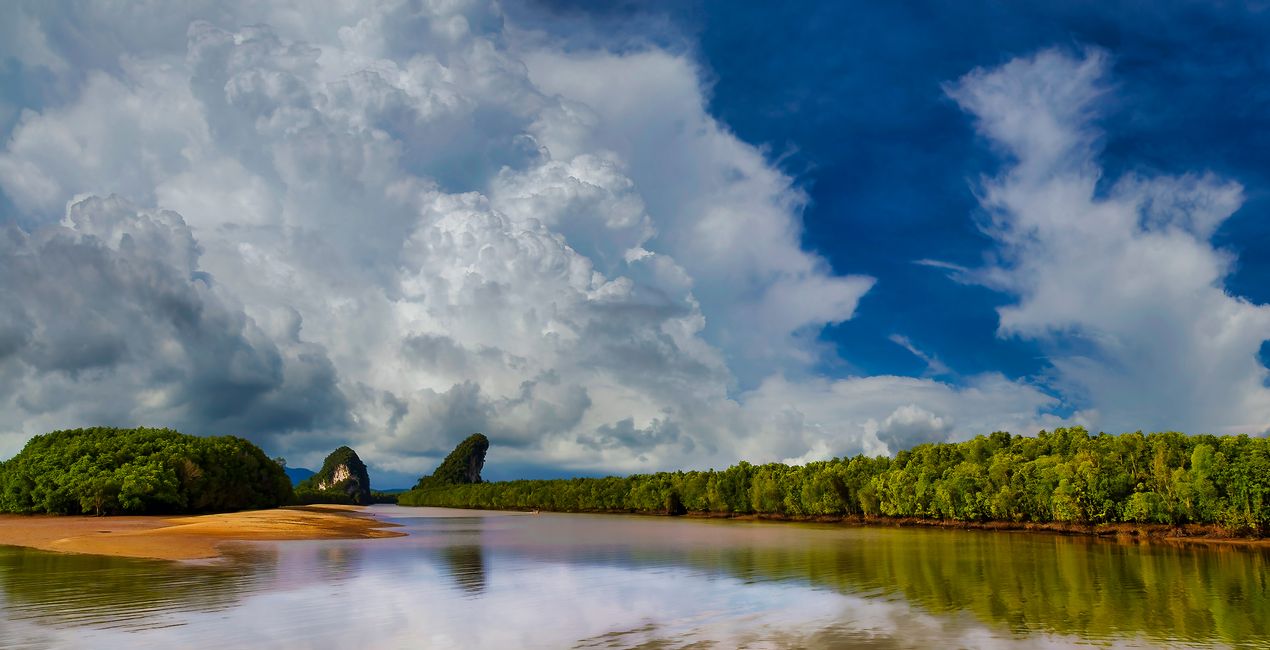
Breathe a sense of serenity and wonder into your photos with these 20 JPEG Skies captured by Leslie Ware all around Thailand, the island of Saipan, and Arizona. Each one has a unique cloud shape and a gorgeous, saturated blue as a backdrop that you can use to enhance any photo and bring out its essence. Whether you’re looking for an idyllic horizon or something more dramatic, these photos are sure to help you create amazing shots.

含まれているもの

20 Skies in JPEG format

互換性

Luminar AI, Luminar NEO, Photoshop , Affinity Photo, Evoto, ON1

このような写真をゲット

提供されたRAWファイルを使ってレタッチのコツを簡単に練習、こんな写真に仕上げる方法を学ぶことができます。

© Leslie Ware
Blue Infinity Skies(39)
Blue Infinity Skies(40)>
Before After
© Leslie Ware
Blue Infinity Skies(41)
Blue Infinity Skies(42)>
Before After
© Leslie Ware
Blue Infinity Skies(43)
Blue Infinity Skies(44)>
Before After
© Leslie Ware
Blue Infinity Skies(45)
Blue Infinity Skies(46)>
Before After
© Leslie Ware
Blue Infinity Skies(47)
Blue Infinity Skies(48)>
Before After

パックに含まれる空

関連商品

クリエーター

Leslie Ware

Nature photographer and adventurer

Leslie Ware was raised in the mountains of Eastern Idaho, which helped him develop a love of nature, wildlife, grand vistas, and a need for adventure and travel. His love of photography started with a Brownie Instamatic camera at the age of 12, and at 21 he got his first professional camera, a Canon FTBQL 35 mm SLR film camera. Leslie joined the Air Force at 17 and feels fortunate that he was able to train on and work with cutting-edge electronics and computers, which unknowingly prepared him for an incredible future. His world travels began at 18 when he was stationed in Thailand, where he spent the next 4 years, and then he was stationed in Germany for 4 years, with his trusty SLR always by his side. In 1999 Leslie purchased his first digital camera and desktop computer, and really kicked off his photography career. The next 10 years were spent in the Western Pacific on the Island of Saipan, in the Mariana Islands, famous for its sunsets. Photography became Leslie’s life, and having the ability to explore all the exotic location in Asia and the Western Pacific with his camera felt exactly right. Leslie has lived in Thailand for 13 years, with a 2 years gap back in Arizona, and now is back in Thailand. His body of work ranges from the landscapes and skies of the jungles of Asia, to great cities like Hong Kong, Bangkok, Siam Reap, Kuala Lumpur, and the Islands of Hawaii, as well as the deserts and mountains of the Southwest US. Tropical islands present great skies and sunsets. Tropical monsoon skies not only provide a daily change of atmosphere, but also storms followed by unbelievable sunsets. Leslie is fond of photographing wide vistas, clouds, as well as daily rain or shine. Plus, Leslie has a special bond with the flora and fauna, particularly birds, of Arizona where he spent the last few years photographing the wild horses of the Salt River, and amazing diversity of cacti and their flowers.

よくある質問

追加の質問またはアドバイスが必要ですか?

サポートチームへ連絡

サポートへの問い合わせ方法は?

製品についてご質問がございましたら、24時間対応のサポートチームまでお問い合わせください。こちらのリンクをご利用ください。

Blue Infinityを購入する方法は?

Blue Infinityを購入するには、次の手順に従ってください:

1. Skylumのマーケットプレイスを開きます。

2. Blue Infinityがリストされているタブに移動し、クリックしてカートに追加します。

3. カートに進み、Blue Infinityの購入手続きを完了してください。

4. ご購入後、Blue Infinityのダウンロードリンクが記載された購入完了メールが届きます。また、Skylumアカウントの「マイアドオン」タブからも新しいアイテムをご確認いただけます。

Blue Infinityをインストールする方法は?

Blue Infinityのインストール手順の詳細は、ダウンロードリンクと一緒にお送りする「購入完了メール」に記載されています。

また、Luminar Neoから購入されたアイテムを直接インストールすることもできます。エクストラ > マーケットプレイスに進み、商品カテゴリを選択して、購入済みアイテムを見つけてインストールをクリックしてください。

Blue Infinityのインストール後、どこで見つけられますか?

とても簡単です!トップバーメニューで編集 タブに切り替えます。ツールパネルでスカイᴬᴵ > 空のセクション > 購入済み を選択します。インストールされたBlue Infinityが表示されます。

Blue Infinity を失くしてしまった場合は?

ご安心ください。Blue Infinityを含むすべての購入済みアイテムは、Skylumアカウントの「マイアドオン」タブ に保存されるため、簡単に再ダウンロードしてご利用いただけます。

Blue Infinityが自分のソフトに対応しているかどうかを確認するには?

ほとんどのアイテムはLuminar Neoに対応しています。ただし、確実にBlue Infinityがお使いのソフトと互換性があるかを確認するには、ダウンロードや購入前に製品仕様をご確認ください。Blue Infinityページ右側の「互換性」セクションに対応しているすべての製品が表示されています。

もっと創造を。もっと節約を。サイバーウィークセール:全てのアセットが25%オフ、コードは
CW25

00d

:

00h

:

00m

:

00s

Blue Infinity Skies(78)