


 Aplicado


Midday Sun
Save $201 $ 9 .50 $ 19 .00

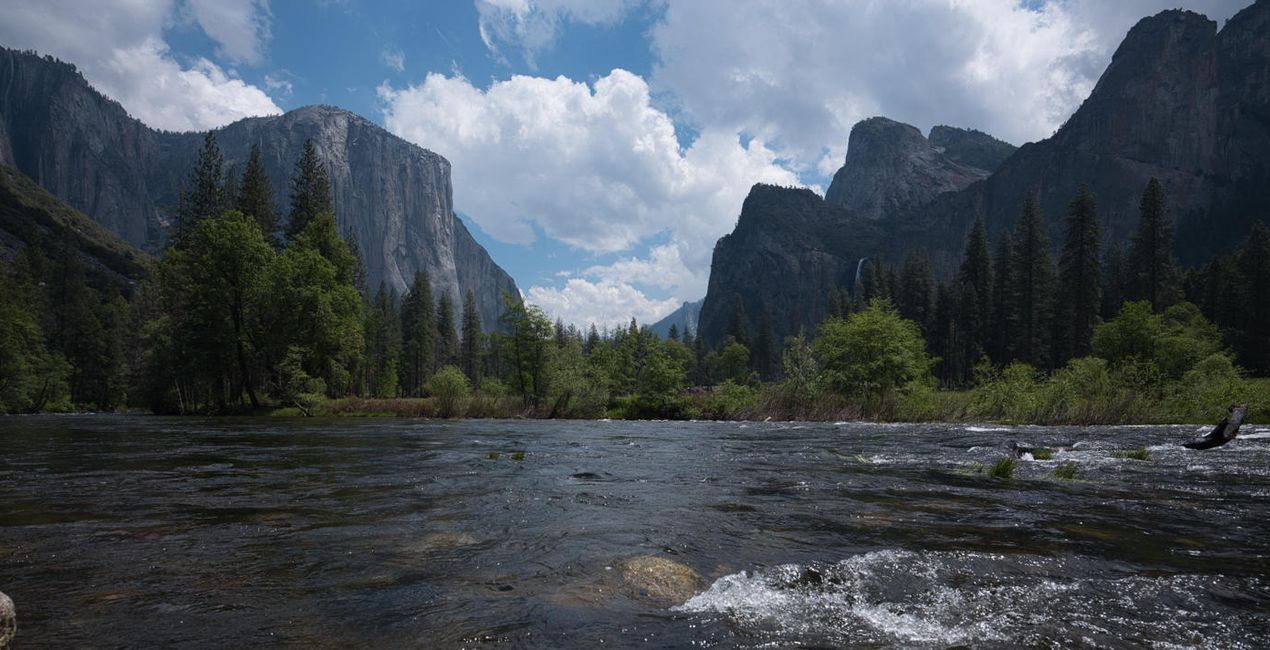
Midday Sun preset collection is specifically crafted to bring out the best in your midday shots, enhancing the colors and tones to make them truly stand out. With this collection, you can transform ordinary photos into eye-catching masterpieces that captivate your audience. Say goodbye to the harsh, unflattering light of midday and hello to stunning, vibrant images that showcase your creativity and talent.

Con los archivos RAW proporcionados, practicarás fácilmente los consejos de retoque y aprenderás a conseguir fotos como estas.

 >
>

 >
>
 >
>

 >
>

 >
>
Introducing the ultimate Luminar Neo preset collection designed to turn your midday photos into extraordinary works of art.
Whether you're a professional photographer or an avid hobbyist, Midday Sun preset collection is the perfect tool to take your photos to the next level.
With a range of presets, you can easily create a unique, personalized look for every image. So why settle for mediocre midday shots when you can make them extraordinary? Try the Midday Sun preset collection today and see the difference for yourself. Transform your photos into stunning works of art that will leave your audience in awe.
You will find 10 Presets in this Pack:
Summer Bliss — Brings out the perfect colors and contrast
Mid-Day Magic — Gives an autumn feel
Radiant Heat — Adds warm tones, improves contrast, shadows, and highlights
High Noon Dreams — Adds depth and a dreamy look
Bright and Bold — Adds depth, adds cool tones, and vibrant colors
Sun-Kissed Glow — Adds soft, warm colors and soft shadows
Midsummer Dream — Perfect for overcast photos, adding soft contrast and a dreamy look
Golden Hour Glow — Gives Golden Hour colors, warm tones, and soft shadows
Vibrant Skies — Dramatic, improves skies and overall contrast.
Warm Radiance — Makes blue tones and warm tones softer, improving the brightness
Photographer. Skylum Ambassador.
<p>Unapologetic in brandishing his post-processing skills, Sherwin sees what’s invisible to others and translates his images so they look the way he imagined when taking them. This results in compelling, emotive visual stories for others to appreciate and remember. His style straddles the line between reality and surrealism, resulting in works that almost feel ethereal. </p><p>Sherwin has earned his rightful spot in the world of photography and has been lauded by domestic and international organizations with numerous awards — a testament to his excellence in the field, especially in producing fine art landscape images. </p><p>Manila-born Sherwin Magsino is a self-taught photographer who began his career as an illustrator before dabbling in commercial photography in 2015. His love for travel awakened in him what he considers his life’s passion — landscape photography. This wanderlust leads to uniquely enchanting images of sceneries and moments in the places Sherwin visits.</p><p>Sherwin is currently a Brand Ambassador of <a href="https://fujifilm-x.com/en-us/photographers/win-magsino/" target="_blank">Fujifilm Philippines</a>, <a href="https://skylum.com/ambassadors/win-magsino" target="_self">Skylum Software</a>, <a href="http://gnarbox.com/" target="_blank">Gnarbox</a>, and NiSi Filters Philippines as well as a Your Shot National Geographic Contributor. As a representative of these brands, Sherwin conducts talks and workshops around Manila to share his experiences and inspire fellow artists who share his passion for photography.</p>
Si tienes alguna duda o pregunta sobre el producto, puedes contactar al servicio de soporte 24/7. Visita este enlace.
Para comprar Midday Sun, sigue estos pasos:
1. Abre el Marketplace de Skylum.
2. Ve a la pestaña correspondiente donde aparece Midday Sun. Haz clic sobre él y añádelo a tu carrito.
3. Ve al carrito. Aquí, completa el proceso de compra de Midday Sun.
4. Después de completar la compra, recibirás un correo de confirmación con el enlace de descarga de Midday Sun. También encontrarás el nuevo producto en tu cuenta de Skylum, dentro de la pestaña “Mis complementos”.
Recibirás un email con instrucciones detalladas sobre cómo instalar Midday Sun junto con un enlace de descarga.
También puedes instalar el producto comprado directamente desde Luminar Neo: ve a Extras > Marketplace, selecciona la categoría del producto, busca el elemento adquirido y haz clic en Instalar.
¡Es muy fácil! Ve a la pestaña de Ajustes Preestablecidos y selecciona "Comprados". Tu ajuste preestablecido instalado estará ahí.
No te preocupes. Todos los productos que hayas adquirido, como Midday Sun, se almacenarán en la pestaña 'Mis complementos' de tu cuenta de Skylum para que puedas volver a descargarlos fácilmente.
Generalmente, la mayoría de productos son compatibles con Luminar Neo. Pero si quieres asegurarte de que Midday Sun funciona(n) correctamente con tu software, consulta sus especificaciones antes de hacer ninguna compra o descarga. Busca la sección "Compatibilidad" en la parte derecha de la página de Midday Sun, donde aparecen todos los programas compatibles.
No te vayas todavía. Aquí tienes un código de descuento exclusivo. Úsalo en los próximos 15 minutos para obtener un 10 % de descuento adicional al finalizar la compra. Copia el código que aparece a continuación y completa tu compra.
15 m : 00 s





