


 Použit


Timeless Collection
Save $201 $ 59 .00

The Timeless Collection contains 50 presets that are fully compatible with both the desktop and mobile versions of Adobe Lightroom.
Co je součástí dodávky
30 Landscape Presets, 12 Wildlife Presets, 4 Urban Presets, 2 Astro Presets, 2 Global Presets, User guide & installation tutorial in English

Pomocí souborů RAW si snadno vyzkoušíte tipy pro retušování a naučíte se, jak pořídit fotografie jako tyto.

 >
>

 >
>

 >
>

 >
>

 >
>

 >
>
Luke Stackpoole shares his vision behind the pack:
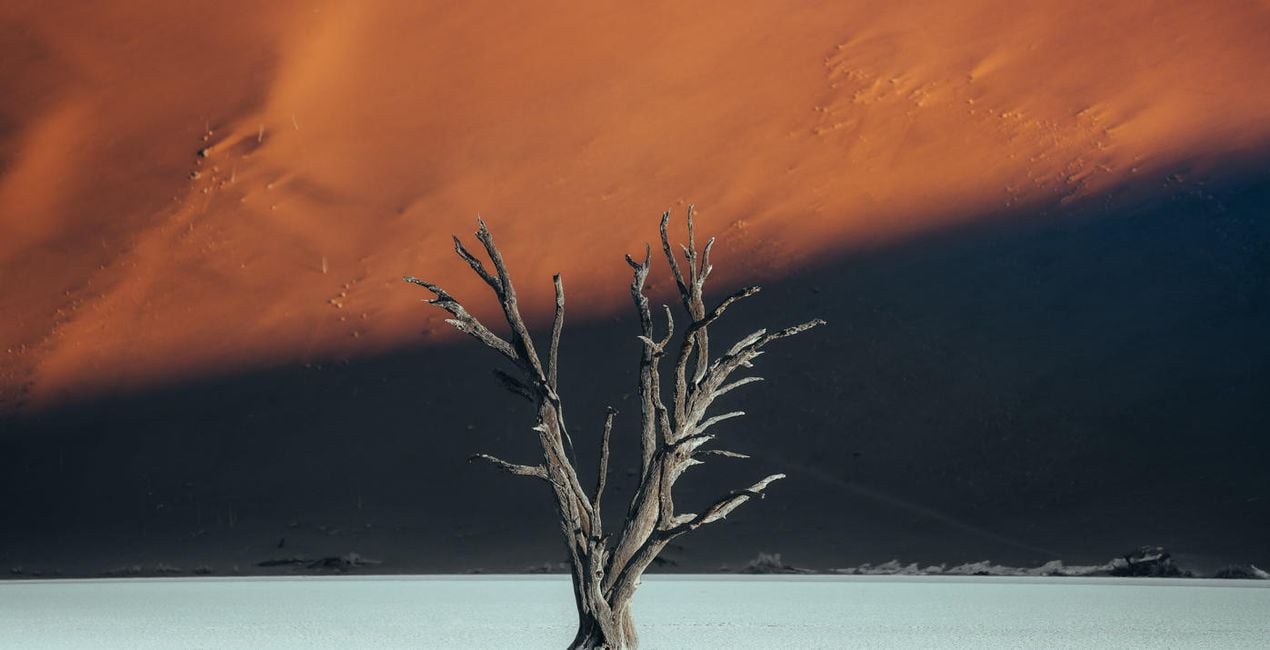
This collection has been designed around my most recent editing techniques in 2022 and is suitable for a wide variety of photography styles including landscape, wildlife, urban, and night photography. By applying a unique tonal grade, these presets will help you achieve a perfect visual balance — all in the click of a button.
I have designed these presets to work on files from Canon, Sony, Nikon, Panasonic, and Fuji cameras and have tested them on raw files from multiple mobile cameras. The presets work in both Lightroom for desktop and the Lightroom mobile app, including in all legacy Lightroom versions.
All the presets are now fully ISO-adaptive, further enhancing image quality at high ISO.
Why Withluke?
These presets are a culmination of years of visualizing color and careful tweaking to help you achieve a unique and cinematic tonal balance in your images. I use these presets and techniques on a daily basis, and this consistency has helped me to build a client portfolio of leading brands around the world as well as grow my audience to 1 million followers on Instagram.
The Presets in this collection will dramatically speed up your workflow in Lightroom and will act as a base to transform your edits. They are also an effective way for you to learn how to edit by working backwards from the preset in order to visualize the techniques behind my editing style.
Lifestyle & Adventure Photographer
Luke is a professional lifestyle and adventure photographer with a passion for emotive storytelling through his photography. He’s also an imaging ambassador for Tamron EU Luke tends to focus his photography on the Nordic region because of the ever-changing weather, mountains, and drama that inspire him. Born in the UK, Luke used to work in finance in London but transitioned to photography in 2017 to pursue his passion.
Luke has spent the last couple of years traveling the world in search of some of the most unique environments to shoot, spending the majority of his time abroad creating photographic and video content for leading international brands such as Adobe, The North Face, and Visit Greenland.
In his spare time, when he isn’t at his computer deep in the editing zone, Luke enjoys Thai food, catching up on Netflix, and reading a good book in a cozy café!
Máte-li jakékoli dotazy týkající se produktu, můžete se obrátit na tým podpory, který je k dispozici 24 hodin denně, 7 dní v týdnu. Stačí kliknout na tento odkaz.
Pro zakoupení Timeless Collection postupujte podle těchto kroků:
1. Otevřete tržiště Skylum Marketplace.
2. Přejděte na příslušnou záložku, kde je uveden Timeless Collection. Klikněte na něj a přidejte jej do košíku.
3. Přejděte do košíku. Zde dokončete proces nákupu produktu Timeless Collection.
4. Po zakoupení obdržíte e-mail s odkazem ke stažení produktu Timeless Collection. Nový produkt také najdete ve svém účtu Skylum na kartě Moje doplňky.
Podrobné pokyny k instalaci Timeless Collection vám budou zaslány v e-mailu s odkazem ke stažení.
Kromě toho můžete zakoupenou položku nainstalovat přímo v Luminar Neo: přejděte do nabídky Extra > Marketplace, vyberte kategorii Produkt, vyhledejte zakoupenou položku a klikněte na Instalovat.
Je to docela snadné! Nejprve si stáhněte balíček z účtu > Moje doplňky. Poté postupujte podle instalačních pokynů v stažené složce. Každý typ souboru může mít vlastní instalační kroky, proto si nezapomeňte přečíst přiloženého průvodce.
Nebojte se. Všechny zakoupené položky, včetně Timeless Collection, jsou uloženy na kartě „Moje doplňky“ ve vašem účtu Skylum, odkud je můžete snadno znovu stáhnout a používat.
Obecně platí, že většina položek je kompatibilní s Luminar Neo. Abyste se však ujistili, že Timeless Collection je kompatibilní s vaším softwarem, před stažením nebo zakoupením si zkontrolujte jeho specifikace. V pravé části stránky Timeless Collection najdete sekci „Kompatibilita“, kde jsou uvedeny všechny kompatibilní produkty.
Ještě neodcházejte. Máme pro vás exkluzivní slevový kód. Využijte ho do 15 minut a získejte při placení slevu 10 %. Zkopírujte níže uvedený kód a dokončete nákup.
15 m : 00 s





