


 Toegepast


Gevallen Bladeren
Save $201 $ 19 .00

Ontdekt 10 gezellige Templates van Team Skylum voor gouden herfstfoto's. Of u nu straatfoto's maakt met vallende bladeren, knusse foto's van bergen tijdens wandeltochten of familieportretten in pompoenpatches, u zult een Template vinden die perfect bij uw herfstsfeer past.
Wat is inbegrepen
10 Templates for. Compatible with JPEG and RAW images.

Met behulp van de meegeleverde RAW-bestanden oefent u gemakkelijk retoucheertips en leert u hoe u dergelijke foto's kunt maken.

 >
>

 >
>

 >
>

 >
>

 >
>

 >
>

 >
>

 >
>

 >
>
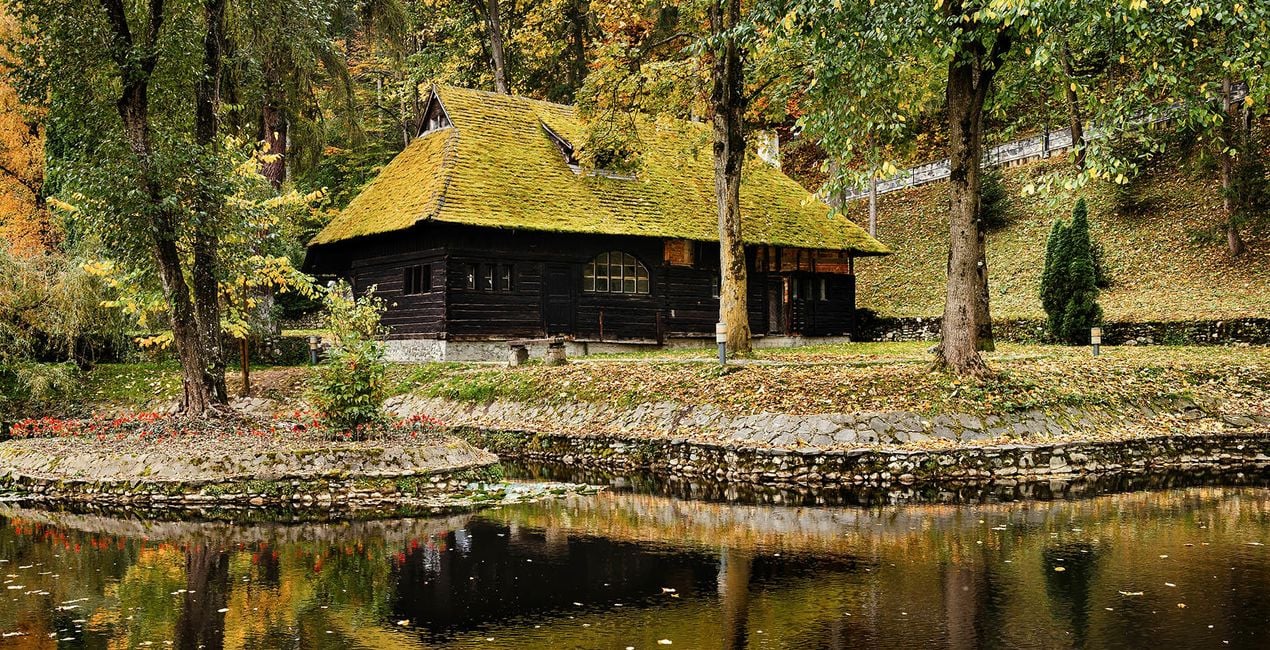
Enhance photographs taken in autumnal city parks, on windy streets, and on hiking trips in the mountains.
This collection of 10 glowing Templates is perfect not only for autumn landscapes but also for cozy portraits of family and friends.
Enhance the atmosphere of wet asphalt after the rain, fog, cloudy weather, and trees in warm sunset rays.
Your cozy autumn photos are waiting for you!
What you’ll find in this pack (10 Templates):
Low Key Warm: A warm Template with high exposure and contrast.
High Key Warm: A light Template with warm toning.
September: A cold Template with greenish and yellowish highlights.
Autumn Glow: A Template with warm toning and an accent on yellows and oranges as well as built-in portrait enhancing features.
Contrast & Clarity: A Template with slightly warm toning that helps you deliver high contrast and clarity.
Cinematic Autumn: A Template that delivers a pleasant cinematic vibe.
Windy: A cold Template with lowered contrast and exposure.
October: A pleasant Template perfect for creating a heartwarming atmosphere.
November: A cold contrasted Template with a raised black point.
Red Leaf: A Template with red toning and red-orange hues
Keep in mind that a Template’s default effect might be too strong for your photo.
If it is, simply bring it back a bit with the Amount slider.
Don’t forget to share your results! Use the hashtag #madewithluminar on social media so the Skylum Team can take a look at your work!
Fotografen, coloristen & retoucheurs
Het Skylum team werkt samen met honderden professionele fotografen en retouchers om u Templates te brengen die topfotografen gebruiken om hun meesterwerken te creëren. Het Skylum AI Lab analyseert de foto's en workflows van fotografen en creëert Templates die voor iedereen toegankelijk zijn en die gebruik maken van de geavanceerde LuminarAI technologie. Onze missie is om de tijd en moeite die het kost om een indrukwekkende foto te maken te verminderen en iedereen te laten genieten van fotobewerking en fotografie.
Veelgestelde vragen
Heb je nog extra vragen of wil je gewoon wat advies?
neem contact op met ons supportteamHeb je vragen over het product? Neem dan gerust contact op met ons supportteam – 24/7 bereikbaar. Volg gewoon deze link.
Volg deze stappen om Fallen Leaves te kopen:
1. Open Skylum’s Marketplace.
2. Ga naar het tabblad waar Fallen Leaves staat. Klik erop en voeg het toe aan je winkelmandje.
3. Ga naar je winkelmandje. Rond hier het aankoopproces van Fallen Leaves af.
4. Na je aankoop ontvang je een bevestigingsmail met de downloadlink voor Fallen Leaves. Je vindt het product ook terug in je Skylum-account onder het tabblad ‘Mijn add-ons’.
Uitgebreide instructies voor het installeren van Fallen Leaves ontvang je in de bevestigingsmail, samen met de downloadlink.
Daarnaast kun je het gekochte item direct installeren in Luminar Neo: ga naar Extra’s > Marketplace, selecteer de productcategorie, zoek het gekochte item en klik op Installeren.
Supermakkelijk! Ga naar het tabblad Presets en kies daar ‘Gekocht’. Je geïnstalleerde preset staat ertussen.
Geen zorgen. Alle gekochte items, waaronder Fallen Leaves, staan in het tabblad ‘Mijn add-ons’ van je Skylum-account. Van daaruit kun je ze makkelijk opnieuw downloaden en gebruiken.
In de meeste gevallen zijn items compatibel met Luminar Neo. Maar om zeker te weten of Fallen Leaves werkt met jouw software, check je best even de specificaties vóór je iets downloadt of koopt. Kijk op de pagina van Fallen Leaves aan de rechterkant bij het kopje ‘Compatibiliteit’ – daar staan alle compatibele producten vermeld.
Ga nog niet weg. Hier is een exclusieve kortingscode voor jou. Gebruik deze binnen 15 minuten om bij het afrekenen 10% extra korting te krijgen. Kopieer de onderstaande code en rond je aankoop af.
15 m : 00 s





