

 適用する
適用する 



Luminar Neo Mood Kit
Save $201 $ 49 .00
This Kit is Pavel Kaplun’s first product for Luminar Neo. It’s ideal for landscape, architecture, animal, and product photography.
含まれているもの
13 Presets, 56 LUTs, 16 sample photos, Installation guide (PDF and video), How-to video

提供されたRAWファイルを使ってレタッチのコツを簡単に練習、こんな写真に仕上げる方法を学ぶことができます。
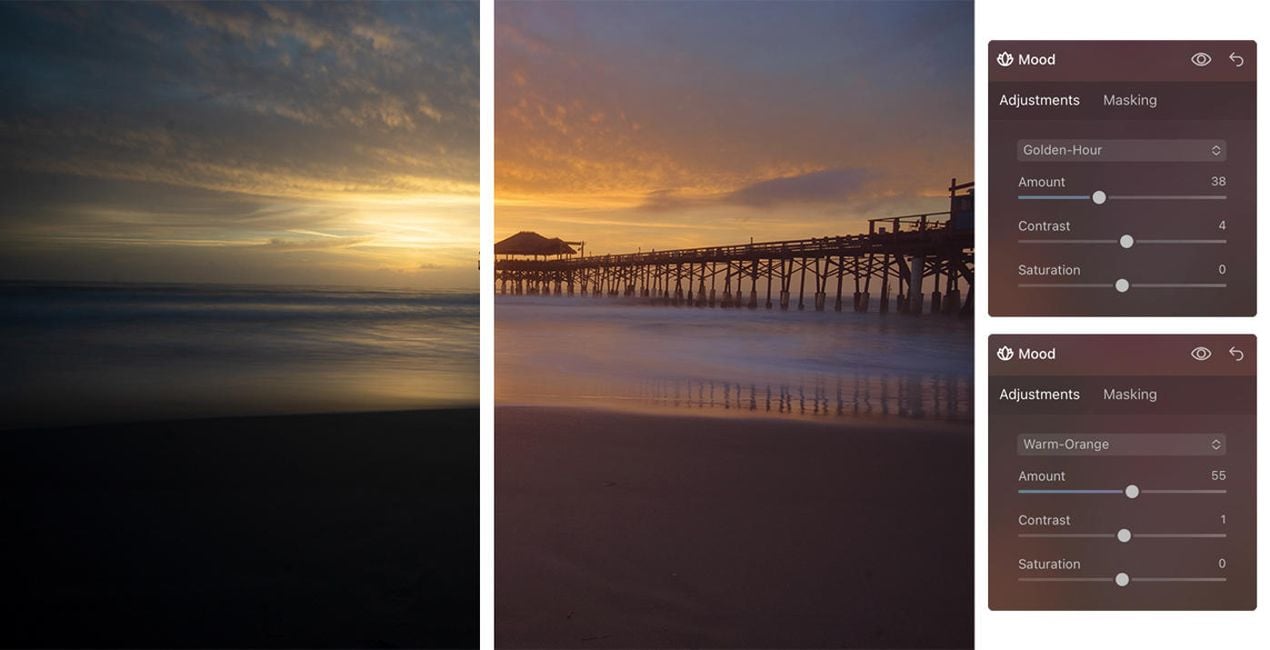
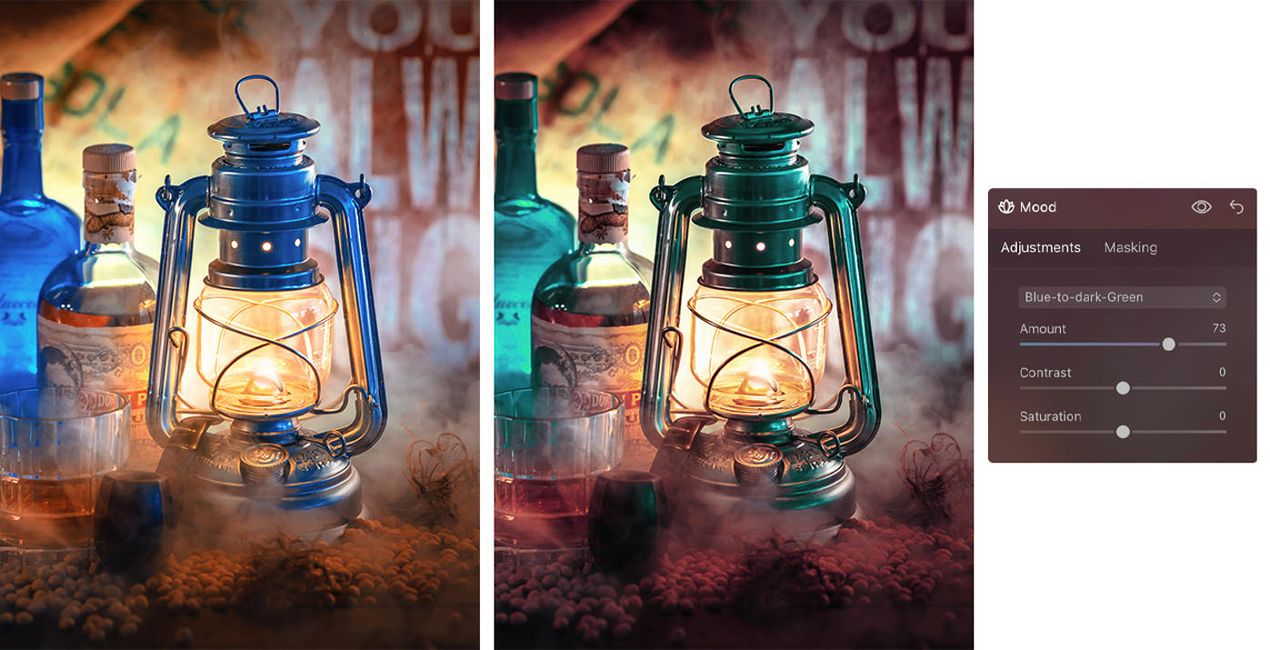
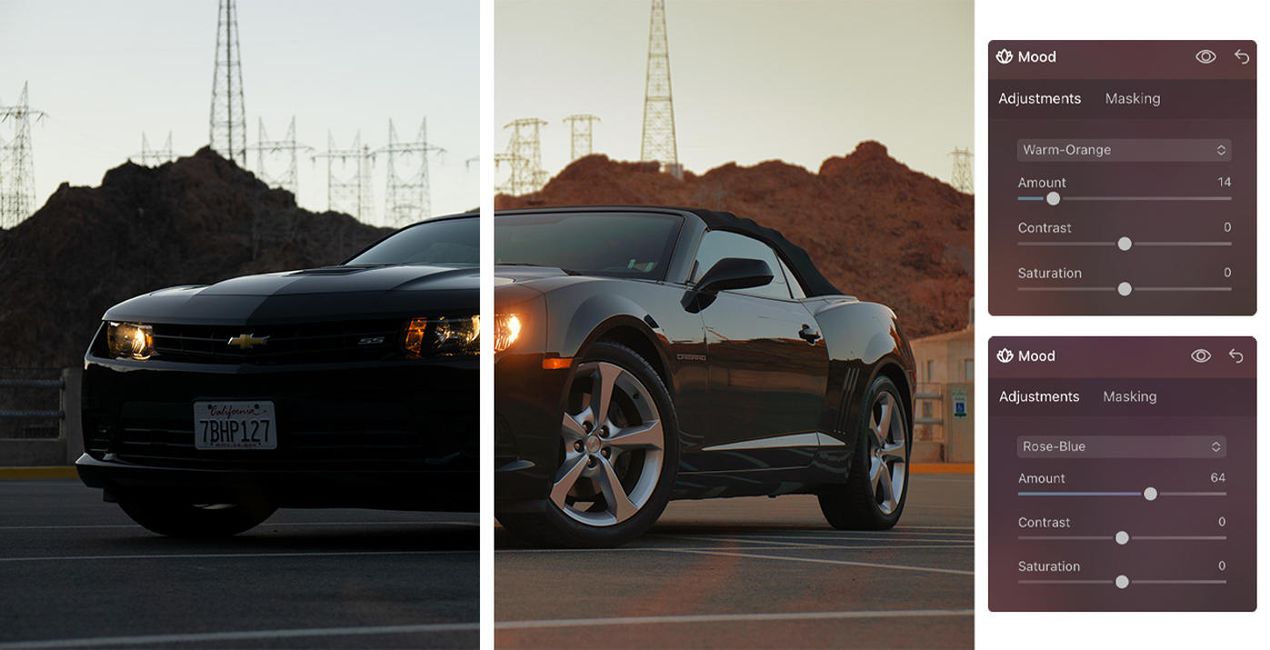
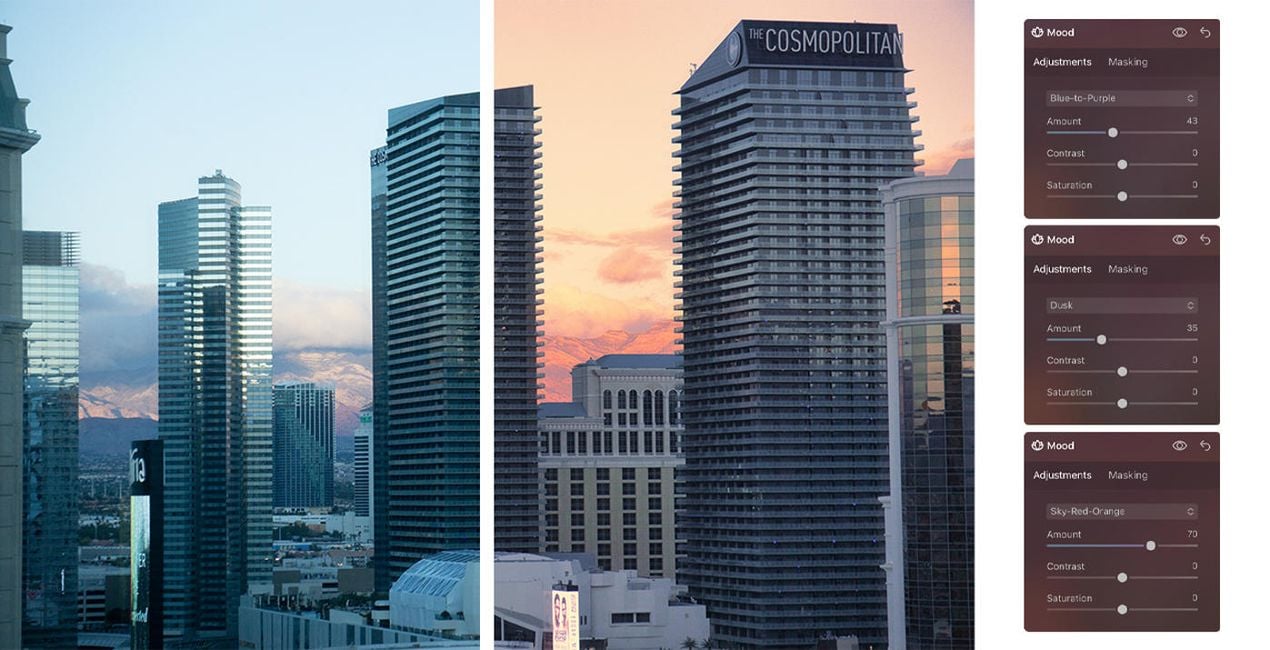
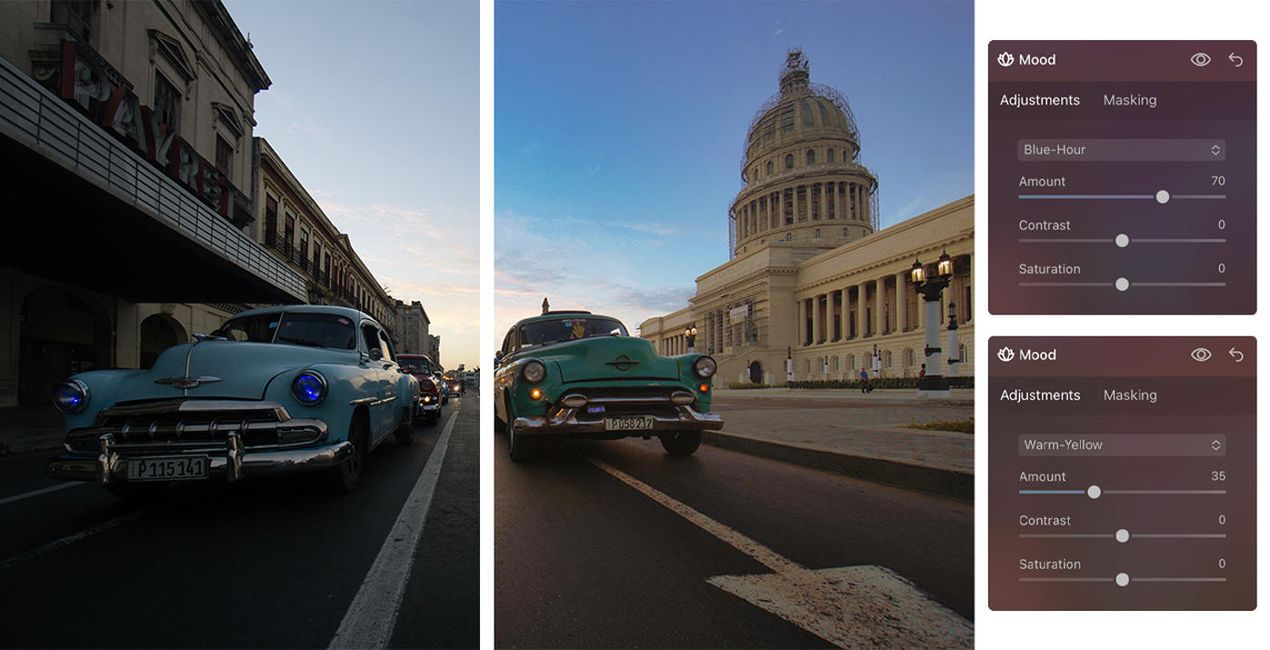
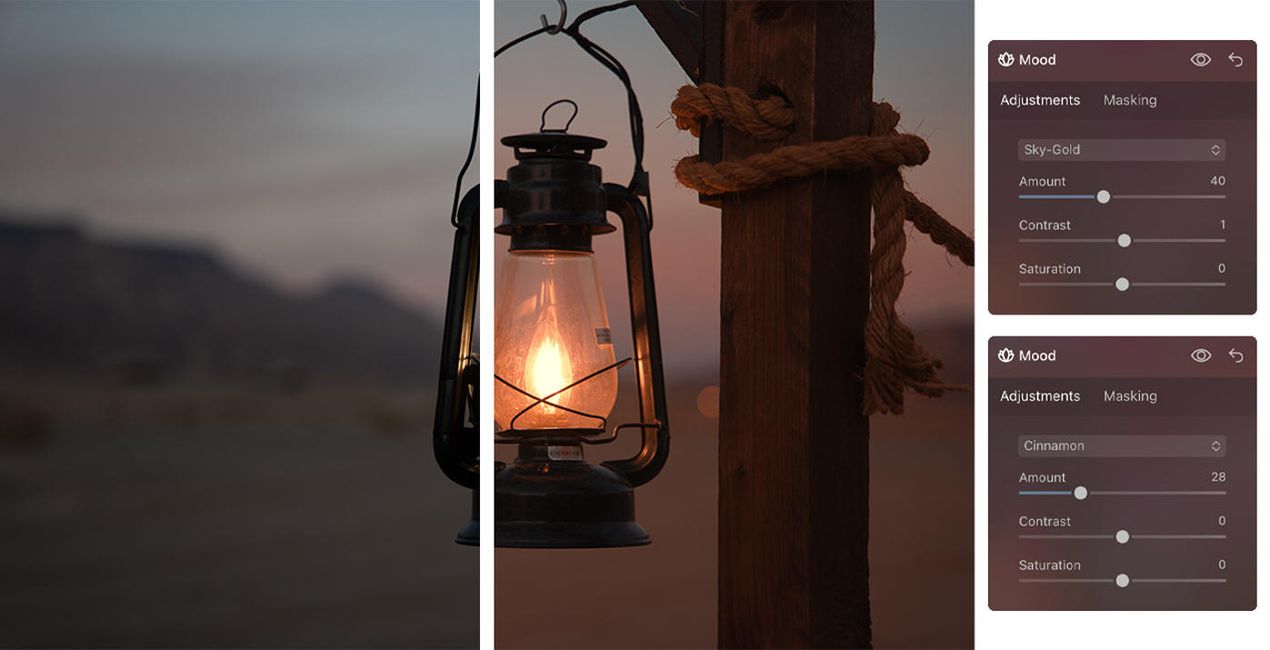
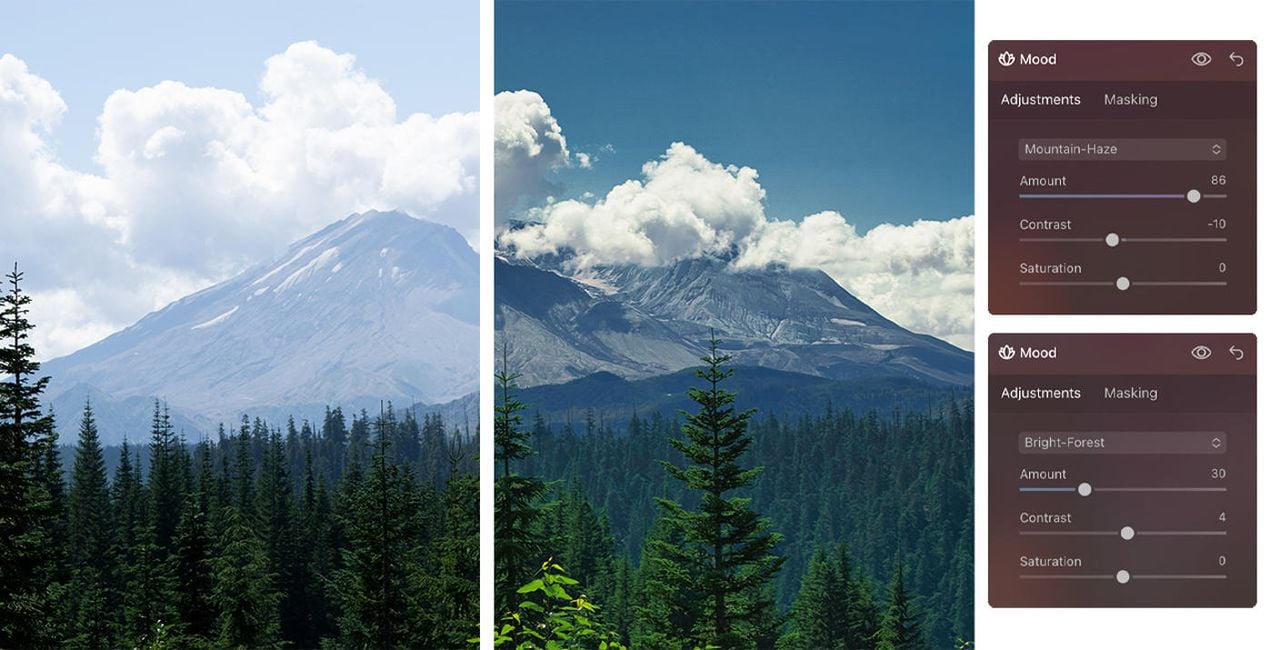
Create fantastic photos that capture the majestic feeling of landscapes, the beauty of architecture, and the gorgeous animals you’ve visited during your travels.
The universal items in this Kit, including Presets and LUTs, let you enhance your images to achieve mesmerizing results — and the video and PDF guides will help you get the most out of your photos.
All the creative assets in this Kit optimize specific parts of a photo and can be adjusted in terms of opacity, contrast, and saturation. In addition, you can apply a combination of effects to your photos to fully meet your needs. Following Luminar’s design, everything is effects-oriented, making it easy for you to find what you need and get impressive results.
Professional Photographers. Digital Artists
Creative Studio Pavel Kaplun is represented by Pavel Kaplun and Miho Birimisa. Pavel started as a painter who used his artistic skills in the early 1990s to teach the masses how to post-process digital pictures so they not only looked like good photos but like pieces of art. Twenty years later, Pavel and Miho are among the top-ranked photographers and digital artists in the German-speaking world, re-inventing photography topics using their own style year after year. Pavel and Miho conduct events and workshops all across Europe, produce video trainings as well as books under their own label, offer photo trips across the globe, and publish YouTube videos every single week. Their unique photography style spans digital artworks to several other genres including travel, architecture, nature, animals, and people.
製品についてご質問がございましたら、24時間対応のサポートチームまでお問い合わせください。こちらのリンクをご利用ください。
Luminar Neo Mood Kitを購入するには、次の手順に従ってください:
1. Skylumのマーケットプレイスを開きます。
2. Luminar Neo Mood Kitがリストされているタブに移動し、クリックしてカートに追加します。
3. カートに進み、Luminar Neo Mood Kitの購入手続きを完了してください。
4. ご購入後、Luminar Neo Mood Kitのダウンロードリンクが記載された購入完了メールが届きます。また、Skylumアカウントの「マイアドオン」タブからも新しいアイテムをご確認いただけます。
Luminar Neo Mood Kitのインストール手順の詳細は、ダウンロードリンクと一緒にお送りする「購入完了メール」に記載されています。
また、Luminar Neoから購入されたアイテムを直接インストールすることもできます。エクストラ > マーケットプレイスに進み、商品カテゴリを選択して、購入済みアイテムを見つけてインストールをクリックしてください。
とても簡単です!購入されたキットをインストールするには、アカウント > マイアドオン からキットを見つけてダウンロードしてください。ダウンロードしたファイルには、キットに含まれるすべての要素のインストール手順が記載されています。
ご安心ください。Luminar Neo Mood Kitを含むすべての購入済みアイテムは、Skylumアカウントの「マイアドオン」タブ に保存されるため、簡単に再ダウンロードしてご利用いただけます。
ほとんどのアイテムはLuminar Neoに対応しています。ただし、確実にLuminar Neo Mood Kitがお使いのソフトと互換性があるかを確認するには、ダウンロードや購入前に製品仕様をご確認ください。Luminar Neo Mood Kitページ右側の「互換性」セクションに対応しているすべての製品が表示されています。
まだお帰りにならないでください。あなただけの特別割引コードをご用意しました。今後15分以内にご利用いただくと、お会計時にさらに10%オフになります。以下のコードをコピーして、お買い物を完了してください。
15 m : 00 s





