Informazioni
For beginners and advanced users. Whether you’re just starting or have some experience with Luminar – the workshops are structured so you can jump right in. You’ll discover new tools and techniques, learning not just how to correct mistakes, but how to craft images with intent. The e-book is available in English and German.
Cosa è incluso
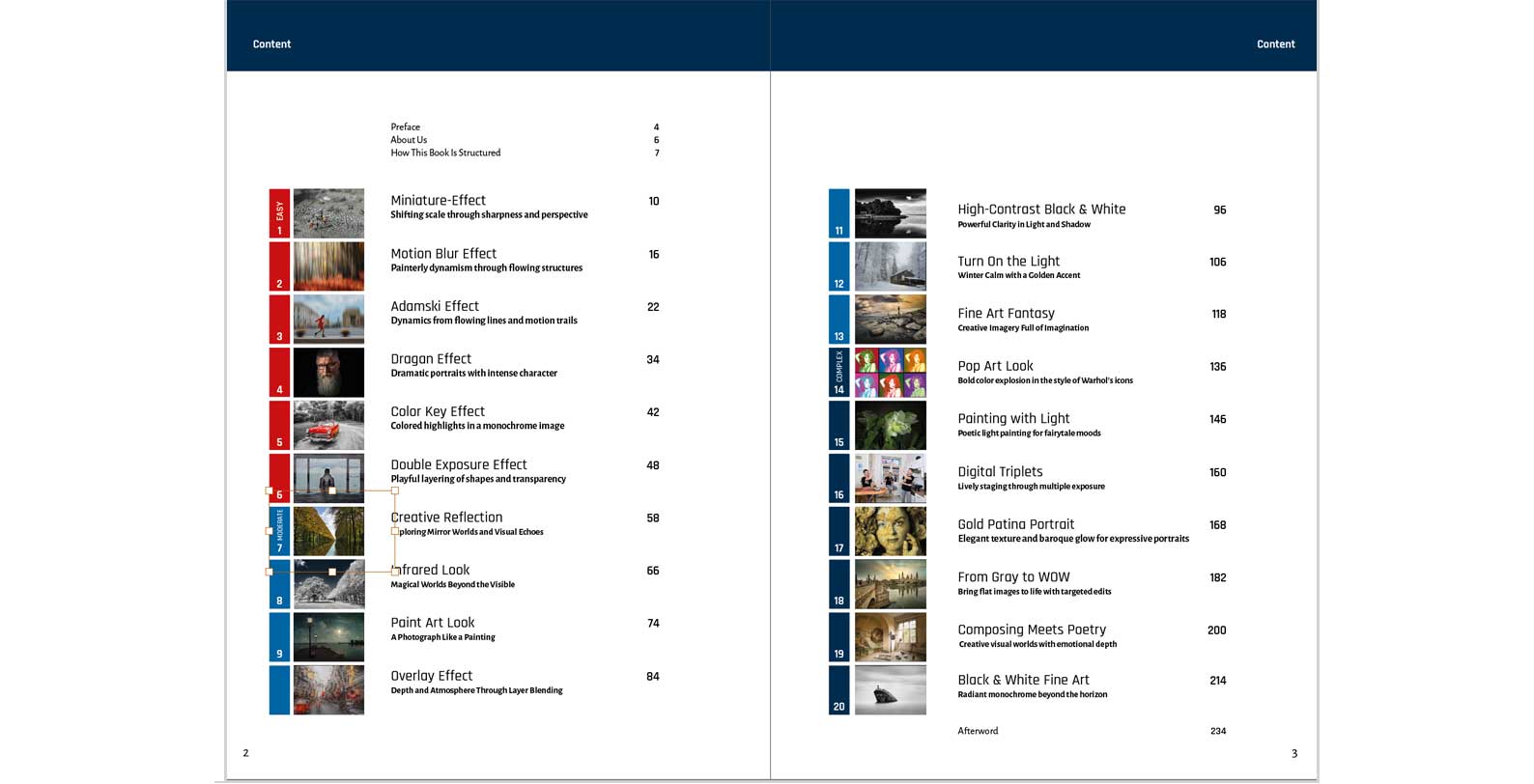
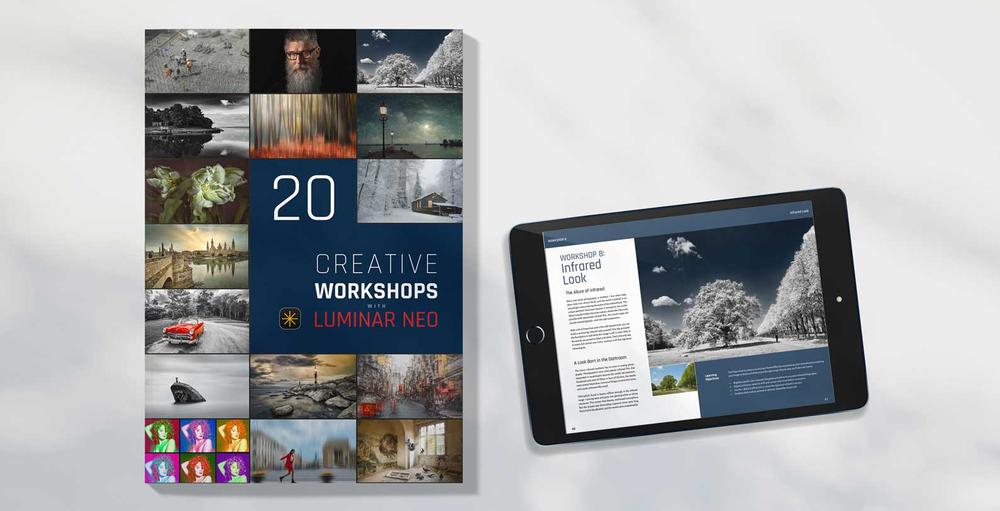
236-page E-book in PDF format & 30 images in JPEG format
Sfoglia le pagine
Dai un’occhiata veloce ai contenuti che ti aspettano all’interno.
La storia
Create looks. Develop your style. Understand image editing.
You’ve taken a photo that’s “okay” – but not quite eye-catching? Then this book is just what you need.
In 20 hands-on workshops, you’ll learn how to transform everyday images into powerful, atmospheric photographs with just a few well-aimed steps. No technical overwhelm – just plenty of “aha” moments.
Each workshop takes you straight into the creative process with Luminar: with clear tool instructions, precise values, and easy-to-follow explanations. You’ll learn how looks are created, how to control color and light intentionally – and how to develop your own visual style.
What makes this book special: It includes 30 image files for hands-on editing – perfectly matched to the workshops. This allows you to follow every step and try out your own variations right away.
This is not a theory manual, but an invitation to dive in. Whether portrait, landscape, or creative photo idea – all you need is the software and a bit of curiosity.
What awaits you in these workshops
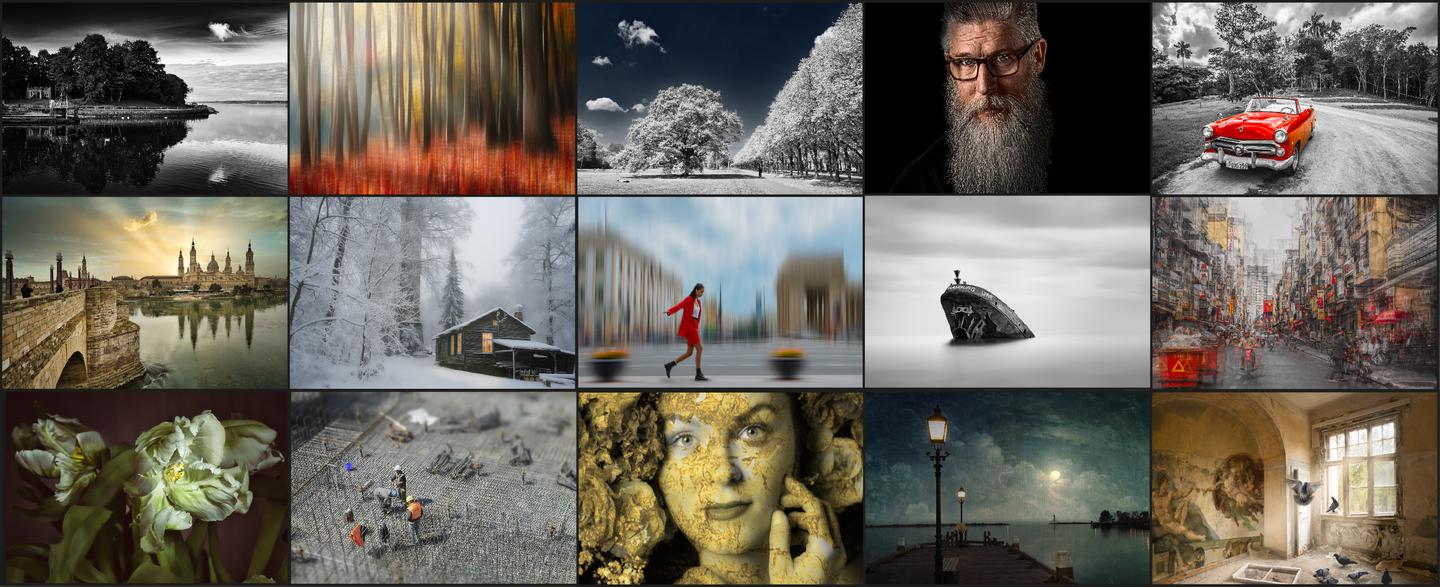
From creative tilt-shift effects and dramatic portraits to experimental layer techniques – this book offers a broad range of looks and editing styles.
Each workshop is built around a specific visual concept and walks you through the steps to achieve it in Luminar. It’s never just about effects – but always about visual language, style, and expression.
Let these 20 workshops inspire you:
1. Miniature Effect: how to turn a cityscape into a model world
2. Motion Blur: how to add flowing movement to your image
3. Adamski Effect: how to transform structure into dynamic
4. Dragan Effect: how to stage expressive portraits
5. Color Key: how to use selective color for impact
6. Double Exposure: how to create surprising visual worlds
7. Creative Reflection: how to build double realities
8. Infrared Look: how to combine magic and lightness
9. Paint Art Look: how to turn a photo into a painting
10. Overlay Effect: how to combine layers creatively
11. High-Contrast Black & White: how to create striking contrasts
12. Turn on the Light: how to add warmth to winter scenes
13. Fine Art Fantasy: how to create visual poetry
14. Pop Art Look: how to combine color and retro charm
15. Painting with Light: how to draw magical trails of light
16. Digital Triplets: how to create humorous multi-portraits
17. Gold Patina Portrait: how to develop a refined, textured image
18. From Grey to WOW: how to transform dull images
19. Composing Meets Poetry: how to blend creativity and emotion
20. B&W Fine Art: how to turn monochrome into a powerful statement
Prodotti correlati




Creator
René Ledrado
Photographer. Skylum Ambassador
René Ledrado is a certified commercial photographer who has worked in advertising since 1993.
His passion is photographing landscapes, especially during the blue hour.
René teaches photography at the Akademie Deutsche POP and the Adult Education Center in Hanover. Every week, he shares a new tutorial (mostly about Luminar) on YouTube.
His popular Luminar book has already helped many photographers get the best editing results.