


 Aplicado


Panoramas Llenos de Alma
Save $201 $ 25 .00

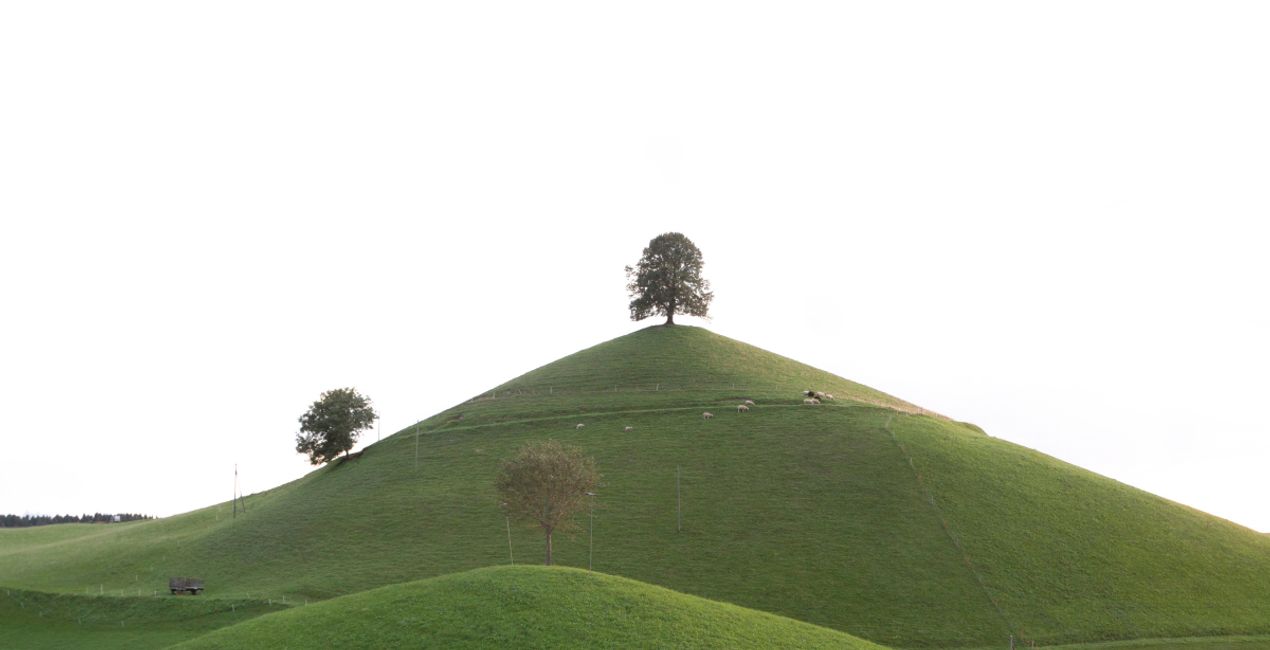
Descubre 10 magníficos Cielos en formato JPEG que pueden ayudarte a crear momentos inolvidables. Todos estos cielos contienen un poco de grano artístico que recuerda a las películas antiguas, añadiendo una atmósfera nostálgica y conmovedora a tus fotos. Utiliza estos cielos de alta resolución -que contienen todos los colores imaginables- en tus paisajes, fotos de estilo de vida, paisajes urbanos y en cualquier lugar en el que quieras evocar un efecto sorprendente.
Qué incluye
10 magníficos Cielos en formato JPEG


Con los archivos RAW proporcionados, practicarás fácilmente los consejos de retoque y aprenderás a conseguir fotos como estas.

 >
>

 >
>

 >
>

 >
>
 >
>


Fotógrafos, coloristas y retocadores
El equipo de Skylum trabaja con cientos de fotógrafos y retocadores profesionales para traerles las plantillas que los mejores fotógrafos usan para crear sus obras maestras. El Laboratorio de Inteligencia Artificial de Skylum analiza las fotos y los flujos de trabajo de los fotógrafos y crea Plantillas que son accesibles para todos y que aprovechan la tecnología avanzada bajo el capó de LuminarAI. Nuestra misión es reducir el tiempo y el esfuerzo que se necesita para hacer una foto impactante y permitir que todos disfruten de la edición de fotos y la fotografía
Si tienes alguna duda o pregunta sobre el producto, puedes contactar al servicio de soporte 24/7. Visita este enlace.
Para comprar Soulful Panoramas, sigue estos pasos:
1. Abre el Marketplace de Skylum.
2. Ve a la pestaña correspondiente donde aparece Soulful Panoramas. Haz clic sobre él y añádelo a tu carrito.
3. Ve al carrito. Aquí, completa el proceso de compra de Soulful Panoramas.
4. Después de completar la compra, recibirás un correo de confirmación con el enlace de descarga de Soulful Panoramas. También encontrarás el nuevo producto en tu cuenta de Skylum, dentro de la pestaña “Mis complementos”.
Recibirás un email con instrucciones detalladas sobre cómo instalar Soulful Panoramas junto con un enlace de descarga.
También puedes instalar el producto comprado directamente desde Luminar Neo: ve a Extras > Marketplace, selecciona la categoría del producto, busca el elemento adquirido y haz clic en Instalar.
¡Es muy fácil! En la barra superior del menú, cambia a la pestaña Editar. Ve al panel de Herramientas y selecciona Cieloᴬᴵ > Selección de cielo > Comprados. Ahí encontrarás Soulful Panoramas.
No te preocupes. Todos los productos que hayas adquirido, como Soulful Panoramas, se almacenarán en la pestaña 'Mis complementos' de tu cuenta de Skylum para que puedas volver a descargarlos fácilmente.
Generalmente, la mayoría de productos son compatibles con Luminar Neo. Pero si quieres asegurarte de que Soulful Panoramas funciona(n) correctamente con tu software, consulta sus especificaciones antes de hacer ninguna compra o descarga. Busca la sección "Compatibilidad" en la parte derecha de la página de Soulful Panoramas, donde aparecen todos los programas compatibles.
No te vayas todavía. Aquí tienes un código de descuento exclusivo. Úsalo en los próximos 15 minutos para obtener un 10 % de descuento adicional al finalizar la compra. Copia el código que aparece a continuación y completa tu compra.
15 m : 00 s





