


 Aplicado


Kit de Estado de ánimo de Luminar Neo
Save $201 $ 49 .00

This Kit is Pavel Kaplun’s first product for Luminar Neo. It’s ideal for landscape, architecture, animal, and product photography.
Qué incluye
13 Presets, 56 LUTs, 16 sample photos, Installation guide (PDF and video), How-to video

Con los archivos RAW proporcionados, practicarás fácilmente los consejos de retoque y aprenderás a conseguir fotos como estas.
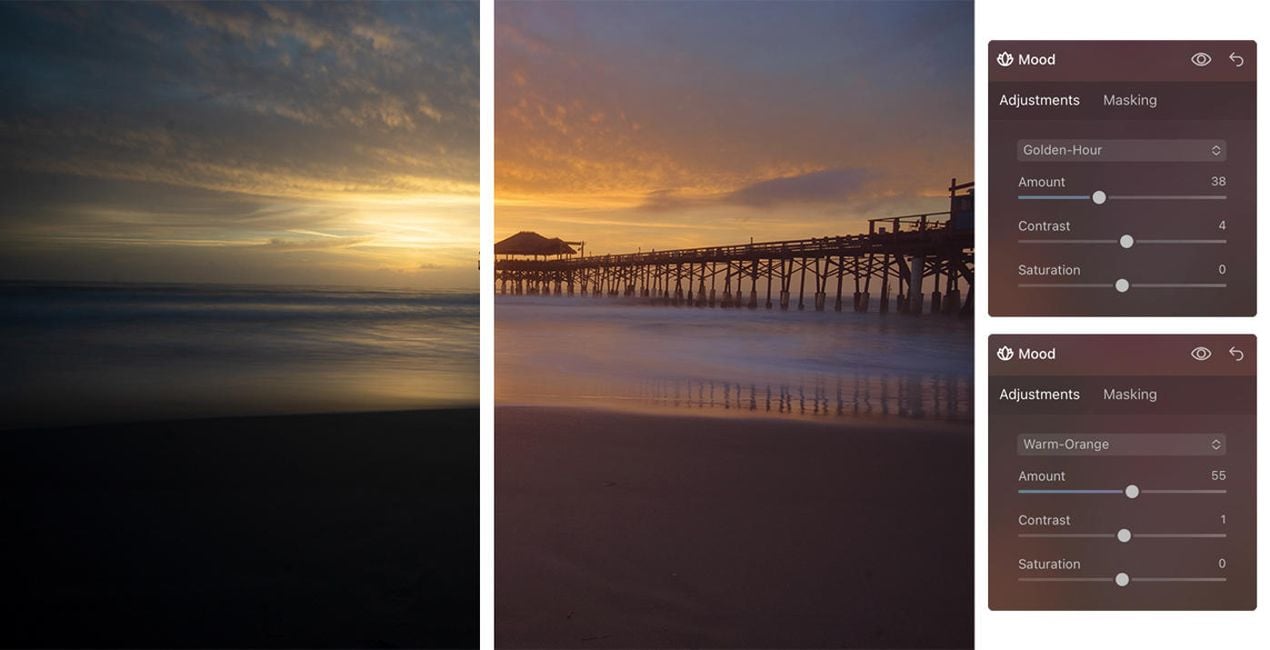
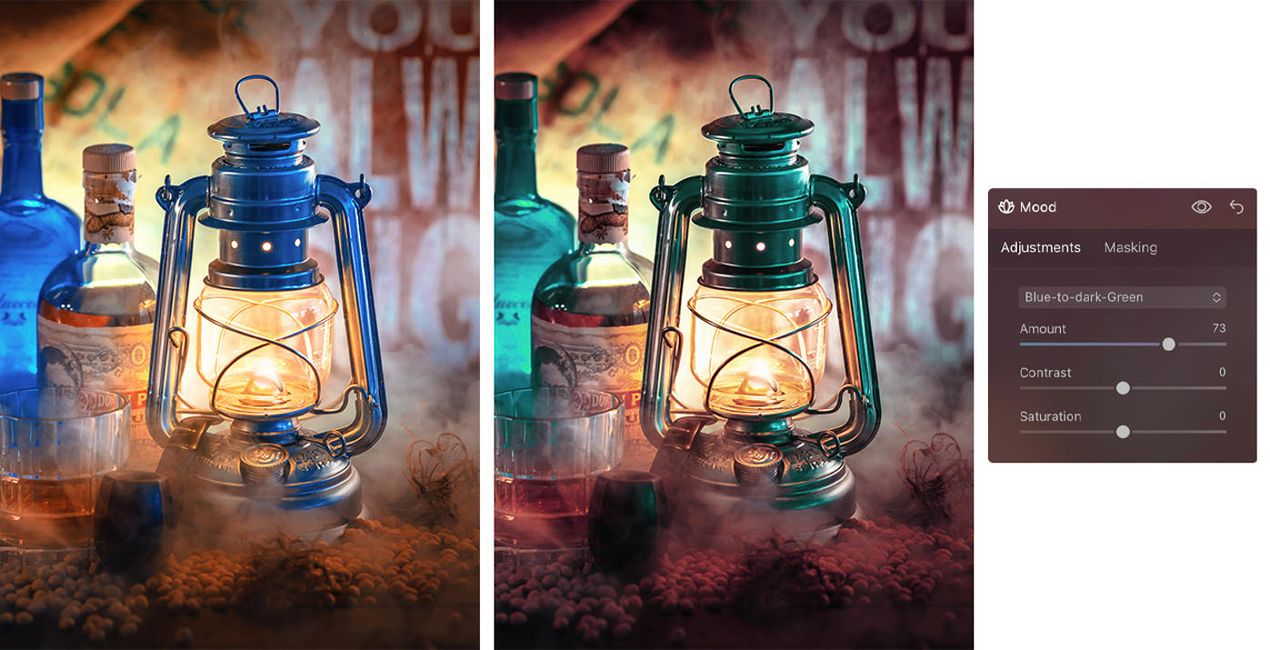
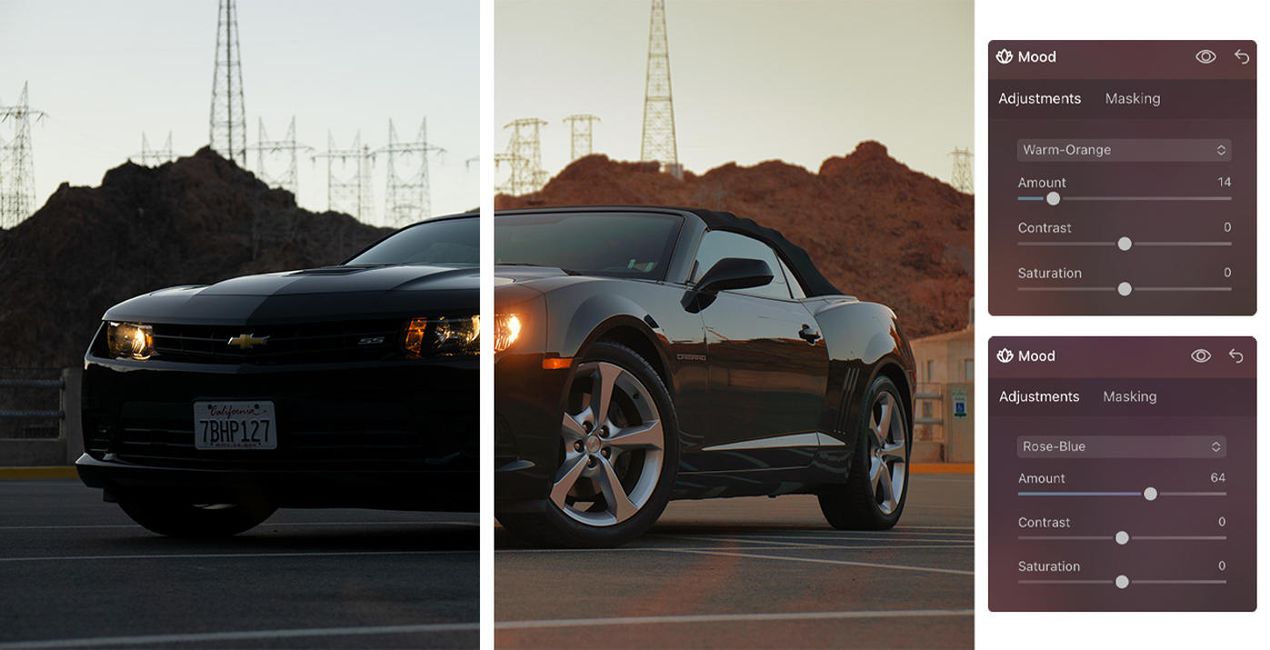
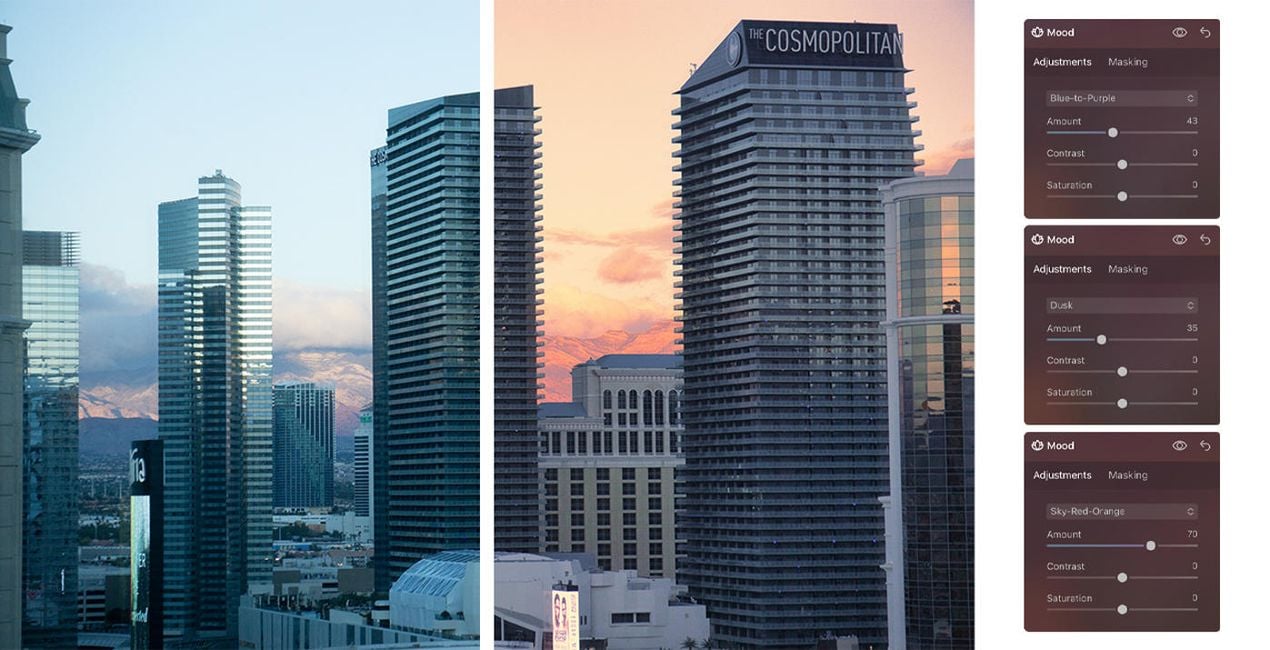
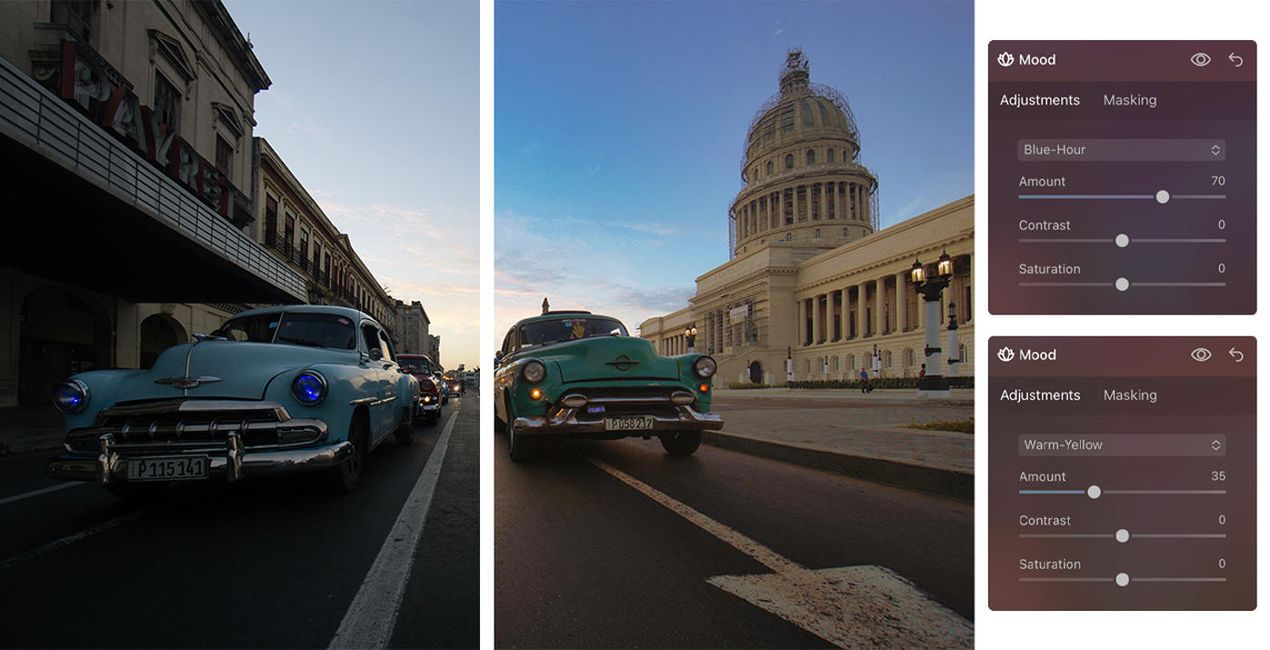
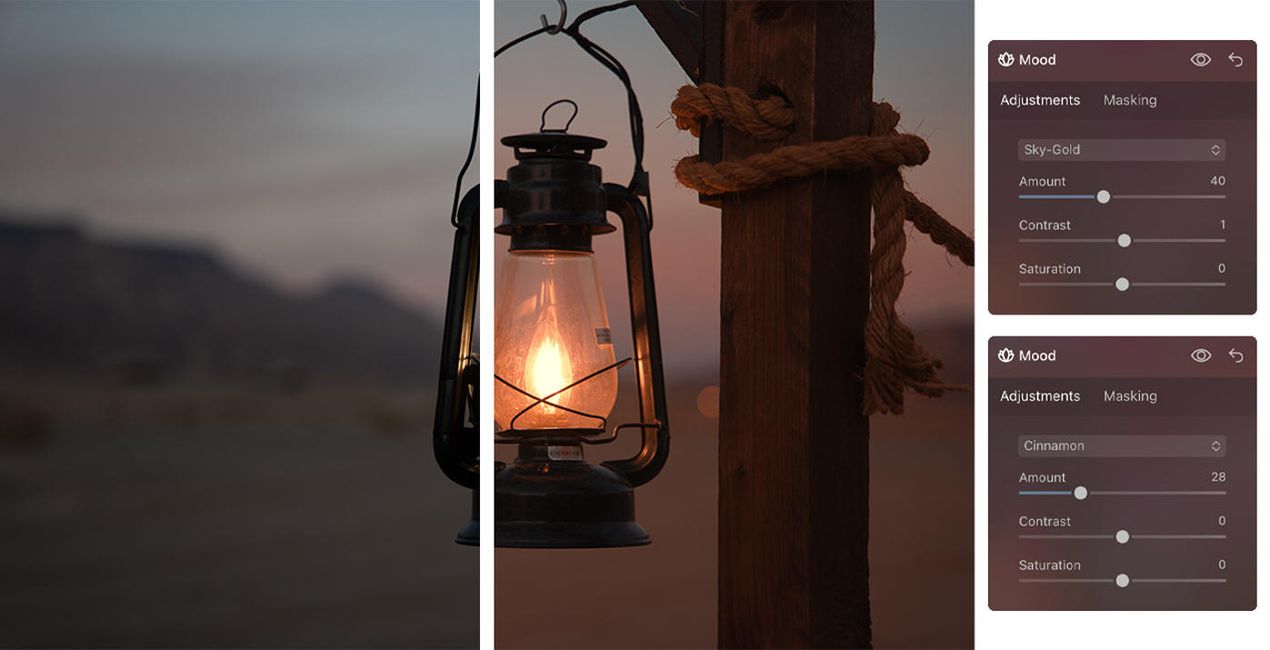
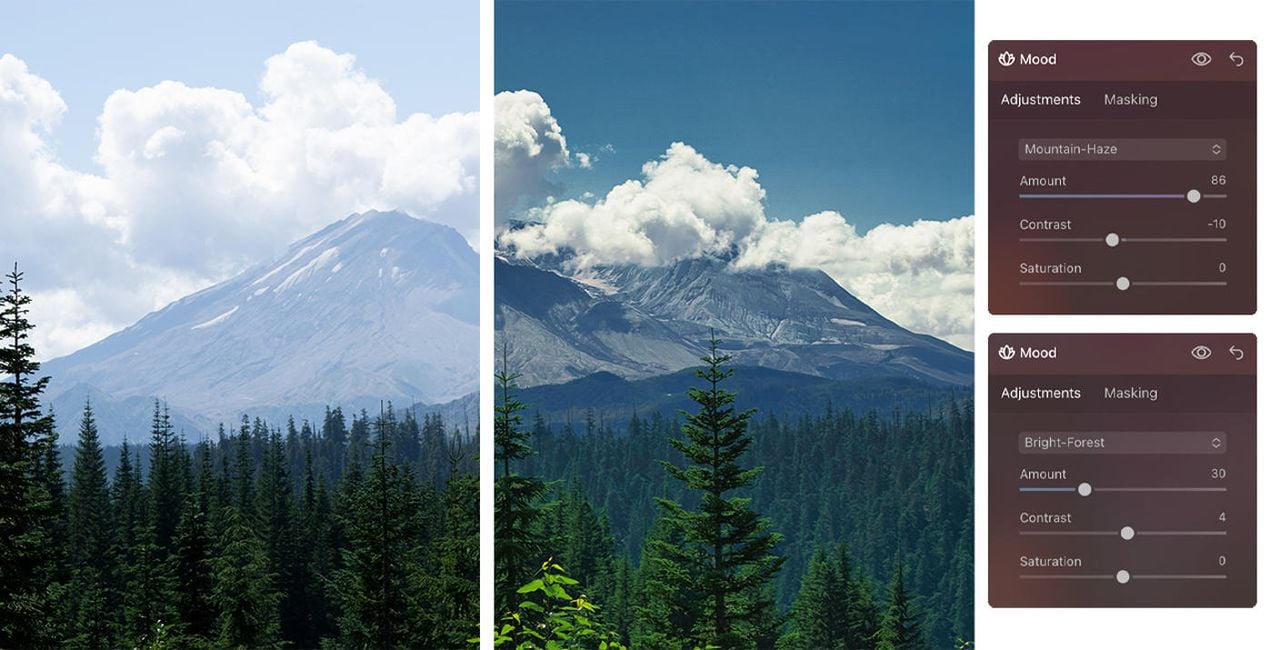
Create fantastic photos that capture the majestic feeling of landscapes, the beauty of architecture, and the gorgeous animals you’ve visited during your travels.
The universal items in this Kit, including Presets and LUTs, let you enhance your images to achieve mesmerizing results — and the video and PDF guides will help you get the most out of your photos.
All the creative assets in this Kit optimize specific parts of a photo and can be adjusted in terms of opacity, contrast, and saturation. In addition, you can apply a combination of effects to your photos to fully meet your needs. Following Luminar’s design, everything is effects-oriented, making it easy for you to find what you need and get impressive results.
Professional Photographers. Digital Artists
Creative Studio Pavel Kaplun is represented by Pavel Kaplun and Miho Birimisa. Pavel started as a painter who used his artistic skills in the early 1990s to teach the masses how to post-process digital pictures so they not only looked like good photos but like pieces of art. Twenty years later, Pavel and Miho are among the top-ranked photographers and digital artists in the German-speaking world, re-inventing photography topics using their own style year after year. Pavel and Miho conduct events and workshops all across Europe, produce video trainings as well as books under their own label, offer photo trips across the globe, and publish YouTube videos every single week. Their unique photography style spans digital artworks to several other genres including travel, architecture, nature, animals, and people.
Si tienes alguna duda o pregunta sobre el producto, puedes contactar al servicio de soporte 24/7. Visita este enlace.
Para comprar Luminar Neo Mood Kit, sigue estos pasos:
1. Abre el Marketplace de Skylum.
2. Ve a la pestaña correspondiente donde aparece Luminar Neo Mood Kit. Haz clic sobre él y añádelo a tu carrito.
3. Ve al carrito. Aquí, completa el proceso de compra de Luminar Neo Mood Kit.
4. Después de completar la compra, recibirás un correo de confirmación con el enlace de descarga de Luminar Neo Mood Kit. También encontrarás el nuevo producto en tu cuenta de Skylum, dentro de la pestaña “Mis complementos”.
Recibirás un email con instrucciones detalladas sobre cómo instalar Luminar Neo Mood Kit junto con un enlace de descarga.
También puedes instalar el producto comprado directamente desde Luminar Neo: ve a Extras > Marketplace, selecciona la categoría del producto, busca el elemento adquirido y haz clic en Instalar.
¡Es muy fácil! Para instalar un kit comprado, ve a tu Cuenta > Mis complementos y descárgalo. Dentro del archivo descargado, encontrarás las instrucciones de instalación para todos los elementos del kit.
No te preocupes. Todos los productos que hayas adquirido, como Luminar Neo Mood Kit, se almacenarán en la pestaña 'Mis complementos' de tu cuenta de Skylum para que puedas volver a descargarlos fácilmente.
Generalmente, la mayoría de productos son compatibles con Luminar Neo. Pero si quieres asegurarte de que Luminar Neo Mood Kit funciona(n) correctamente con tu software, consulta sus especificaciones antes de hacer ninguna compra o descarga. Busca la sección "Compatibilidad" en la parte derecha de la página de Luminar Neo Mood Kit, donde aparecen todos los programas compatibles.
No te vayas todavía. Aquí tienes un código de descuento exclusivo. Úsalo en los próximos 15 minutos para obtener un 10 % de descuento adicional al finalizar la compra. Copia el código que aparece a continuación y completa tu compra.
15 m : 00 s





