


 Angewendet


Lovely Light
Save $201 $ 29 .00

Looking for a way to make your photos even more captivating? Introducing 20 incredible Presets designed by Jim Nix for those moments at the edges of the day when light and color come to life. Each one is perfect for landscapes, cityscapes, and travel imagery.

Mit den mitgelieferten RAW-Dateien kannst du ganz einfach Retusche-Tipps ausprobieren und lernen, wie man solche Fotos macht.

 >
>

 >
>

 >
>
 >
>

 >
>

 >
>
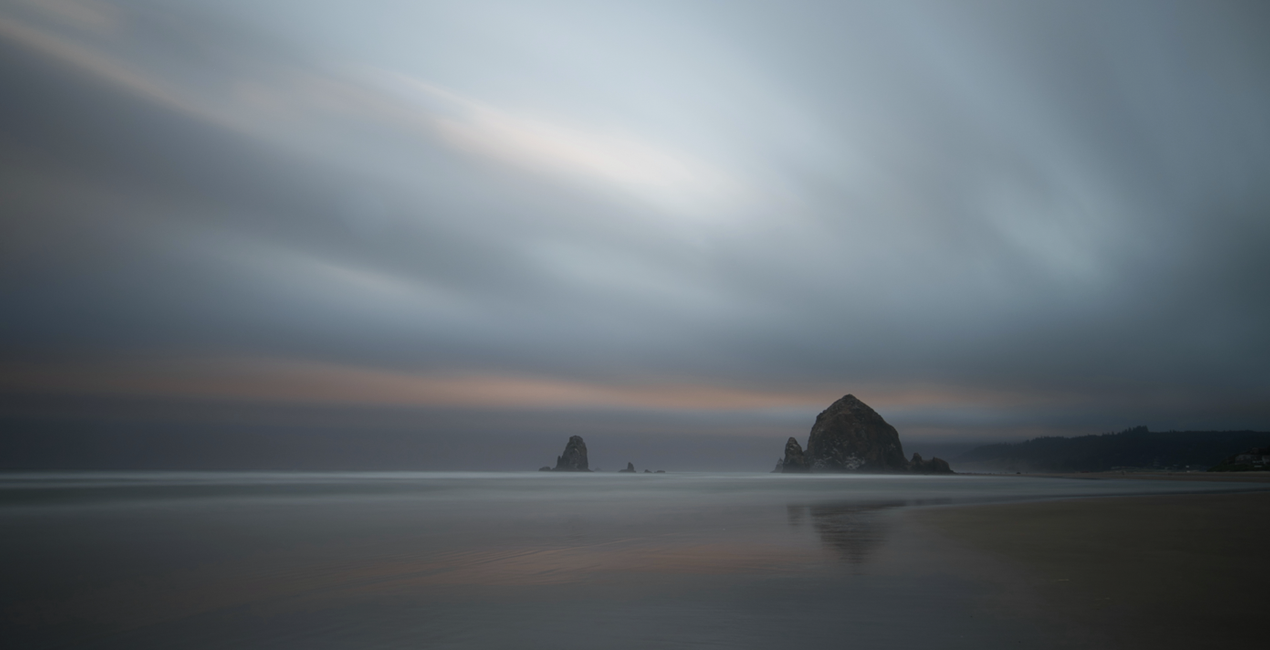
Everyone loves to photograph at the edges of the day, during sunrises, sunsets, blue and golden hours. During those times the light is soft and the colors are just gorgeous. But if your photo’s color doesn't quite look the way you remember it, use these Presets to give your image a little extra emphasis.
These Presets are designed specifically for that time of day, and are crafted to enhance color and light to complement your scene. The Presets were inspired by Jim’s love of bold color and soft light and how he likes to combine them to enhance the overall mood of an image.
The Presets are named for the type of image that they are designed for: Sunset, Golden Hour, or Blue Hour.
Sunset: Give a nice lift to your image’s colors and tones with an emphasis on warm tones and rich colors.
Blue Hour: Lift the exposure of a darker, blue hour image and pop the colors and tones as well while adding some warmth
Golden Hour: Accentuate the warm, golden tones in an image and bring it to life.
Photographer. Skylum Ambassador.
Jim Nix is a travel photographer and YouTuber based in Austin, Texas. His photographic interests include broad cityscapes and intimate street photographs. Jim has a colorful and expressive style and a strong preference for shooting at the edges of the day, where soft light and shadow help create the dramatic and moody sentiments his photographs embody. He loves to convey his artistic vision through editing tutorials, which he publishes several times a week on YouTube, and he encourages his viewers to experiment with their editing techniques in order to find their own creative voice.
Wenn du Fragen zum Produkt hast, kannst du dich rund um die Uhr an den Support wenden. Folge einfach diesem Link.
Um Lovely Light zu kaufen, gehe wie folgt vor:
1. Öffne den Skylum-Marktplatz.
2. Geh zum gewünschten Tab, auf dem Lovely Light aufgeführt ist. Klicke darauf und lege es in deinen Warenkorb.
3. Geh zu deinem Warenkorb. Schließe hier den Kaufvorgang für Lovely Light ab.
4. Nach dem Kauf erhältst du eine Bestätigungs-E-Mail mit dem Download-Link für Lovely Light. Außerdem findest du den neuen Artikel in deinem Skylum-Konto auf dem Tab „Meine Add-ons”.
Detaillierte Anweisungen zur Installation von Lovely Light erhältst du in der Bestätigungs-E-Mail zusammen mit dem Download-Link.
Außerdem kannst du den gekauften Artikel direkt in Luminar Neo installieren: Geh zu „Extras“ > „Marktplatz“, wähle die Produktkategorie aus, suche den gekauften Artikel und klicke auf „Installieren“.
Das ist ganz einfach! Geh zum Tab „Presets“ und wähle „Gekauft“. Dort findest du deine installierten Presets.
Keine Sorge. Alle gekauften Artikel, einschließlich Lovely Light, werden auf dem Tab „Meine Add-ons“ deines Skylum-Kontos gespeichert, sodass du sie einfach erneut herunterladen und verwenden kannst.
Im Allgemeinen sind die meisten Artikel mit Luminar Neo kompatibel. Um jedoch sicherzustellen, dass Lovely Light mit deiner Software kompatibel ist, überprüfe vor dem Herunterladen oder Kauf die technischen Daten. Suche den Abschnitt „Kompatibilität“ auf der rechten Seite der Lovely Light-Seite, wo alle kompatiblen Produkte aufgelistet sind.
Geh noch nicht. Hier ist ein exklusiver Rabattcode für dich. Nutze ihn innerhalb der nächsten 15 Minuten, um an der Kasse zusätzliche 10 % Rabatt zu erhalten. Kopiere den unten stehenden Code und schließe deinen Einkauf ab.
15 m : 00 s





