Ocean Twilight | Luminar Marketplace(3)
My cart

Your cart is currently empty

Explore our collection to find the perfect edits for your photos!

My bag item items

Your Holiday code:

asdfjvbknl

Ocean Twilight | Luminar Marketplace Applied

Ocean Twilight | Luminar Marketplace(5)
My cart

Your cart is currently empty

Explore our collection to find the perfect edits for your photos!

Shopping Cart

Your Holiday code:

asdfjvbknl

Ocean Twilight | Luminar Marketplace Applied

Total price: $

Cart Summary

Secure Payment Encryption

Ocean Twilight | Luminar Marketplace(7)

Others Also Bought

You save
by
Part of
Save $5 by getting the full pack
Get the Full Pack

About

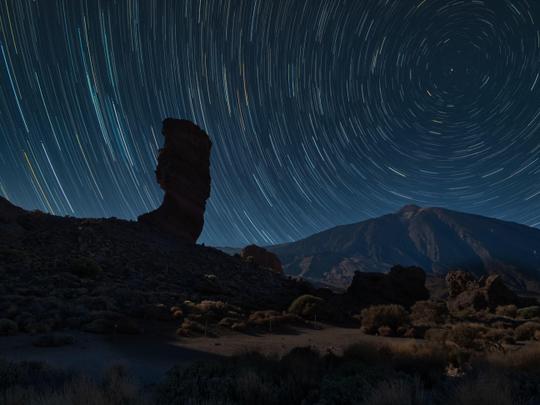
Want to add a unique atmosphere to your photos? Add an extra touch of beauty with these amazing Skies captured on Bali by Tetiana Boksha! Choose any of the 20 high-quality JPEG Skies in 6K resolution to make your photo even more stunning. From gloomy sunsets to pensive twilight ocean scenes, each Sky captures the unique atmosphere of Bali.

What is included

20 Skies in JPEG format

Compatibility

Luminar 4, Luminar AI, Luminar NEO, Photoshop , Affinity Photo, Evoto, ON1

Get photos like these

Using RAW files you will easily practice retouching tips and learn how to get photos like these.

© Tom
Ocean Twilight | Luminar Marketplace(39)
Ocean Twilight | Luminar Marketplace(40)>
Before After
© Fabio Fistarol
Ocean Twilight | Luminar Marketplace(41)
Ocean Twilight | Luminar Marketplace(42)>
Before After
© Corey Agopian
Ocean Twilight | Luminar Marketplace(43)
Ocean Twilight | Luminar Marketplace(44)>
Before After
© Caleb Jones
Ocean Twilight | Luminar Marketplace(45)
Ocean Twilight | Luminar Marketplace(46)>
Before After
© Alice Donovan Rouse
Ocean Twilight | Luminar Marketplace(47)
Ocean Twilight | Luminar Marketplace(48)>
Before After
© Alex Talmon
Ocean Twilight | Luminar Marketplace(49)
Ocean Twilight | Luminar Marketplace(50)>
Before After

Skies included in the pack

Related Products

Creator

Tetiana Boksha

Travel & Portrait Photographer

Tetiana is a passionate photographer with over a decade of experience, having begun her journey behind the lens in 2011. Her passion spans across studio portraiture, travel lifestyle, and landscape photography. Deeply inspired by legendary artists like Annie Leibovitz and Peter Lindbergh, Tetiana brings a storytelling approach to every frame.


Since 2014, she has played a key role in the photography industry — first as an Artist Curator and Photography Trends Analyst at Depositphotos, and later by launching the Luminar Marketplace at Skylum. There, she collaborated with ambassadors, affiliates, and influencers to amplify creative voices in the field.


Her work is rooted in a love for travel, lifestyle, portrait, and studio photography, with a special affinity for capturing the soft magic of skies and ocean sunsets. Her visual stories have taken her around the world — from the tranquil beaches of Bali and the rugged coasts of Australia to the sunlit cliffs of Greece, the soulful charm of Portugal, and her native Ukraine. You can explore her work on the Luminar Marketplace

FAQ

Do you have additional questions or just need advice?

contact support team

How do I contact support?

If you have any questions about the product, you can contact the 24/7 support team. Just follow this link.

How do I purchase my Ocean Twilight?

To purchase Ocean Twilight, follow these steps:

1. Open Skylum’s Marketplace.

2. Go to the preferable tab where Ocean Twilight is listed. Click on it and add it to your cart.

3. Proceed to your cart. Here, complete the purchase process for Ocean Twilight.

4. After the purchase, you will receive a fulfillment email with the download link for Ocean Twilight. Also, you can find the new item in your Skylum account, My Add-ons tab.

How do I install my Ocean Twilight?

Detailed instructions on installing the Ocean Twilight will be sent to you in the fulfillment email alongside the download link.

Besides, you can install the purchased item directly in Luminar Neo: go to Extras > Marketplace, Select the Product category, find the purchased item, and click Install.

Where do I find my Ocean Twilight after installation?

It’s pretty easy! In the top bar menu, switch to the Edit tab. Go to the Tools panel and select Skyᴬᴵ > Sky Selection > Purchased. The installed Ocean Twilight will be there.

What if I lose my Ocean Twilight?

Don't worry. All purchased items, including Ocean Twilight, are stored in the 'My Add-ons' tab of your Skylum account, allowing for easy redownload and use.

How do I check whether the Ocean Twilight is compatible with my software?

Generally, most items are compatible with Luminar Neo. But to ensure Ocean Twilight is compatible with your software, review its specifications before downloading or purchasing. Look for the 'Compatibility' section at the right of the Ocean Twilight page, where all compatible products are listed.

Create More. Spend Less. Cyber Week Deal:
25% off ALL assets with code
CW25

00d

:

00h

:

00m

:

00s

Ocean Twilight | Luminar Marketplace(78)