


 Toegepast


Vintage Fade LUTs
Save $201 $ 29 .00

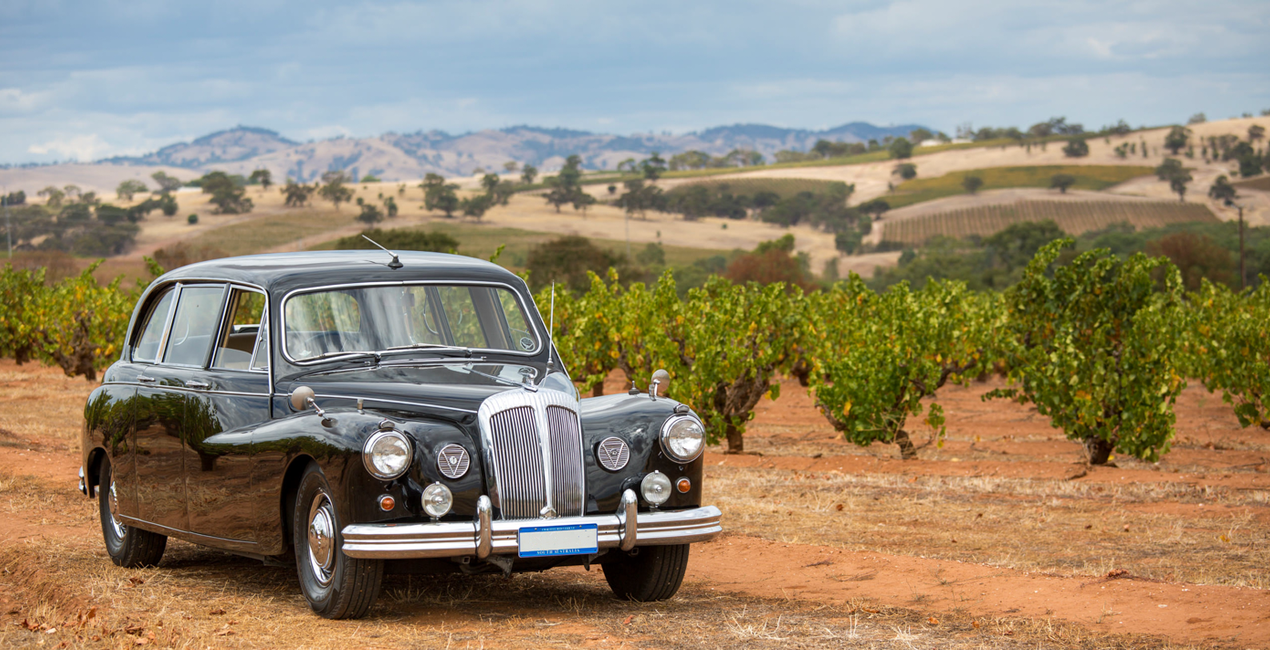
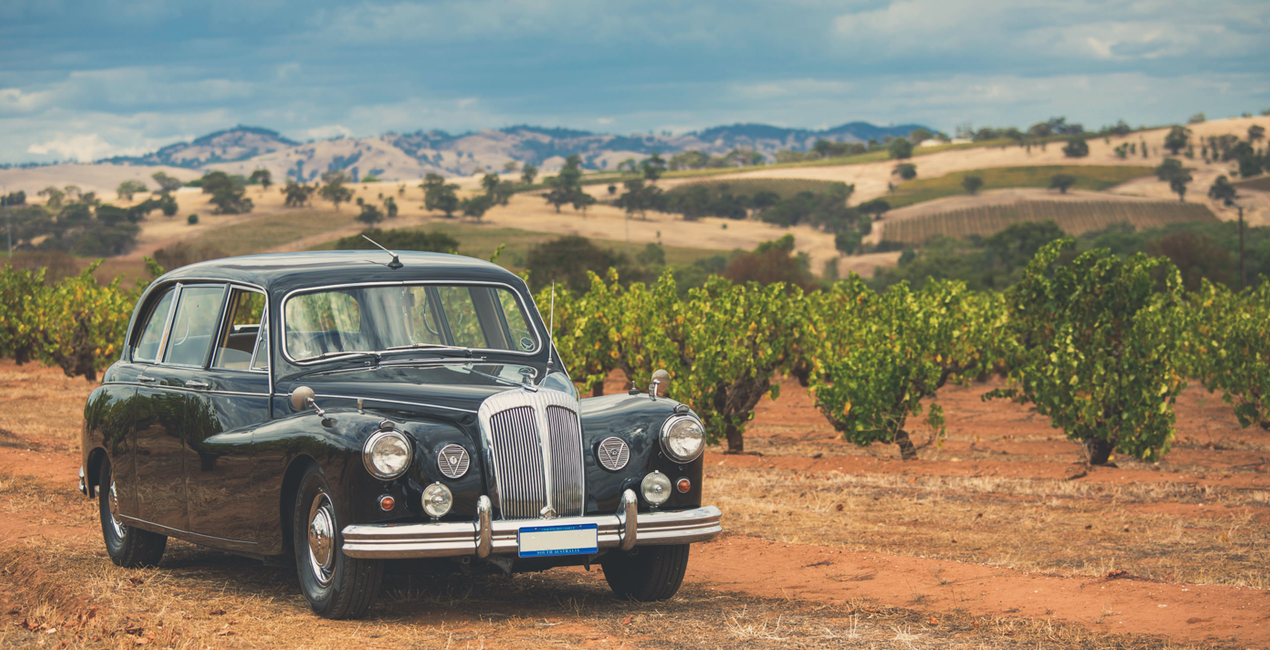
The Vintage Fade pack offers 20 carefully crafted Luts designed to give your photos a subtle, aged appearance. By reducing the intensity of colors and adding a soft fade, these Luts create a vintage effect that's perfect for those looking to achieve a more classic and timeless feel in their images. Suitable for a wide range of photography styles, this pack is a reliable choice for photographers aiming for a consistent and understated retro look.
Wat is inbegrepen
20 LUTs


Met behulp van de meegeleverde RAW-bestanden oefent u gemakkelijk retoucheertips en leert u hoe u dergelijke foto's kunt maken.
 >
>

 >
>

 >
>

 >
>

 >
>

 >
>
Photographer & Educator
Nicole S. Young's love affair with the camera began during her high school years, where she immersed herself in the world of photography by working at a photo lab and photo studio.
After graduating, she dedicated 8.5 years to serving in the US Navy, and then rekindled her passion in the realm of digital photography, swiftly transitioning to carve out a niche for herself in stock photography.
Beyond her ability to create beautiful images, Nicole is a published author, with her educational books are reaching photography enthusiasts worldwide in multiple languages. Drawing upon her extensive knowledge and experience, she has established an online business, offering courses and books to budding photographers and crafting essential tools such as presets, textures, and overlays.
Today, she draws inspiration from the serene beauty of the Oregon countryside, a place she calls home.
Veelgestelde vragen
Heb je nog extra vragen of wil je gewoon wat advies?
neem contact op met ons supportteamHeb je vragen over het product? Neem dan gerust contact op met ons supportteam – 24/7 bereikbaar. Volg gewoon deze link.
Volg deze stappen om Vintage Fade LUTs te kopen:
1. Open Skylum’s Marketplace.
2. Ga naar het tabblad waar Vintage Fade LUTs staat. Klik erop en voeg het toe aan je winkelmandje.
3. Ga naar je winkelmandje. Rond hier het aankoopproces van Vintage Fade LUTs af.
4. Na je aankoop ontvang je een bevestigingsmail met de downloadlink voor Vintage Fade LUTs. Je vindt het product ook terug in je Skylum-account onder het tabblad ‘Mijn add-ons’.
Uitgebreide instructies voor het installeren van Vintage Fade LUTs ontvang je in de bevestigingsmail, samen met de downloadlink.
Daarnaast kun je het gekochte item direct installeren in Luminar Neo: ga naar Extra’s > Marketplace, selecteer de productcategorie, zoek het gekochte item en klik op Installeren.
Supermakkelijk! Gebruik je Luminar Neo? Ga dan in de menubalk bovenaan naar het tabblad Bewerken. Ga vervolgens naar het gedeelte Creatief, kies Sfeer > Kies LUT > Gekocht. Daar vind je het geïnstalleerde LUTs-pakket.
Geen zorgen. Alle gekochte items, waaronder Vintage Fade LUTs, staan in het tabblad ‘Mijn add-ons’ van je Skylum-account. Van daaruit kun je ze makkelijk opnieuw downloaden en gebruiken.
In de meeste gevallen zijn items compatibel met Luminar Neo. Maar om zeker te weten of Vintage Fade LUTs werkt met jouw software, check je best even de specificaties vóór je iets downloadt of koopt. Kijk op de pagina van Vintage Fade LUTs aan de rechterkant bij het kopje ‘Compatibiliteit’ – daar staan alle compatibele producten vermeld.
Ga nog niet weg. Hier is een exclusieve kortingscode voor jou. Gebruik deze binnen 15 minuten om bij het afrekenen 10% extra korting te krijgen. Kopieer de onderstaande code en rond je aankoop af.
15 m : 00 s





