

 適用する
適用する 



Paris to Venice
Save $201 $ 19 .00
12 wonderful Presets for street photos taken during your travels through European cities. Easily enhance colors and lights, giving your creations a stunning look. Turn average tourist photos into images you’ll cherish forever.
含まれているもの
12 Presets

提供されたRAWファイルを使ってレタッチのコツを簡単に練習、こんな写真に仕上げる方法を学ぶことができます。
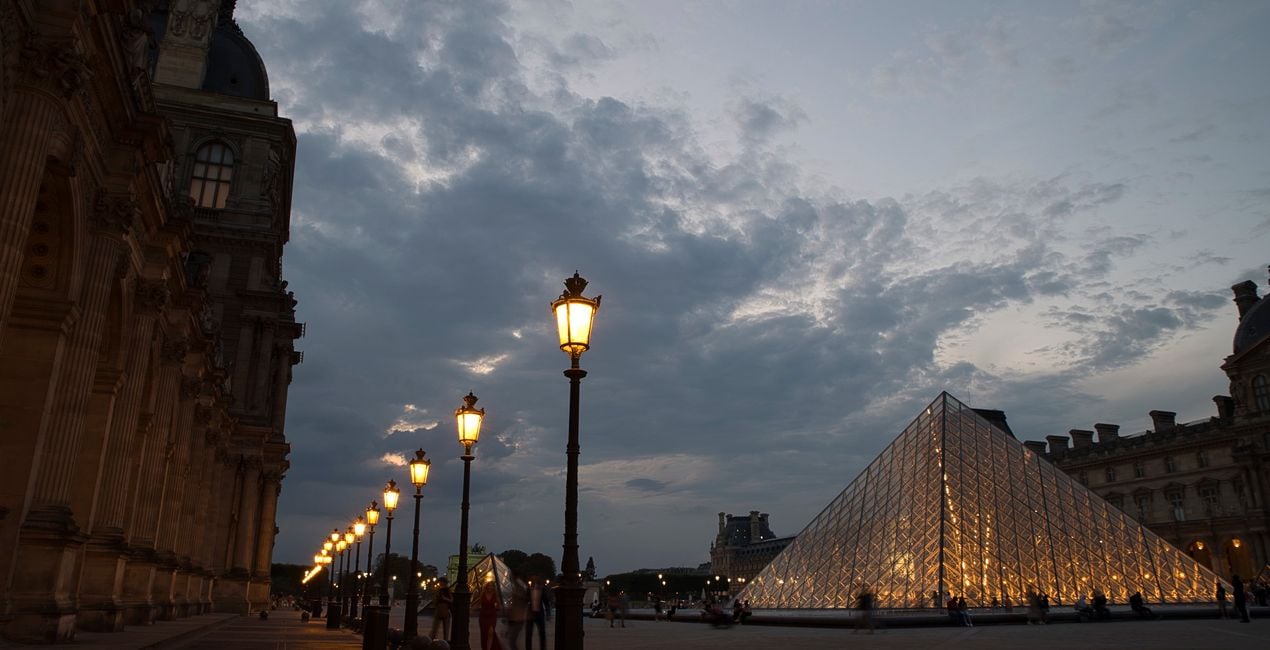
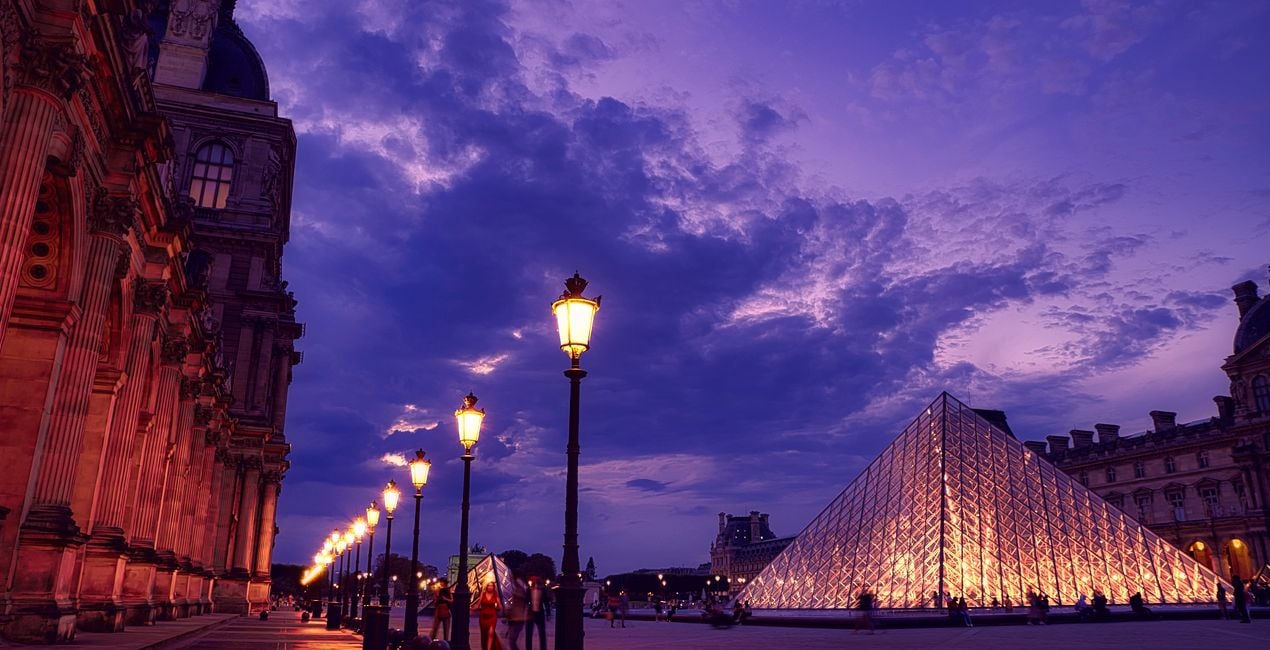 >
>
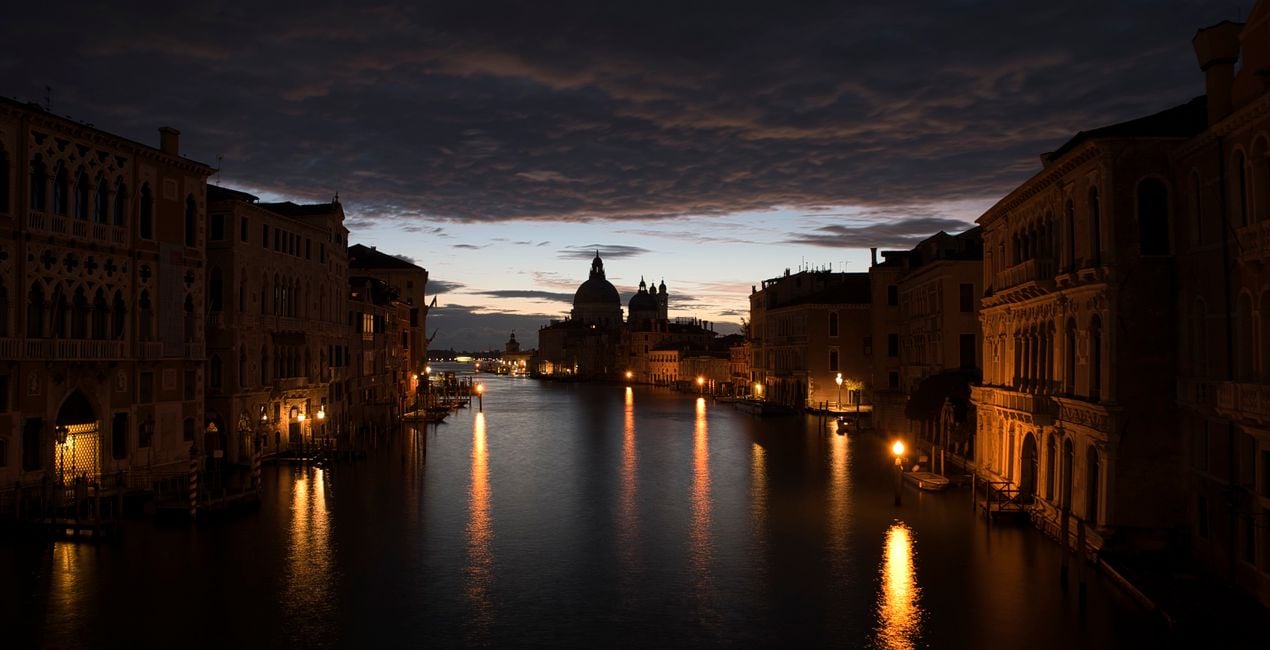
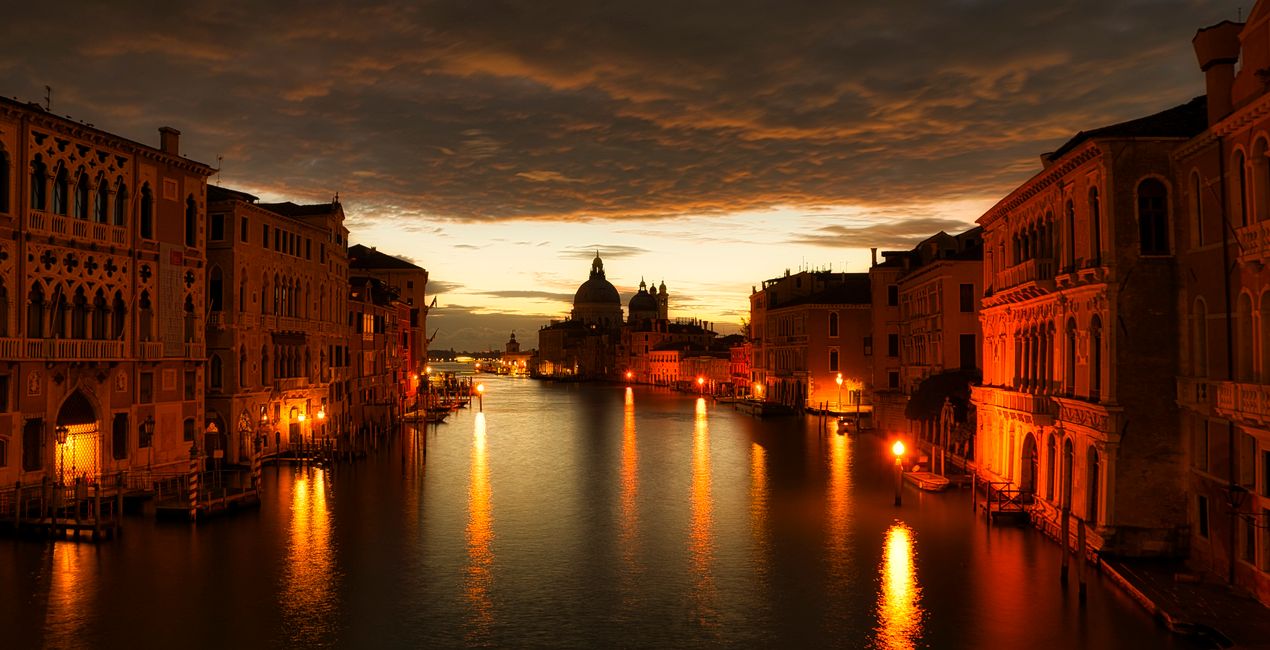 >
>
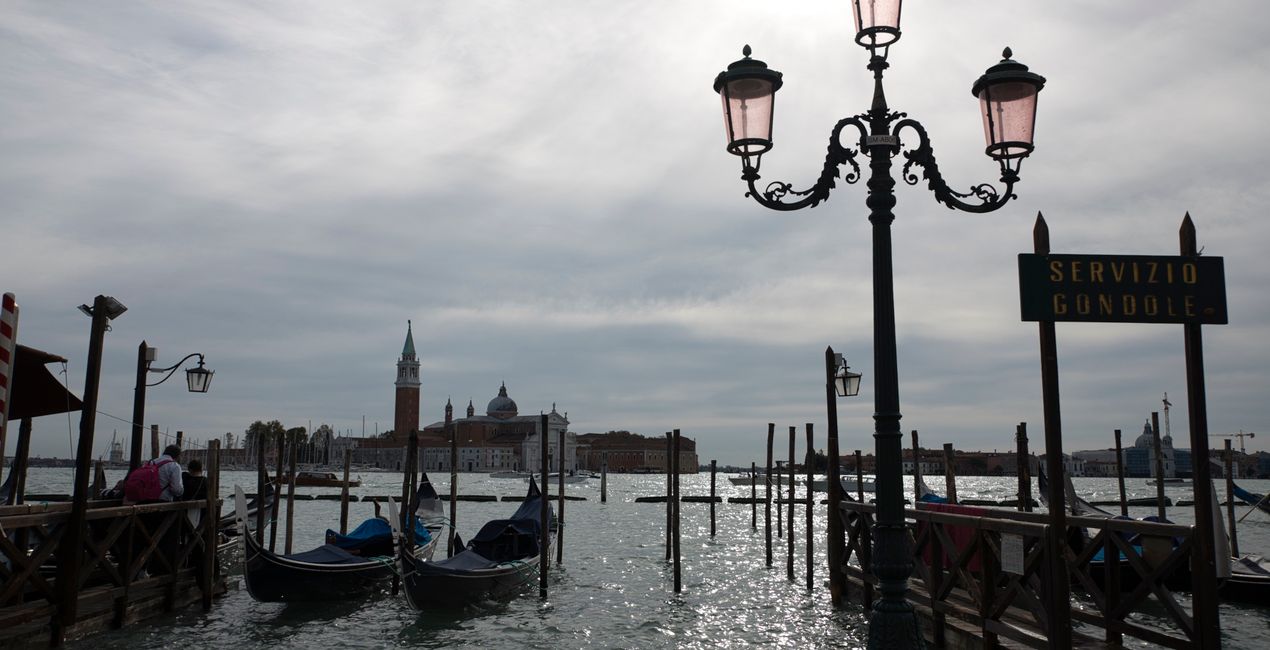
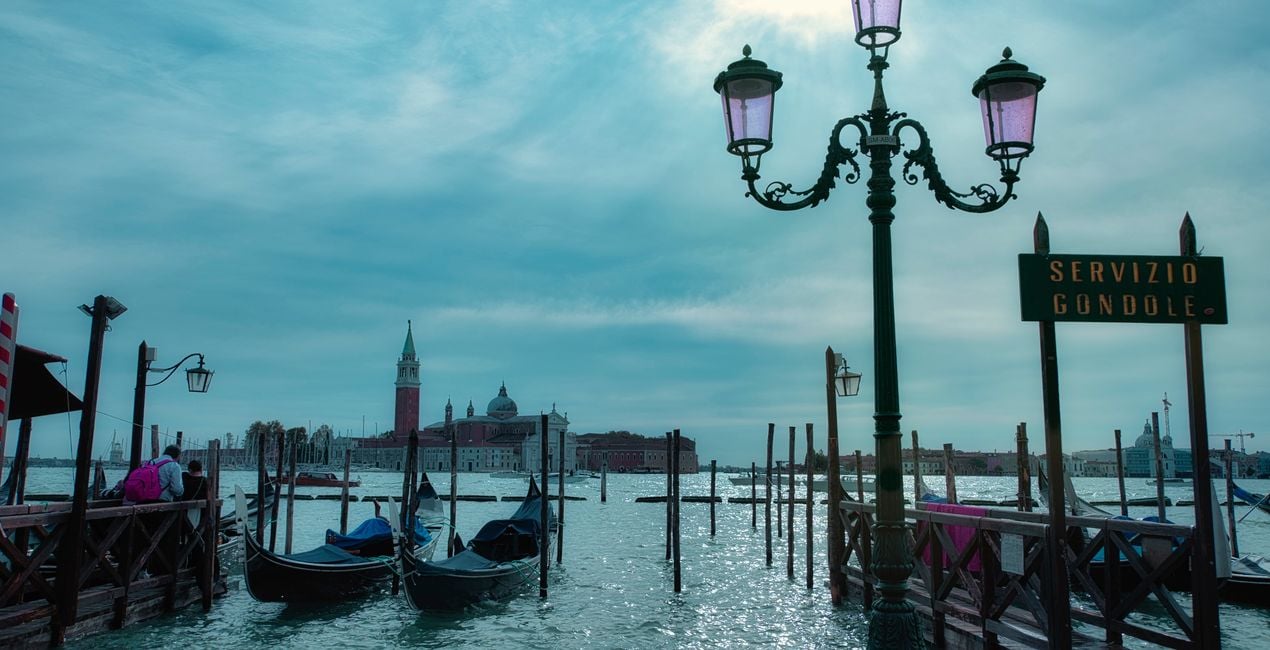 >
>
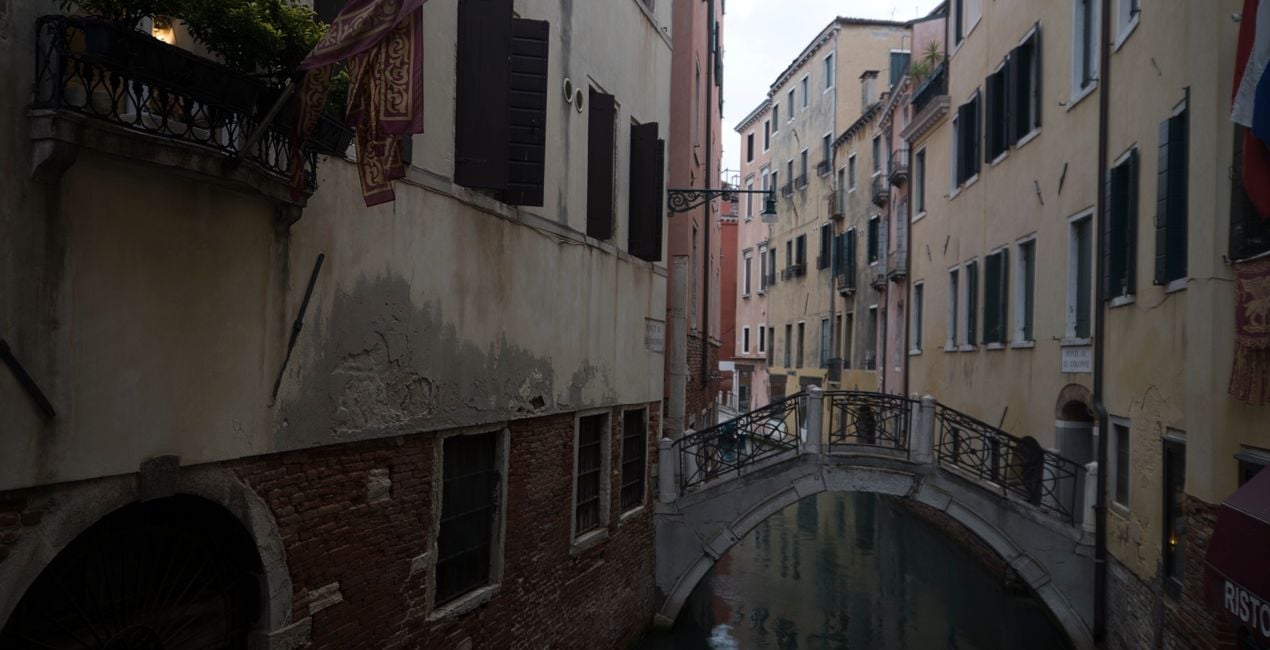
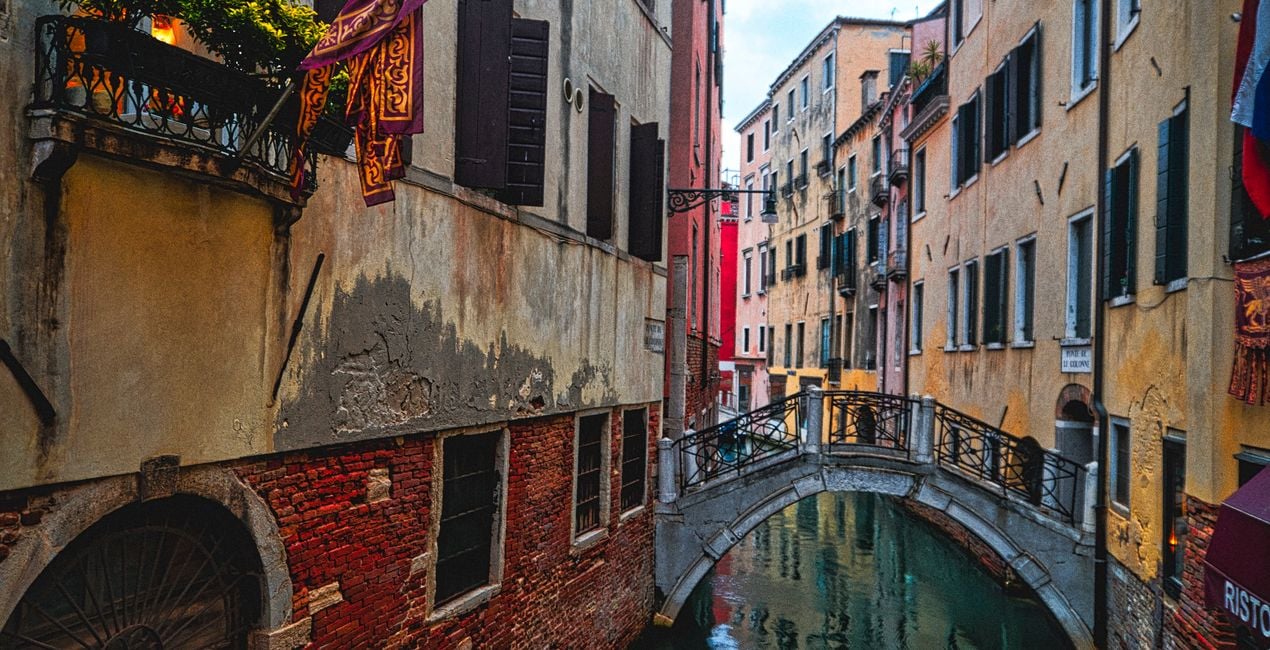 >
>
 >
>
 >
>
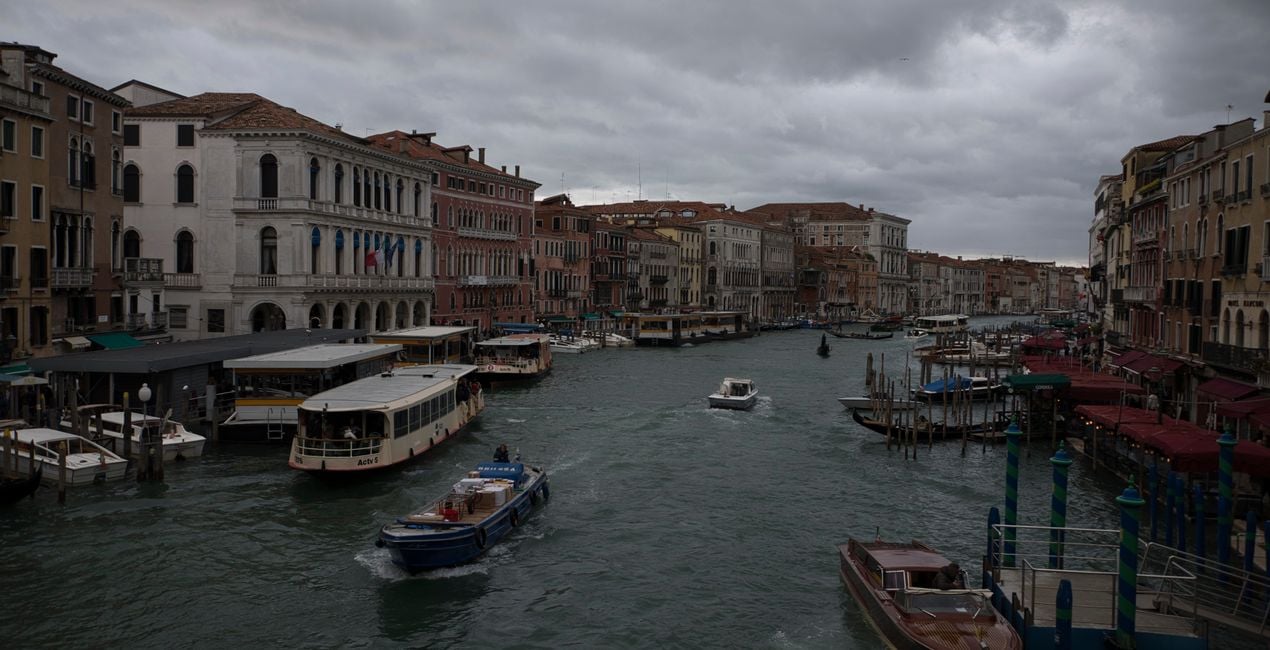
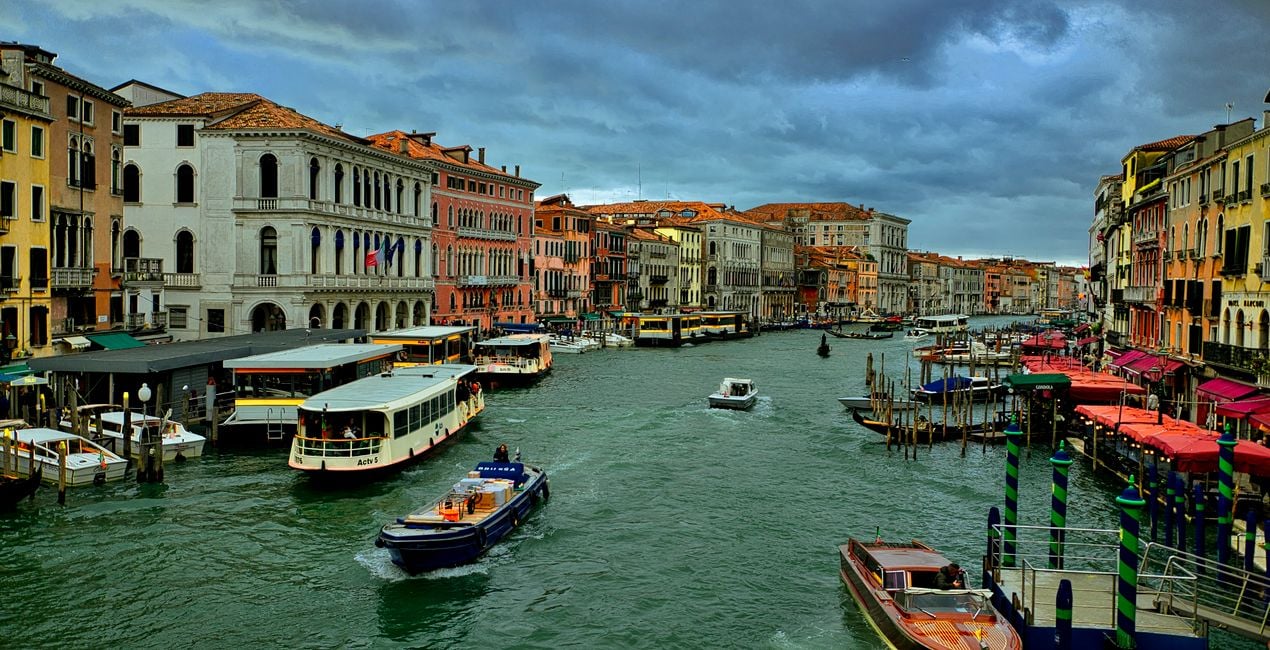
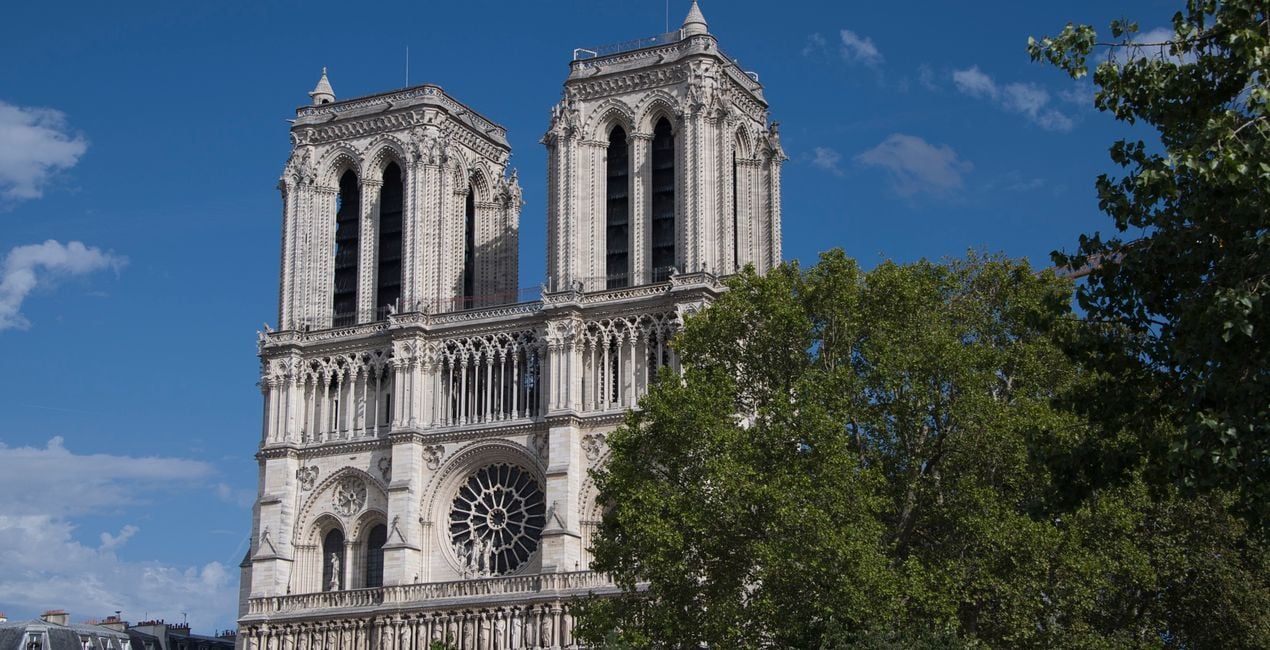
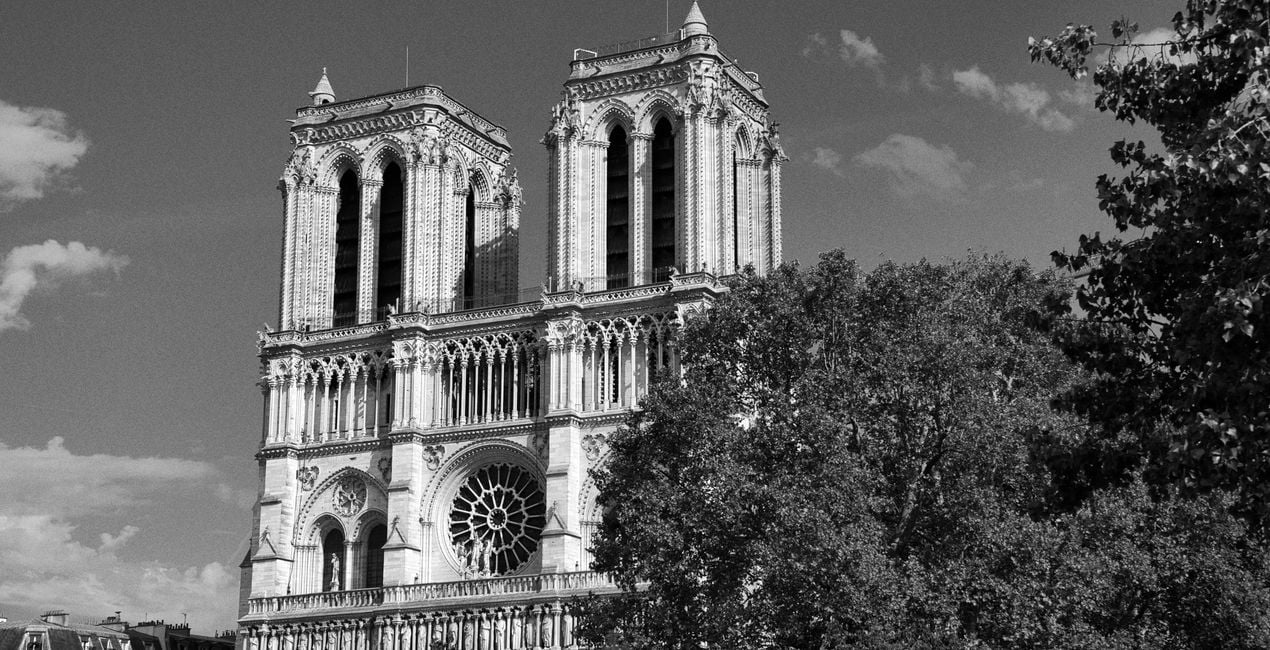
Have you ever visited the beautiful cities of Europe? Have you taken photos in these cities? If your answer is yes to these questions, this collection is just for you. Ahmet Anak has prepared this collection of Presets inspired by photos of Paris, the city where he lives, and Venice, which he loves very much. With this package, you can edit photos you have taken not only in Paris and Venice, but also in other historical cities of Europe, and channel the mystical atmosphere of those cities.
Be sure to use the amount slider when using Presets. This way, you can determine where the Preset best meets your photo and develop your own style accordingly. If you need further adjustments, you can make adjustments in the "Edit" section, where you can see the components of the Preset you are using.
You will find 12 Presets in this pack:
Gondolas: With this Preset, you can create photos that look like a grainy postcard. It is also recommended for your architectural photographs.
Rivalto: Use it for photographs taken from the famous Rivalto Bridge towards the canal and similar photographs of the architecture in and around the canal.
Grand Canal: Perfect for photos taken during sunrise on the Grand Canal. You can also transition from gold to magenta by changing colors in the Develop tool.
Moody Venice: Enhance photos where the sky color is reflected in the sea, with a bit of a gloomy and a bit emotional atmosphere.
Colorful Houses: With this Preset, you can edit the photos you took on the bridges of Venice and reveal the old and mystical texture of the colorful houses.
Rainy Day: Reflect Murano's pastel colors in your photos with this Preset.
Bluehour City: Use it for post-sunset blue hour photos and for photos you take on the historical bridges of Paris.
Louvre Magic: Enhance a magenta sky after sunset, or improve the lights of the glass pyramids. It is recommended that you also readjust the architectural geometry settings for this Preset.
Sunny Days: Recommended for your photos where all the colors are the most vibrant on a sunny day in Paris. It is ideal for photographs dominated by blue and green colors.
Tower and Bridge: Try it on photos with a slightly dramatic spirit, in which the Eiffel Tower appears in a natural frame accompanied by a bridge.
Heritage: Perfect for photos in black and white with a gloomy mood, for example, of the acclaimed Notre Dame Cathedral. However, you can also get colored images with your preferred color option.
Blue Sky: Ideal for city photos with reflections on the water on a sunny day.
Never be afraid to use your creativity when using Presets. Let the Presets be a trigger that gets you going.
Landscape, nature photographer, colorist and retoucher
Ahmet Anak lives in Paris, France. He has worked in the design of air conditioning products for about 25 years and has been involved in professional photography for over 10 years. He has been working in photography full-time for the last 3 years.
Ahmet has traveled to more than 20 countries so far and has taken nature and landscape photographs in these countries. He went to Finland, Iceland and Norway from Northern European countries and took various photographs in the parts of those regions that remain in the Arctic Circle.
The photographs he took in Finland were published in one of Turkey's popular travel magazines. It also shares some of the photos it takes with stock photography sites and provides downloadable versions of these photos. He has been interested in drone photography for the last two years and has started to add bird's-eye photos to his archive.
Ahmet works with Luminar products while processing his photographs. Ahmet, one of the first users of Luminar, is currently working with Luminar Neo.
製品についてご質問がございましたら、24時間対応のサポートチームまでお問い合わせください。こちらのリンクをご利用ください。
Paris to Veniceを購入するには、次の手順に従ってください:
1. Skylumのマーケットプレイスを開きます。
2. Paris to Veniceがリストされているタブに移動し、クリックしてカートに追加します。
3. カートに進み、Paris to Veniceの購入手続きを完了してください。
4. ご購入後、Paris to Veniceのダウンロードリンクが記載された購入完了メールが届きます。また、Skylumアカウントの「マイアドオン」タブからも新しいアイテムをご確認いただけます。
Paris to Veniceのインストール手順の詳細は、ダウンロードリンクと一緒にお送りする「購入完了メール」に記載されています。
また、Luminar Neoから購入されたアイテムを直接インストールすることもできます。エクストラ > マーケットプレイスに進み、商品カテゴリを選択して、購入済みアイテムを見つけてインストールをクリックしてください。
とても簡単です!プリセット タブに移動して、購入済みを選択してください。インストールしたプリセットがここに表示されます。
ご安心ください。Paris to Veniceを含むすべての購入済みアイテムは、Skylumアカウントの「マイアドオン」タブ に保存されるため、簡単に再ダウンロードしてご利用いただけます。
ほとんどのアイテムはLuminar Neoに対応しています。ただし、確実にParis to Veniceがお使いのソフトと互換性があるかを確認するには、ダウンロードや購入前に製品仕様をご確認ください。Paris to Veniceページ右側の「互換性」セクションに対応しているすべての製品が表示されています。
まだお帰りにならないでください。あなただけの特別割引コードをご用意しました。今後15分以内にご利用いただくと、お会計時にさらに10%オフになります。以下のコードをコピーして、お買い物を完了してください。
15 m : 00 s





