Vast Horizons Skies
Save $201 $ 15 .00
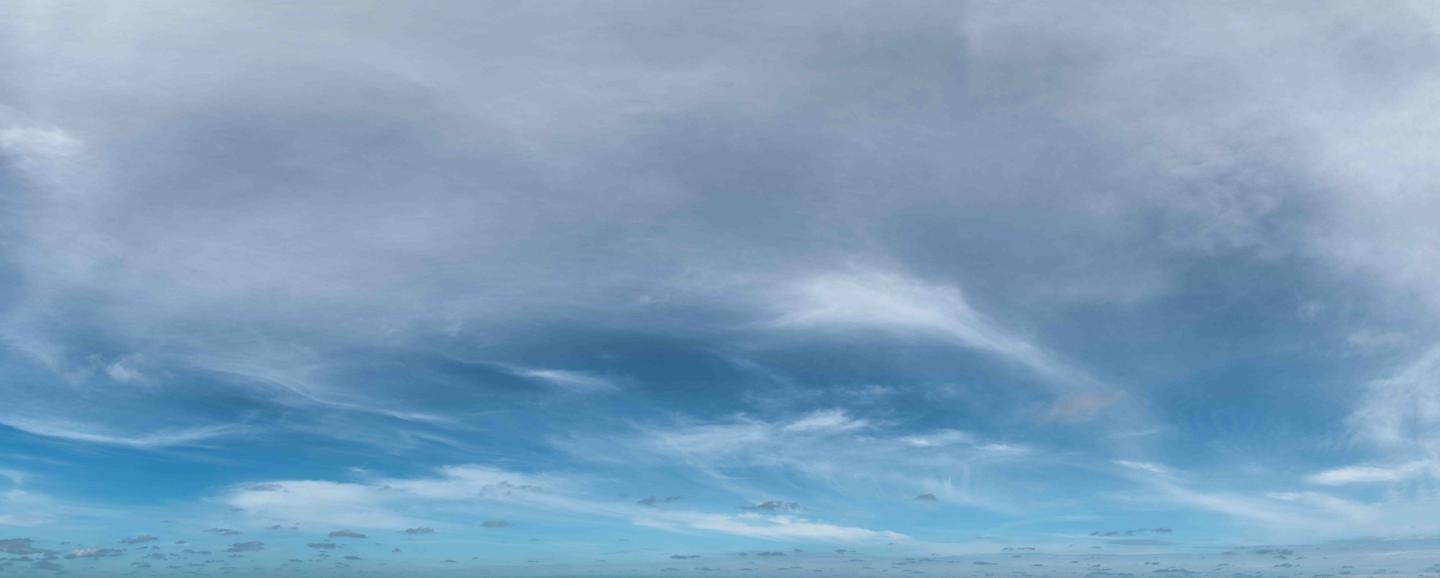
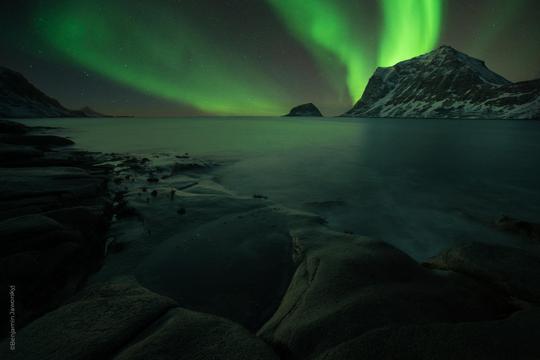
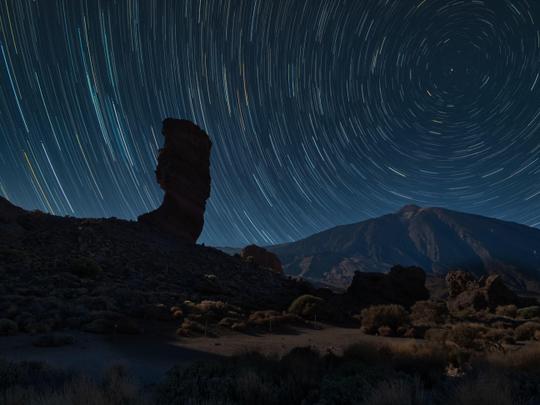
Discover another collection of high-quality views featuring wide skies to add to your photos. This magnificent pack of 10 Skies spanning from 10 to 20k pixel resolution were all captured by Mathew Browne. It features soft and delicate cloud formations, turbulent skies, and some vividly colorful twilights. These Skies have been carefully captured and stitched together to form panoramic images that will easily complement your compositions.
Wat is inbegrepen
10 Skies in JPEG format
Luminar 4, Luminar AI, Luminar NEO, Affinity Photo, Evoto, ON1
Photographer. Skylum Ambassador.
Mathew Browne is a cross-genre photographer who has gained recognition for his vibrant images spanning the spectrum of travel photography. A prolific traveler, Mathew has visited nearly 70 countries and photographs extensively for the photo location sharing platform PhotoHound, which he co-founded in 2018.

These Looks serve as the foundation for much of his wildlife portfolio, often allowing him to achieve his desired result with just one click.
Veelgestelde vragen
Heb je nog extra vragen of wil je gewoon wat advies?
neem contact op met ons supportteamHeb je vragen over het product? Neem dan gerust contact op met ons supportteam – 24/7 bereikbaar. Volg gewoon deze link.
Volg deze stappen om Vast Horizons Skies te kopen:
1. Open Skylum’s Marketplace.
2. Ga naar het tabblad waar Vast Horizons Skies staat. Klik erop en voeg het toe aan je winkelmandje.
3. Ga naar je winkelmandje. Rond hier het aankoopproces van Vast Horizons Skies af.
4. Na je aankoop ontvang je een bevestigingsmail met de downloadlink voor Vast Horizons Skies. Je vindt het product ook terug in je Skylum-account onder het tabblad ‘Mijn add-ons’.
Uitgebreide instructies voor het installeren van Vast Horizons Skies ontvang je in de bevestigingsmail, samen met de downloadlink.
Daarnaast kun je het gekochte item direct installeren in Luminar Neo: ga naar Extra’s > Marketplace, selecteer de productcategorie, zoek het gekochte item en klik op Installeren.
Supermakkelijk! Ga in de menubalk bovenaan naar het tabblad Bewerken. Open het paneel Hulpmiddelen en kies Luchtᴬᴵ > Lucht selecteren > Gekocht. Daar vind je de geïnstalleerde Vast Horizons Skies.
Geen zorgen. Alle gekochte items, waaronder Vast Horizons Skies, staan in het tabblad ‘Mijn add-ons’ van je Skylum-account. Van daaruit kun je ze makkelijk opnieuw downloaden en gebruiken.
In de meeste gevallen zijn items compatibel met Luminar Neo. Maar om zeker te weten of Vast Horizons Skies werkt met jouw software, check je best even de specificaties vóór je iets downloadt of koopt. Kijk op de pagina van Vast Horizons Skies aan de rechterkant bij het kopje ‘Compatibiliteit’ – daar staan alle compatibele producten vermeld.
00d
00h
00m
00s