


 Toegepast


Drone Dreams
Save $201 $ 9 .50 $ 19 .00

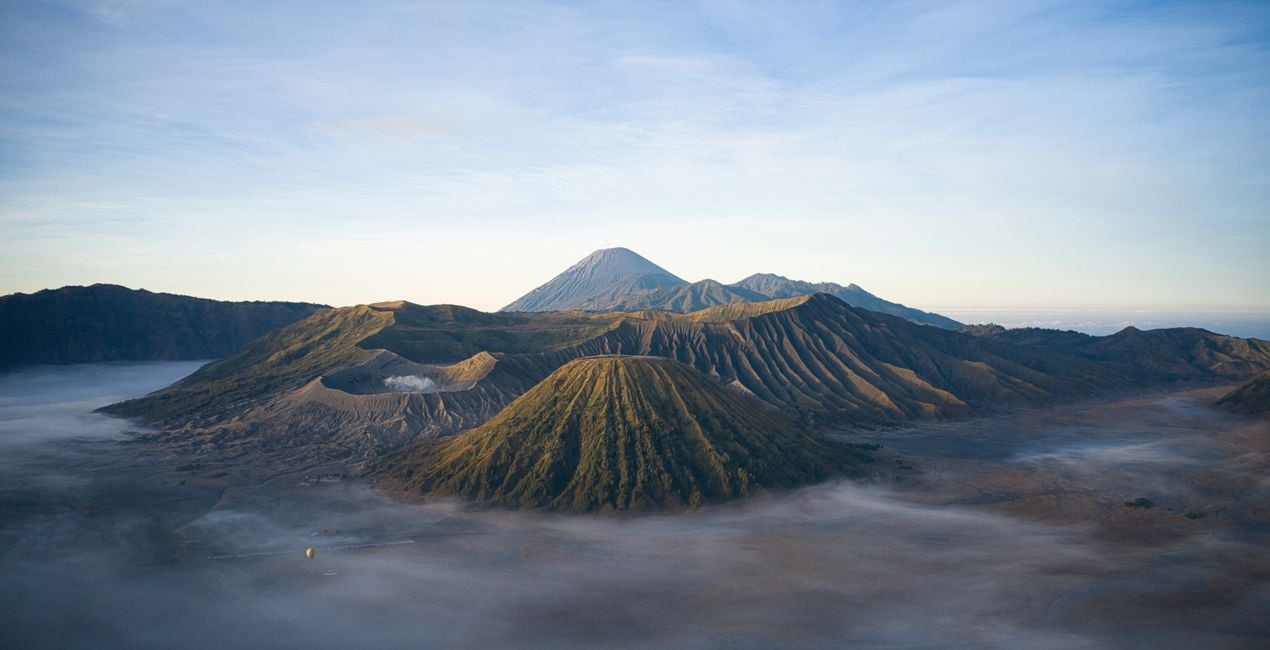
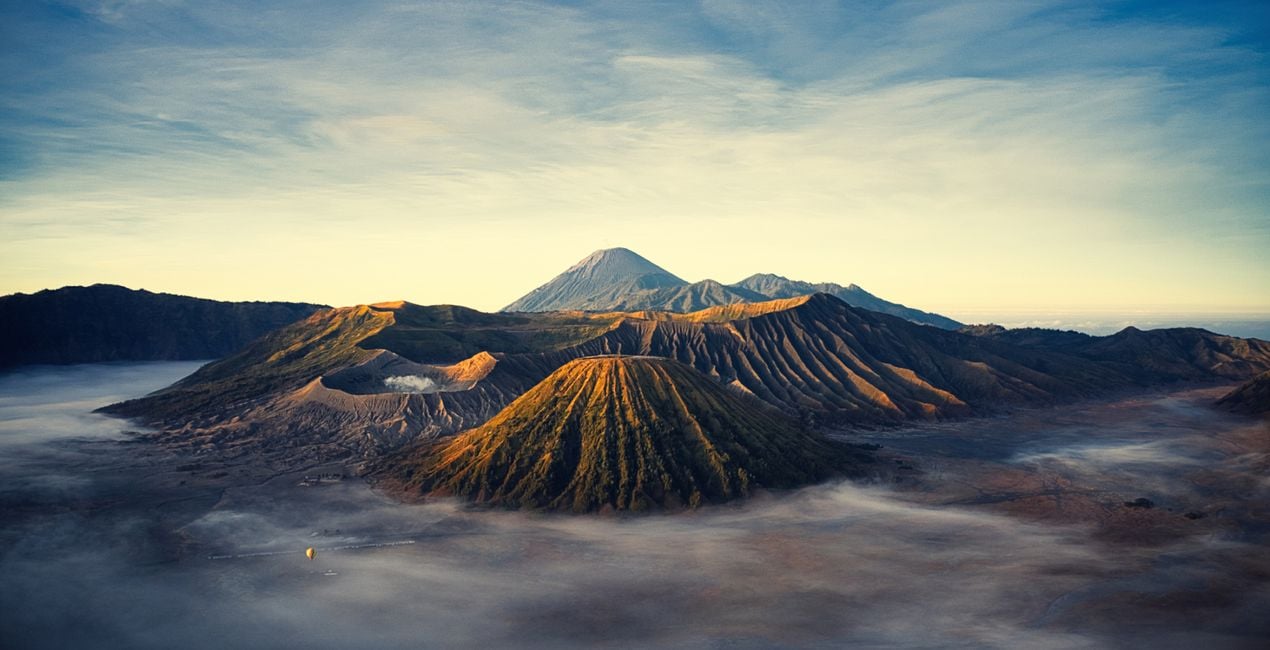
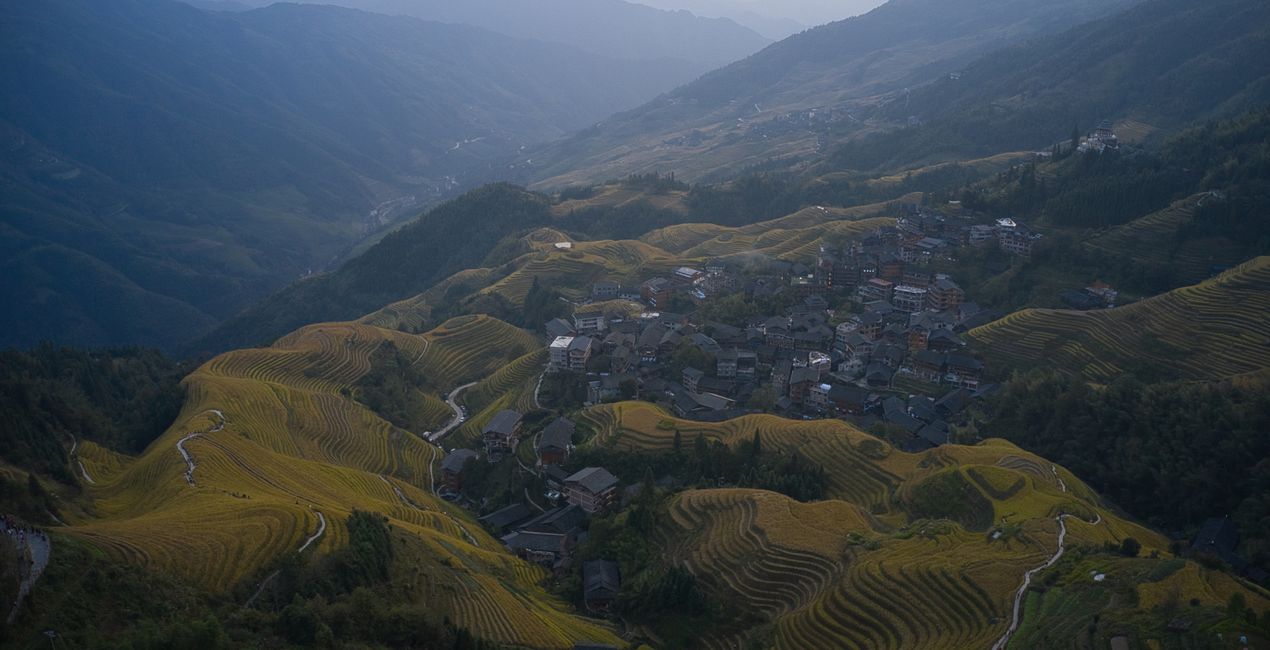
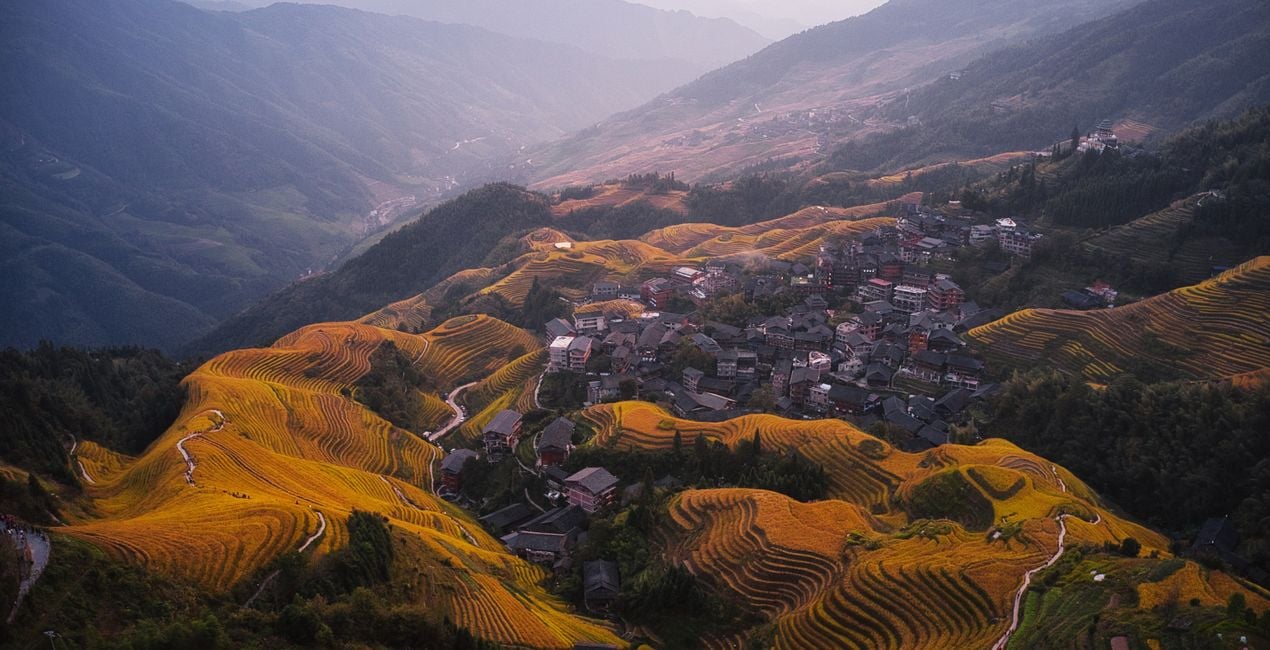
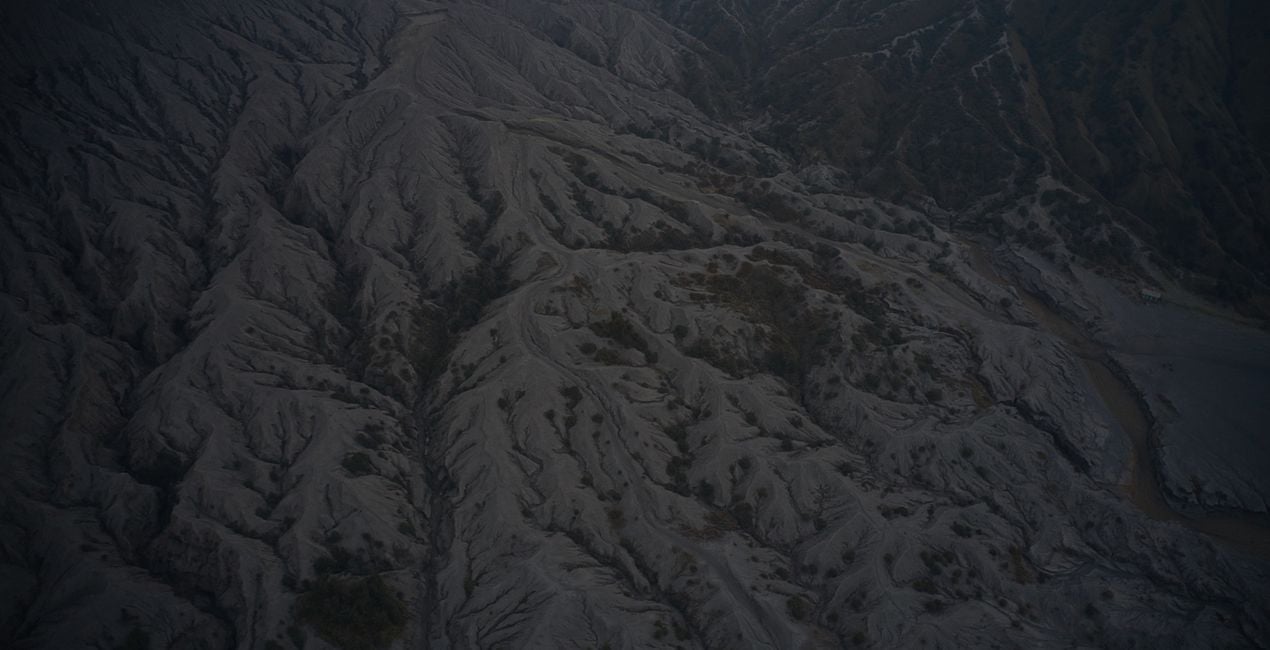
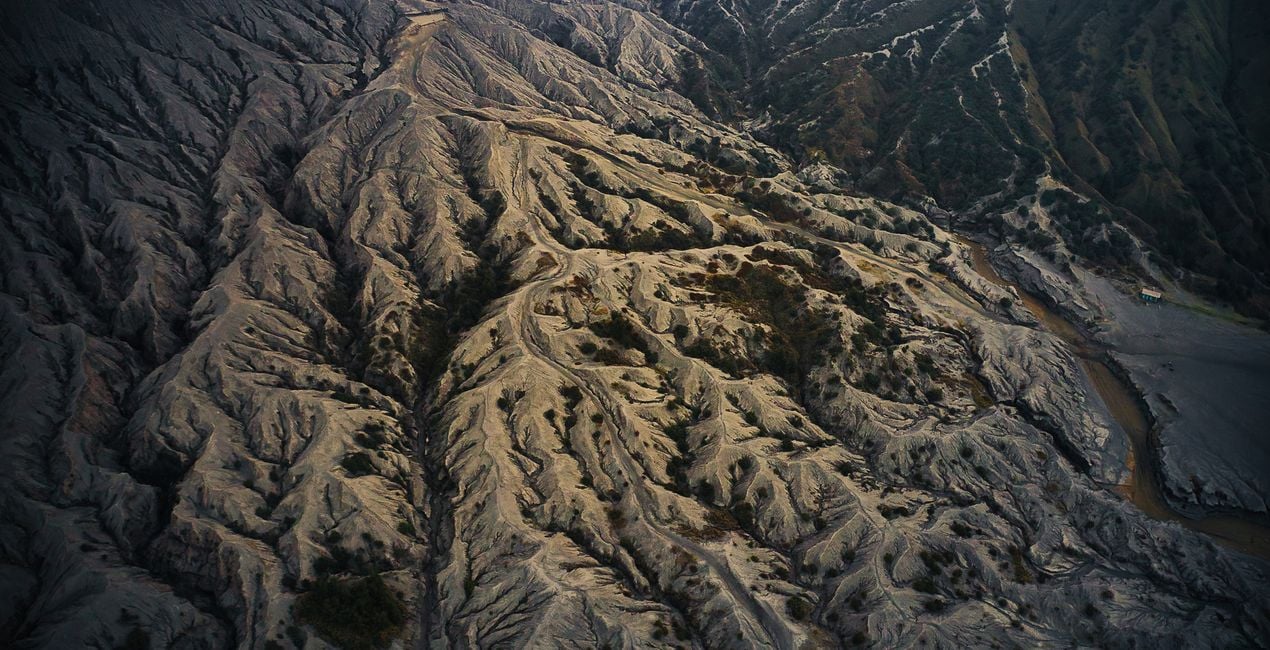
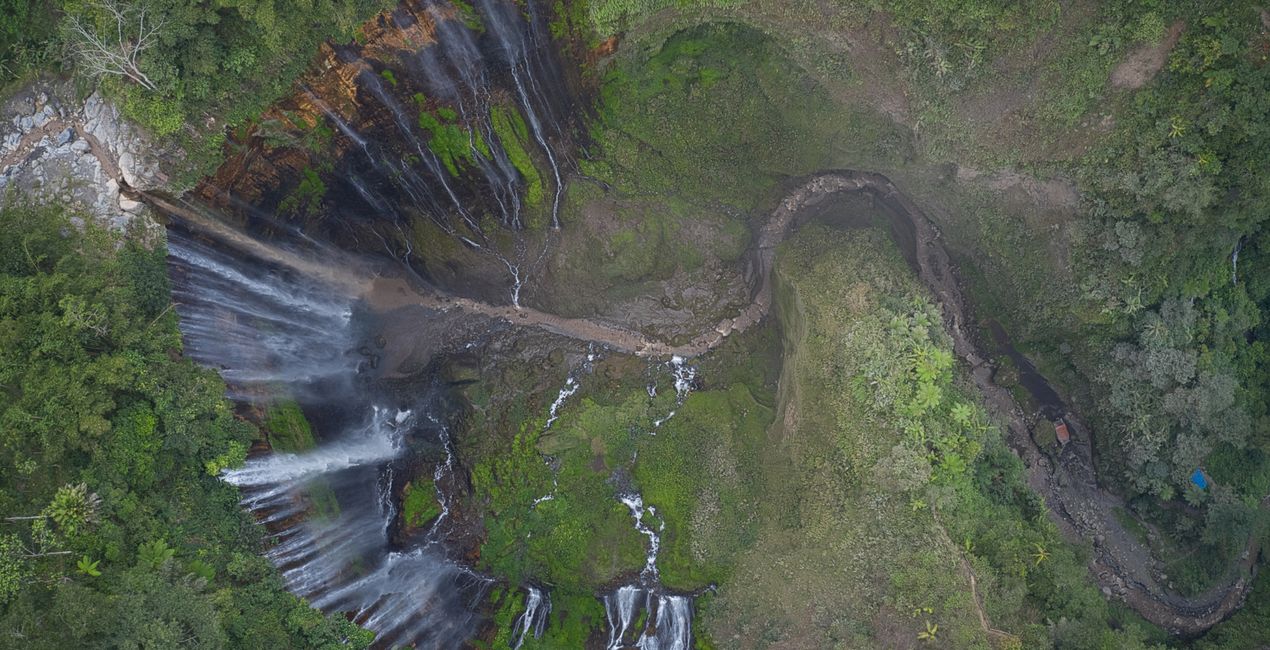
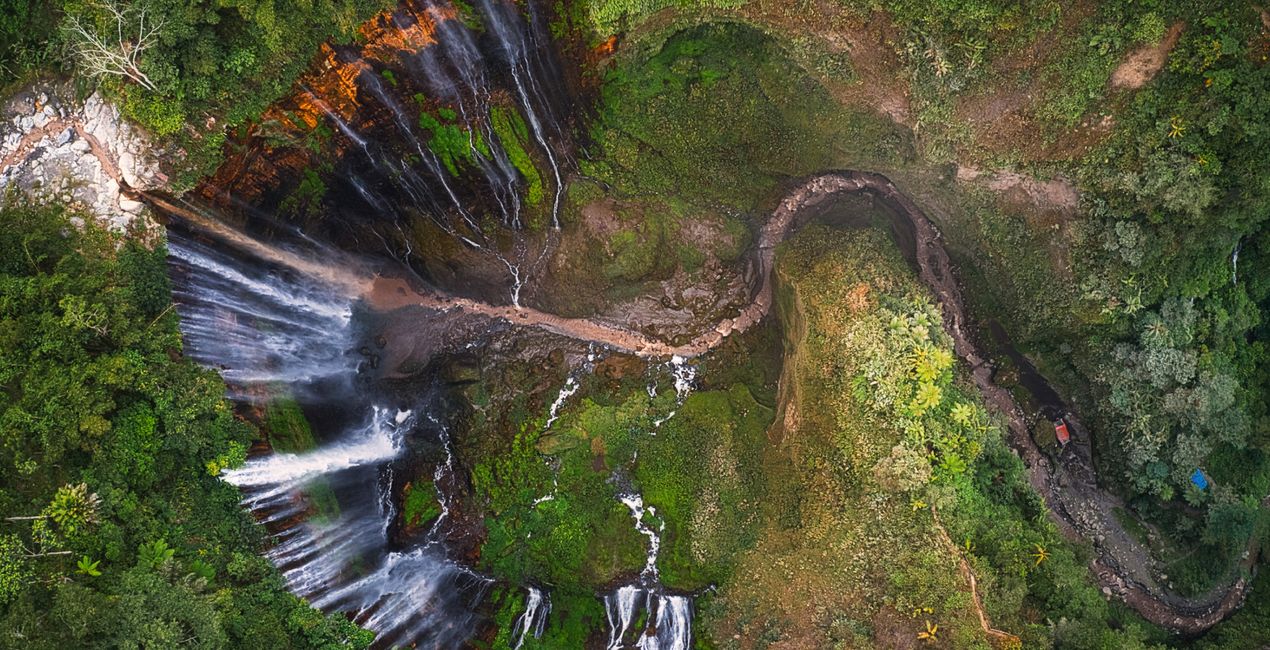
Elevate your aerial photography to new heights with this ultimate collection of Presets for Luminar Neo meticulously crafted to enhance your aerial shots in any weather conditions and across all terrains. Whether you're capturing stunning landscapes, cityscapes, or remote wilderness scenes from above, the versatile Presets in this pack will unleash your creativity and take your aerial photography to unparalleled levels of excellence.

Met behulp van de meegeleverde RAW-bestanden oefent u gemakkelijk retoucheertips en leert u hoe u dergelijke foto's kunt maken.
 >
>
 >
>
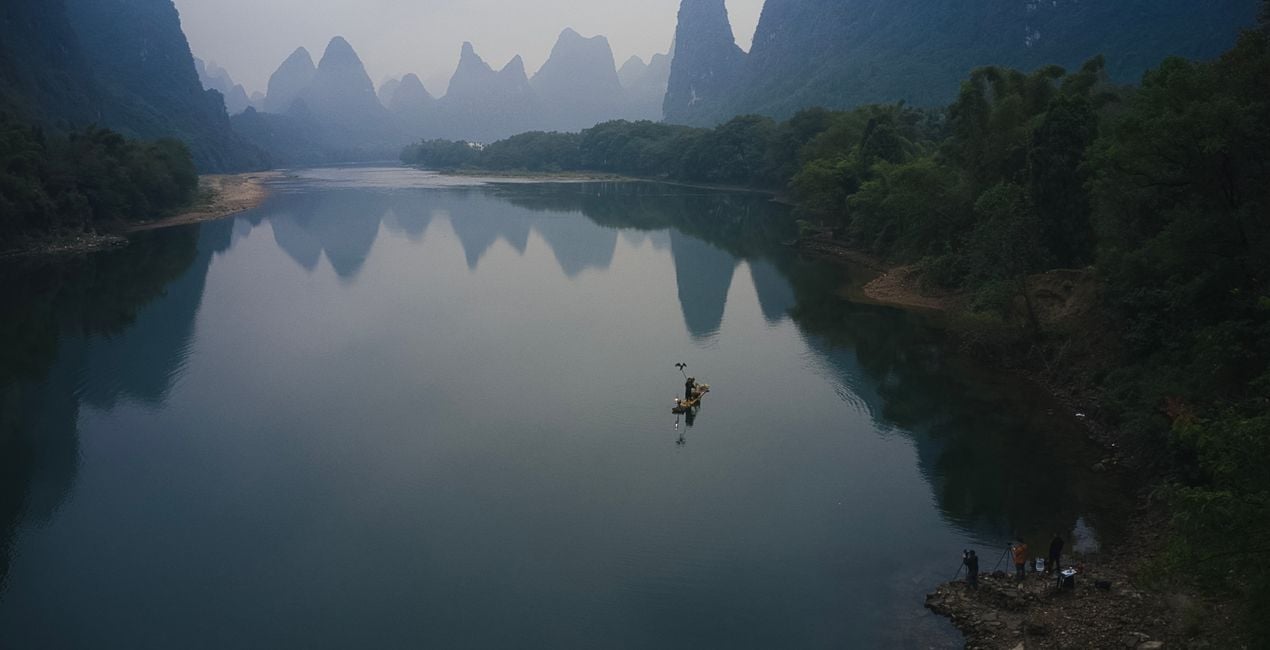
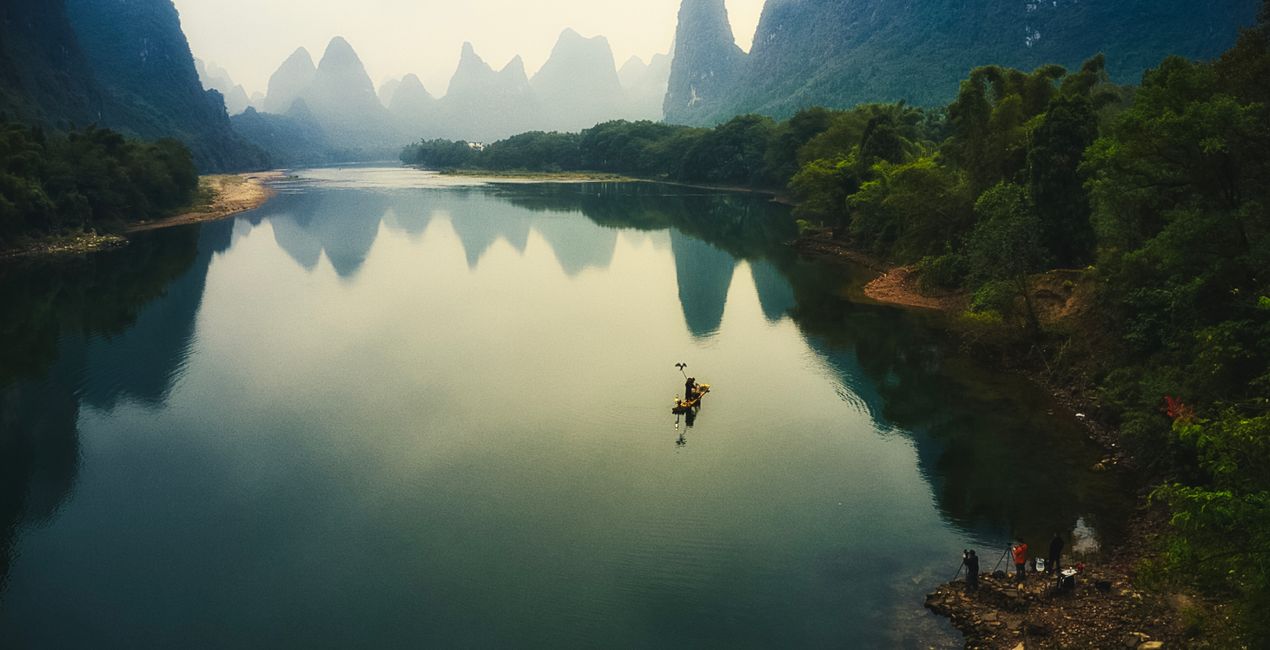 >
>
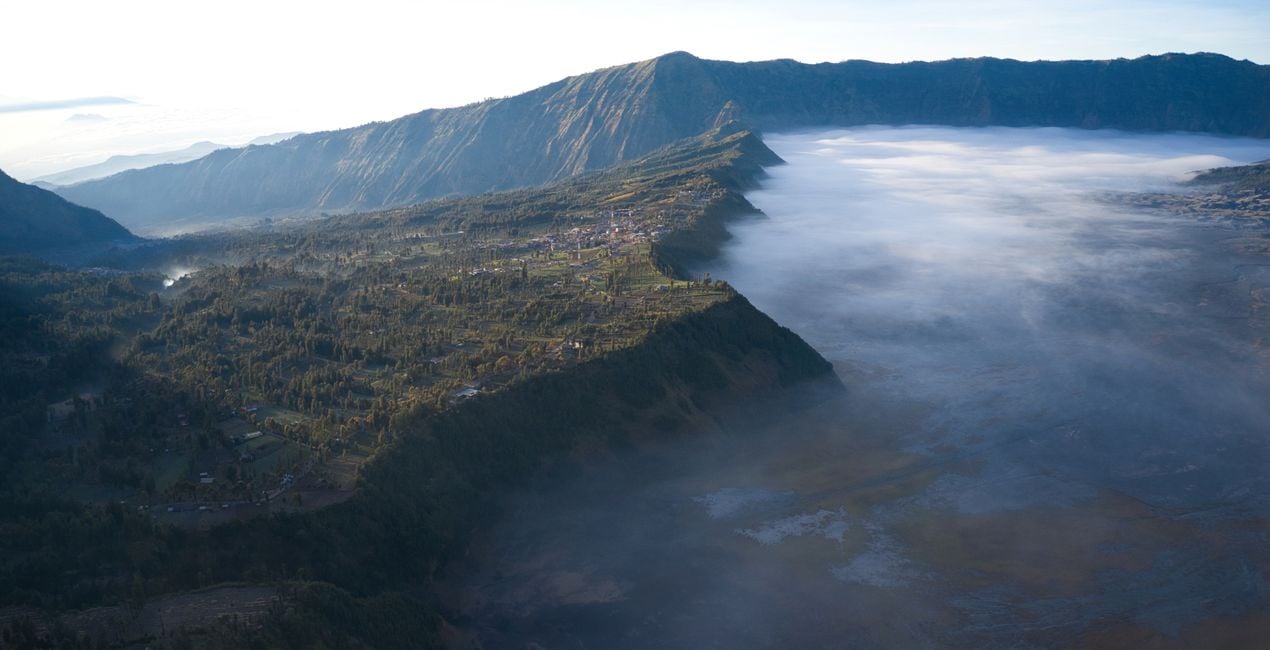
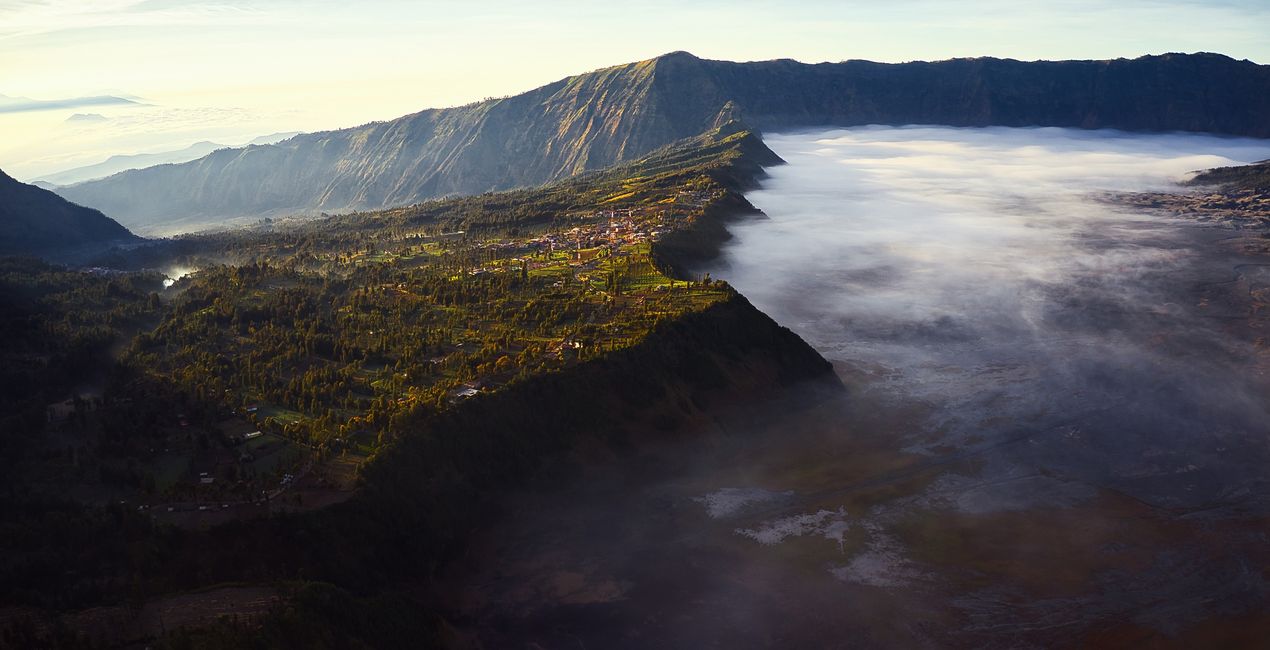 >
>
 >
>
 >
>
You’ll find 10 Presets in this Pack:
Ethereal Booster 1 - Preset that will add warm tones and boost contrast, brightness, and colors. Perfect for misty mountains with greens.
Ethereal Booster 2 - Preset that will add warm tones on mids and highlights and cool tones on shadows. Boosts contrast, brightness and colors. Perfect for misty mountains with greens.
Earth Tones Light 1 - Preset that will improve contrast and boost earth colors.
Earth Tones Light 2 - Preset that will improve contrast, muted earth colors and add glow for that dreamy morning look.
Sunkissed Glow 1 - Preset that improves sunrise or sunset colors. Boost shadows and control highlights. Perfect on hills with greens, browns, and yellows.
Sunkissed Glow 2 - Preset that improves sunrise or sunset colors. Boosts shadows and improves the sky. Perfect for sun-kissed mountains.
Texture Booster 1 - Preset that improves textures and contrast.
Texture Booster 2 - Preset that improves overall brightness and adds depth to textures.
Earth Tones Dark 1 - Preset that improves overall colors, adds depth and color contrast. Makes greens more vibrant.
Earth Tones Dark 2 - Preset that adds dramatic mood, balances highlights and shadows, and improves the sky. Reduces noise.
Photographer. Skylum Ambassador.
<p>Unapologetic in brandishing his post-processing skills, Sherwin sees what’s invisible to others and translates his images so they look the way he imagined when taking them. This results in compelling, emotive visual stories for others to appreciate and remember. His style straddles the line between reality and surrealism, resulting in works that almost feel ethereal. </p><p>Sherwin has earned his rightful spot in the world of photography and has been lauded by domestic and international organizations with numerous awards — a testament to his excellence in the field, especially in producing fine art landscape images. </p><p>Manila-born Sherwin Magsino is a self-taught photographer who began his career as an illustrator before dabbling in commercial photography in 2015. His love for travel awakened in him what he considers his life’s passion — landscape photography. This wanderlust leads to uniquely enchanting images of sceneries and moments in the places Sherwin visits.</p><p>Sherwin is currently a Brand Ambassador of <a href="https://fujifilm-x.com/en-us/photographers/win-magsino/" target="_blank">Fujifilm Philippines</a>, <a href="https://skylum.com/ambassadors/win-magsino" target="_self">Skylum Software</a>, <a href="http://gnarbox.com/" target="_blank">Gnarbox</a>, and NiSi Filters Philippines as well as a Your Shot National Geographic Contributor. As a representative of these brands, Sherwin conducts talks and workshops around Manila to share his experiences and inspire fellow artists who share his passion for photography.</p>
Veelgestelde vragen
Heb je nog extra vragen of wil je gewoon wat advies?
neem contact op met ons supportteamHeb je vragen over het product? Neem dan gerust contact op met ons supportteam – 24/7 bereikbaar. Volg gewoon deze link.
Volg deze stappen om Drone Dreams te kopen:
1. Open Skylum’s Marketplace.
2. Ga naar het tabblad waar Drone Dreams staat. Klik erop en voeg het toe aan je winkelmandje.
3. Ga naar je winkelmandje. Rond hier het aankoopproces van Drone Dreams af.
4. Na je aankoop ontvang je een bevestigingsmail met de downloadlink voor Drone Dreams. Je vindt het product ook terug in je Skylum-account onder het tabblad ‘Mijn add-ons’.
Uitgebreide instructies voor het installeren van Drone Dreams ontvang je in de bevestigingsmail, samen met de downloadlink.
Daarnaast kun je het gekochte item direct installeren in Luminar Neo: ga naar Extra’s > Marketplace, selecteer de productcategorie, zoek het gekochte item en klik op Installeren.
Supermakkelijk! Ga naar het tabblad Presets en kies daar ‘Gekocht’. Je geïnstalleerde preset staat ertussen.
Geen zorgen. Alle gekochte items, waaronder Drone Dreams, staan in het tabblad ‘Mijn add-ons’ van je Skylum-account. Van daaruit kun je ze makkelijk opnieuw downloaden en gebruiken.
In de meeste gevallen zijn items compatibel met Luminar Neo. Maar om zeker te weten of Drone Dreams werkt met jouw software, check je best even de specificaties vóór je iets downloadt of koopt. Kijk op de pagina van Drone Dreams aan de rechterkant bij het kopje ‘Compatibiliteit’ – daar staan alle compatibele producten vermeld.
Ga nog niet weg. Hier is een exclusieve kortingscode voor jou. Gebruik deze binnen 15 minuten om bij het afrekenen 10% extra korting te krijgen. Kopieer de onderstaande code en rond je aankoop af.
15 m : 00 s





